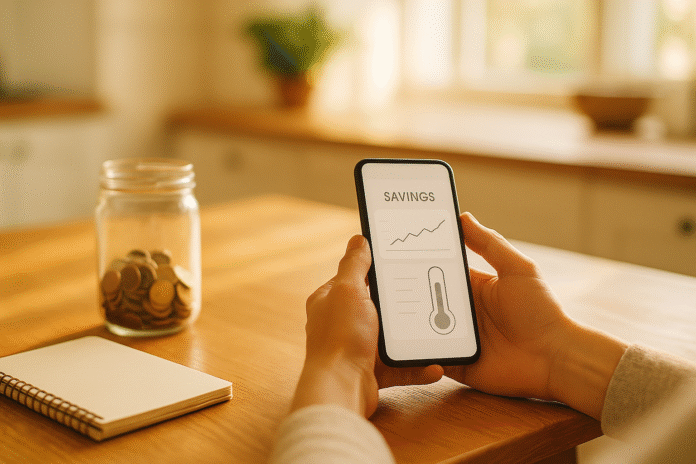
The fastest way to make saving feel rewarding is to see your money move. Visual dashboards turn vague intentions into concrete feedback you can act on—each deposit nudges a bar higher, a line steeper, or a target closer. Visualizing savings progress means using charts and app features to show how every contribution moves you toward specific goals. Done well, these visuals create timely feedback loops that sustain motivation between paydays. Quick note: this guide is educational; it can’t account for your personal situation. If you need tailored financial advice, consult a qualified professional.
Quick start (skim list): Pick a goal, choose a chart that matches the job, connect your accounts, set dated milestones, review weekly, and celebrate visual wins. The sections below show exactly how to do that—complete with examples, guardrails, and tool ideas (as of now).
1. Match the Chart to the Job (and Avoid Visuals That Confuse)
The right graph reduces effort: you glance and instantly know if you’re on track. For steady, time-based saving (e.g., weekly transfers), a line chart excels because it encodes change by position on a common scale—easy to read at a glance. For a fixed target (₹300,000 emergency fund), a thermometer/progress bar communicates distance-to-goal better than a tiny slice of a pie. If you compare categories (holiday fund vs. car fund), side-by-side bars beat stacked bars for accuracy. And when you want to show a forecast next to actuals, a dual-line chart (actual vs. projected) clarifies the story without clutter. Your goal is instant comprehension, not decoration.
- How to pick quickly
- Time trend → Line chart
- One goal toward a target → Progress bar/thermometer
- Category comparison → Aligned bar chart (not stacked)
- Actual vs. projection → Two lines on the same axes
- Avoid angle/area-heavy charts (gauges/pies) when precision matters
1.1 Why it matters
Human accuracy is highest when reading position along a common scale, then length; angle/area come later. That’s why pies and gauges often mislead for progress comparisons. Research in graphical perception consistently shows bar/line designs outperform angle/area for precise judgments (e.g., pie-slice estimates).
1.2 Mini numeric example
Goal ₹300,000 by March 31. A line chart with weekly deposits (₹6,000) shows a smooth climb; a gray projection line at the needed pace makes slippage obvious. If the blue actual line dips below the gray, you either increase deposits (+₹1,000/week) or push the deadline. Synthesis: choose visuals that minimize cognitive load so your brain focuses on action, not deciphering.
2. Chunk Big Goals into Milestones to Trigger the “Goal-Gradient” Boost
If a target looks far away, motivation drops. Break it into milestones and you’ll feel momentum faster. Start with a total (e.g., ₹300,000 emergency fund) and create five milestone markers (₹60k, ₹120k, ₹180k, ₹240k, ₹300k) with dates. Your app’s progress bar will “snap” forward more often, rewarding you with visible wins. This taps the goal-gradient effect: people work harder as they perceive themselves closer to the goal. Milestones shift “far away” into “nearly there,” which is exactly what your motivation system responds to.
- Milestone checklist
- Set 4–6 evenly spaced checkpoints
- Attach dates to each checkpoint (e.g., end of each quarter)
- Turn on notifications when you cross a milestone
- Add a small, pre-decided celebration (free reward you enjoy)
- If you miss one, reschedule the next without guilt—protect momentum
2.1 Numbers & guardrails
Suppose you save ₹12,000/month. At this pace you hit ₹60,000 in ~5 months. Put a vertical line on the chart at that month to mark “Milestone 1.” Nudging a milestone closer (say to ₹55,000) to get an early win is fine, but don’t move the final target casually; celebrate, then recommit. The sprint-to-finish spike in effort near a milestone is well documented in experiments on goal progress. Use it deliberately by making progress visible and frequent.
2.2 Synthesis
Milestones convert long marathons into short sprints, making progress feel achievable and motivating every few weeks—not only at the finish line.
3. Connect Accounts for Automatic Updates (Open Banking, PSD2, and Local Rails)
Manual tracking dies when life gets busy; automatic data feeds make savings progress self-updating. In many regions, apps can securely pull balances and transactions via open banking connectors. In the UK and EU, PSD2 and open banking standards allow regulated providers to retrieve balances and categorize spending—powering dashboards without you typing a thing. In the US and other markets, aggregators provide similar links. In Pakistan, while “open banking” is emerging, Raast offers instant bank-to-bank transfers—handy for moving money into savings spaces on schedule. Connect once, and your graphs refresh themselves.
- Setup steps
- Choose an app that supports your banks (see section 11)
- Connect read-only feeds for checking/savings and any “spaces/jars”
- Turn on automatic categorization; fix mislabels weekly
- Enable daily sync and low-balance alerts
- Use two-factor authentication and passkeys where offered
3.1 Region notes
- UK/EU: Open Banking/PSD2 enables secure data sharing with consent; look for regulated providers and SCA (Strong Customer Authentication).
- Pakistan: Raast enables instant, often free P2P transfers; set payday automations to ship funds to savings jars the same day.
3.2 Synthesis
Automatic data turns your dashboard into a living instrument panel. You spend energy deciding and saving—not copy-pasting numbers.
4. Use Streaks and Habit Calendars to Make Saving Routine
Consistency beats intensity. Visual streaks (daily dots, weekly checkmarks) capitalize on our desire not to “break the chain.” When your app shows an unbroken run of weekly transfers, skipping one feels costly—so you keep going. Back this with implementation cues (e.g., “every Friday at 9AM”) and a micro-reward (coffee at home while you tap “transfer”). Expect habits to take weeks: the best-known field study suggests median 66 days to automate a new behavior, with large variation by task and person. So design streaks for months, not days.
- Make streaks work for saving
- Pick a repeatable cadence (weekly beats “whenever”)
- Use a tiny default (₹1,000) you can always hit
- Add an optional “top-up” button for surplus weeks
- Show the streak on your home screen widget
- If you miss a week, restart immediately—no “catch-up tax”
4.1 Why it works
Habit graphs close the feedback loop: cue → action → visible success. Over time, repetition shifts effort from deliberation to autopilot. In longitudinal research, habit strength typically follows an asymptotic curve—rapid gains early, then plateau—so front-load consistency.
4.2 Synthesis
Streak visuals transform saving from a decision into a default. Protect the chain, and the money follows.
5. Add Light Gamification: Badges, Challenges, and “Nudges” That Feel Good
A little game design goes a long way. Badges for milestones, weekly challenges (e.g., “No-Spend Wednesday”), and points for staying under budget are simple cues that steer behavior. This is digital nudging: small interface choices that influence choices without removing freedom—like defaulting a higher transfer or highlighting the “on-track” amount. Keep incentives informational, not manipulative, and avoid tactics that push risky behavior. Combine nudges with commitment devices—rules you choose now that make future saving easier (e.g., money is locked in a space until the deadline).
- Practical gamification
- Badge the first 4 milestones (25/50/75/100%)
- Run a 30-day “Round-Up” challenge; display daily tally
- Default the transfer field to your on-track figure
- Show a green “on pace” banner when this month’s target is met
- Lock funds in goal-specific jars/spaces to reduce temptation
5.1 Mini case & guardrails
Saving ₹8,000/week for 4 weeks earns a “Perfect Month” badge and a visible 4-week streak. If a badge tempts you to oversave and then raid the fund later, reduce the weekly default and lengthen the challenge. Nudges are powerful; use them to support your own plan. Research has formalized how interface design steers choices and how commitment products can raise savings.
5.2 Synthesis
Thoughtful nudges plus self-chosen commitment rules make the “right” action the easy action—no willpower theatrics required.
6. Forecast with What-If Charts (Then Link Them to Actions)
Seeing the future you can still change is motivating. Forecast charts overlay your projected balance with today’s trajectory, making “on-track” visible. Start with conservative assumptions: deposit amount, deposit frequency, and a base interest rate (0–5% for cash; investments are different and riskier). Add scenario toggles: +₹2,000/month, move payday by 3 days, or direct tax refund to the goal. Tie each scenario to a one-tap action (update transfer rule) so insight becomes behavior.
- Build a simple projection
- Current balance and target date
- Average monthly contributions (last 3 months)
- Conservative annual interest (or 0% if unsure)
- “On-track” shaded band; “ahead/behind” labels
- Buttons: +₹1,000/month, extend deadline 1 month, switch to weekly
6.1 Numbers & guardrails
If your line sits below the on-track band for two consecutive months, pick one lever: increase contributions by 10–15%, or move the date. Don’t stack assumptions (e.g., higher deposits and aggressive interest). Keep forecasts transparent to avoid false confidence. Synthesis: projections motivate most when they’re realistic, revisited monthly, and one tap away from an updated rule.
7. Track a Visual “Savings Rate” Gauge With Clear Thresholds
Your savings rate—savings ÷ net income—summarizes momentum. A simple gauge or bar with thresholds makes it actionable: <10% = “at risk,” 10–20% = “stable,” 20–30% = “accelerated,” >30% = “aggressive.” Color bands help, but pair color with labels for accessibility. Update monthly, display both “this month” and “last 3-month average,” and annotate spikes (bonus month) and dips (unexpected expense). The point isn’t perfection; it’s trend awareness and clear trade-offs.
- How to operationalize
- Compute after-tax income and total transfers to savings/goals
- Display current month, 3-month average, and 12-month trend
- Add tooltips with definitions (what counts as “savings”)
- Show one suggestion (e.g., plus ₹2,500 raises rate by 1 pp)
- Keep gauges secondary to precise bar/line charts for detail
7.1 Why thresholds help
Feedback works best against a standard; your brain needs a reference to judge distance. In feedback-control models of self-regulation, clear standards reduce mental friction and guide error correction. Pair the gauge with precise charts for decisions.
7.2 Synthesis
A labeled savings-rate visual turns an abstract ratio into a nudge you can act on every month.
8. Use Buckets, Spaces, or Jars—Then Visualize Each Goal Separately
One account hides trade-offs. Buckets/spaces/jars let you earmark money for distinct purposes—emergency fund, travel, car maintenance—so each goal gets its own progress bar. This leverages mental accounting in your favor: labeling funds reduces the urge to reassign them impulsively. Many banks and wallets now support named sub-accounts or “spaces” you can move money in and out of instantly. Track each bar individually, and show a stacked overview only for high-level planning.
- Set up buckets
- Create 3–6 named spaces (too many dilutes progress)
- Assign a date and amount to each; turn on targets
- Automate transfers on payday by percentage
- Display a portfolio view of all progress bars plus one master “funded%”
- Lock or limit transfer-out for long-horizon goals
8.1 Region & tool notes (examples, availability varies)
- UK/EU/US: Revolut Vaults (solo/group), Starling Spaces, Wise Jars support named sub-pots with goals; review terms and local availability.
- Why it works: Labeling money changes how we treat it—mental accounting is real. Use it intentionally for savings, not to justify overspending.
8.2 Synthesis
Buckets make trade-offs visible and progress satisfying. When every rupee has a job and a bar, you protect what matters.
9. Share Progress (Selectively) for Accountability and Support
Saving is easier with allies. A shared dashboard with a partner or family creates gentle accountability and collaborative decisions (“we’re 72% to the wedding fund”). Visuals reduce friction in money talks: bars and lines feel less personal than words. For group goals (trip with friends), a shared vault lets everyone see contributions and progress in real time. Just balance motivation with privacy: share only the relevant goal, not your entire net worth.
- Accountability options
- Share a read-only link to a single goal’s chart
- Use group vaults/spaces for joint goals
- Schedule a 10-minute monthly “money huddle” to review visuals
- Agree on rules for withdrawals and minimum monthly contributions
- Mute notifications that feel intrusive; keep the ones that help
9.1 Example
A four-person group creates a Revolut Group Vault for a December trip, sets a £2,000 total target, and displays a bar per person. Seeing your bar lower than your friends’ is a strong (and often friendly) nudge. As always, opt in consciously. Revolut
9.2 Synthesis
Selective sharing focuses attention and keeps commitments public—powerful, if you choose the audience and data carefully.
10. Do a 20-Minute Weekly Review So Your Visuals Drive Action
Dashboards only help if you look at them. Book a repeating 20-minute slot each week to check progress, pace, and plan. Start with a snapshot (are you ahead/behind this week?), glance at your savings-rate gauge, and read any notes on upcoming expenses. If you’re behind, pick one lever: increase this week’s transfer, move a non-urgent purchase, or use a one-off top-up. End by logging a 1-sentence note (“Week 3: hit 50% of emergency fund”). These micro-journals make your chart a story, not just a picture.
- Weekly mini-agenda
- 5 min: scan the dashboard and alerts
- 5 min: fix mis-categorized transactions
- 5 min: adjust one rule (amount/date/category)
- 3 min: add a short note to the chart (what changed, why)
- 2 min: celebrate a tiny win (badge/sticker/photo)
10.1 Why this works
Feedback without action fades. In feedback-intervention research, task-focused, timely feedback improves performance more than self-focused praise/blame; a short, consistent task review beats sporadic overhauls.
10.2 Synthesis
A light, rhythmic review turns visuals into continuous course-correction—small tweaks, big momentum.
11. Choose a Tool Stack That Fits Your Region and Style
Pick tools that make your visuals effortless. If you live in a country with mature open-banking links, a modern money manager will sync accounts, display bar/line charts, and track goals with dates. If your bank offers built-in spaces/jars, use them for instant transfers and clear progress bars. Layer a rules-based saver if you want round-ups or automatic skims from spending. The best stack is the one you open daily.
- Examples to explore (feature availability varies by country)
- YNAB: robust targets and progress visuals for category-based saving; strong method focus.
- Monarch Money: rich dashboarding and goal tracking with multi-provider sync.
- Rocket Money: subscription/bill control plus savings automations and net-worth tracking.
- Qapital: rules-based autosaving into goal “buckets” with visual progress. Qapital
- Revolut/Starling/Wise: bank-level Vaults/Spaces/Jars for named sub-accounts with targets and, in some regions, interest.
11.1 Selection checklist
- Connects to your banks; updates daily
- Shows line charts, progress bars, and goal dates
- Supports milestones, streaks, and notes
- Offers safe automations (round-ups, scheduled transfers)
- Lets you share single-goal views without exposing everything
11.2 Synthesis
The “right” app is the one that makes visual progress unavoidable and easy. Try two for a week; keep the one you actually open.
FAQs
1) What’s the single best graph for savings?
For ongoing contributions, a line chart with a light gray projection line is best for pace; for a single target, a progress bar/thermometer shows remaining distance cleanly. Reserve pies/gauges for simple part-whole snapshots, not precise comparisons. This aligns with research showing position/length encodings are read more accurately than angle/area.
2) How often should I update my visuals?
Daily sync is ideal, but a weekly review is sufficient for most. Automate feeds so charts update without effort; then spend 20 minutes each week fixing categories and adjusting one rule. Frequent, task-focused feedback beats sporadic overhauls for behavior change.
3) Are pie charts really that bad?
They’re not “bad,” but they’re less precise for comparing values. When accuracy matters—like judging whether this month’s deposit keeps you on pace—bars/lines are better. Pies can work for a simple “how much of the goal is funded” snapshot, just don’t rely on them for nuanced decisions. Shippensburg University
4) What if my income is irregular?
Use percentage-based rules (e.g., auto-save 10% of any incoming transfer), plus a 3-month average projection so one big invoice doesn’t distort the line. Keep a small buffer bucket to smooth transfers in lean months. The visuals do the heavy lifting: bars drop slower, alerts nudge you to adjust, and your on-track band remains realistic.
5) Should I include investments in my savings dashboard?
Keep cash goals (emergency fund, near-term purchases) separate from investment goals (longer-term, market risk). Use conservative (even 0%) return assumptions for cash forecasts. For investments, consider a different dashboard and risk disclosures; don’t mix volatile lines with guaranteed savings bars.
6) How do milestones help motivation?
People accelerate as they perceive “nearly there.” Milestones multiply those moments—your bar advances and your brain gets a clean “win.” That’s the goal-gradient effect in action; pair it with small celebrations and a new milestone to keep momentum.
7) Do streaks backfire if I break them?
They can—if you treat a missed day as failure. Make streaks weekly (not daily) for money tasks and plan a gentle restart rule (“tap transfer now, log today’s reason, move on”). The habit literature shows early, consistent repetition is what counts; perfection isn’t required.
8) What’s a good savings rate to aim for?
There’s no universal number. Use a tiered gauge (e.g., 10%, 20%, 30% bands) to choose a personally achievable tier, then progress upward when life allows. The value is in monitoring trend and making trade-offs visible, not hitting an arbitrary benchmark every month.
9) Are “nudges” ethical?
Yes—when you choose them and they’re transparent. Defaulting the transfer field to your on-track amount or highlighting the “save now” option is a digital nudge that supports your plan. Avoid dark patterns (e.g., hidden settings or scare tactics). Pair nudges with optional commitment devices (locking a goal) for best results.
10) What about privacy and security when connecting apps?
Use providers that clearly state data access scope, are regulated where applicable (e.g., Open Banking in the UK/EU), and support SCA or passkeys. Prefer read-only connections for dashboards. Revoke access you no longer use, and lock sensitive goals behind app-level security.
Conclusion
Money motivation thrives on feedback you can feel. When a blue line climbs each week, when a thermometer bar warms toward 100%, and when a gauge nudges you into the next tier, saving stops being a chore and starts feeling like progress. The recipe isn’t complicated: choose visuals that your brain decodes effortlessly (lines and bars), automate data so updates happen without effort, and add just enough structure—milestones, streaks, nudges—to keep going when life gets noisy. Then protect your cadence with a short weekly review. If you do only three things after reading this: set one dated goal with a progress bar, connect automatic updates, and schedule a 20-minute Friday check-in. Your future self will thank you—visibly.
CTA: Pick one goal and set up its chart today; make the first ₹1,000 transfer while the page is still open.
References
- Kivetz, R., Urminsky, O., & Zheng, Y. (2006). The Goal-Gradient Hypothesis Resurrected: Purchase Acceleration, Illusionary Goal Progress, and Customer Retention. Journal of Marketing Research. (PDF: https://home.uchicago.edu/ourminsky/Goal-Gradient_Illusionary_Goal_Progress.pdf) SAGE Journals
- Kluger, A. N., & DeNisi, A. (1996). The Effects of Feedback Interventions on Performance: A Historical Review, a Meta-Analysis, and a Preliminary Feedback Intervention Theory. Psychological Bulletin. Mr Barton Maths
- Carver, C. S., & Scheier, M. F. (1982). Control Theory: A Useful Conceptual Framework for Personality-Social, Clinical, and Health Psychology. Psychological Bulletin. My Courses
- Lally, P., van Jaarsveld, C. H. M., Potts, H. W. W., & Wardle, J. (2010). How are Habits Formed: Modelling Habit Formation in the Real World. European Journal of Social Psychology. (alt PDF mirror) Wiley Online Library
- Cleveland, W. S., & McGill, R. (1984/1985). Graphical Perception: Theory, Experimentation, and Application to the Development of Graphical Methods. JASA/Science. ; https://web.cs.dal.ca/~sbrooks/csci4166-6406/seminars/readings/Cleveland_GraphicalPerception_Science85.pdf PKU Math
- Weinmann, M., Schneider, C., & vom Brocke, J. (2016). Digital Nudging: Guiding Online User Choices through Interface Design. Business & Information Systems Engineering. (open versions on SSRN) ACM Digital Library
- Thaler, R. H. (1999). Mental Accounting Matters. Journal of Behavioral Decision Making. (PDF mirrors available) Wiley Online Library
- Ashraf, N., Karlan, D., & Yin, W. (2006). Tying Odysseus to the Mast: Evidence from a Commitment Savings Product in the Philippines. The Quarterly Journal of Economics. https://econpapers.repec.org/RePEc:oup:qjecon:v:121:y:2006:i:2:p:635-672. (see also HBS/Yale PDFs) EconPapers
- Open Banking Limited. (2025). What is Open Banking? Open Banking
- European Commission. (2023). Revised rules on payment services (PSD2) – Q&A. European Commission
- State Bank of Pakistan. (2024). Raast Person to Person (P2P): Create your Raast ID. State Bank of Pakistan
- YNAB. (2025). Goal/Target Tracking & Progress Bars. and https://support.ynab.com/en_us/progress-bars-a-guide-SkDEhot09 YNAB
- Revolut. (2025). Vaults (and Group Vaults). Revolut
- Starling Bank. (2025). Organise your money with Spaces. Starling Bank
- Wise. (2025). What’s Jars and how can I keep money in them? Wise
- Monarch Money. (2025). Track, budget, plan. (features page: tracking) https://www.monarchmoney.com/features/tracking Monarch Money
- Rocket Money. (2025). Find & Cancel Subscriptions, Track Your Spending, Save Automatically. (Play Store description) https://play.google.com/store/apps/details rocketmoney.com