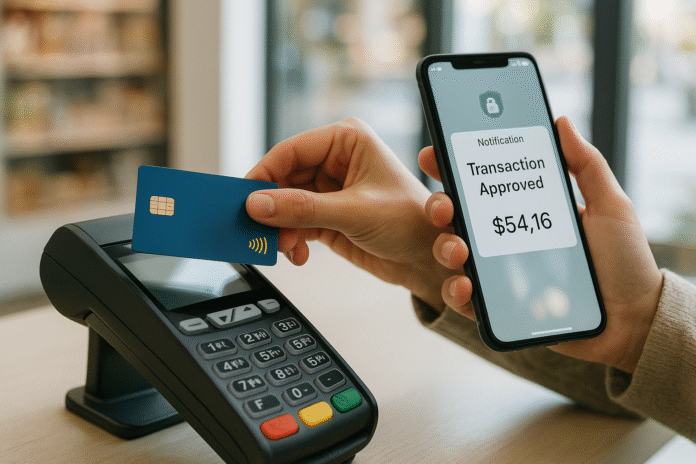
Credit card fraud hits when you least expect it, but a few smart habits can dramatically reduce your risk and speed your recovery if something goes wrong. This guide walks you through practical protections—EMV chips, real-time alerts, card locks, and more—and exactly what to do if your card is compromised. It’s written for everyday cardholders, small-business owners, and frequent travelers who want clear guidance they can put to work today. Brief note: this is general information, not legal or financial advice; always consult your card agreement and local laws.
Quick answer: To protect against credit card fraud, pay with EMV chips or contactless wallets, enable transaction alerts, and lock your card when it’s not in use. If your card is compromised, contact your issuer immediately, lock the card, and dispute charges in writing—U.S. law generally gives you 60 days from the statement date to dispute billing errors and caps liability for unauthorized credit card use at $50.
Skimmable steps (overview):
- Use EMV chip or contactless payments; avoid magstripe.
- Turn on real-time transaction alerts.
- Use card locks and spending/merchant controls.
- Protect accounts with strong passwords and phishing-resistant MFA.
- Use virtual card numbers and trusted mobile wallets.
- Secure your devices and networks; favor HTTPS and trustworthy VPN setups.
- Shop smart online: 3-D Secure, CVV, and reputable merchants.
- Reduce skimmer risk at fuel pumps/ATMs.
- Monitor statements and credit reports weekly.
- If compromised: act in the first 24 hours (lock, call, replace, dispute).
- Aftercare: fraud alert or credit freeze, and IdentityTheft.gov plan.
1. Use EMV Chips and Contactless by Default
EMV chips and modern contactless payments protect you better than magnetic-stripe swipes because they generate dynamic, one-time credentials that make stolen data far less useful. In simple terms: chip/tap = a unique code per transaction; swipe = static data that’s easier to copy. That difference matters: counterfeit “card-present” fraud falls where EMV is adopted, while more fraud shifts online where chips aren’t used. Use chip or tap at physical terminals and reserve swipes as a last resort. If a merchant asks to swipe, you can request chip or contactless; if they can’t, consider paying inside or with a different merchant. For travelers, contactless wallets (Apple Pay/Google Pay) also keep your actual card number off the merchant’s system through tokenization, adding another layer of safety.
1.1 Why it matters
- Dynamic authentication: EMV generates one-time cryptograms; static magstripe data is easier to skim.
- Tokenization in wallets: Mobile wallets replace your PAN with a device-specific token.
- Fraud moves online: As in-store security hardens, card-not-present (CNP) fraud becomes the bigger risk.
1.2 How to do it
- Tap your phone/watch or insert the chip; avoid swiping whenever possible.
- Add your card to a mobile wallet; re-add it when your card is replaced (new token).
- If a pump looks sketchy, pay inside with chip/tap.
Bottom line: Default to chip or tap. You’re using technology that’s built to make stolen in-person data far less valuable.
2. Turn On Real-Time Transaction Alerts
Transaction alerts put a human sensor (you) into the fraud-detection loop, catching bad charges within minutes. Alerts can fire on every transaction or only above a threshold, and many issuers support alerts for card-not-present purchases, international activity, cash advances, or changes to your profile (address/phone/email). The goal: know instantly, so you can lock and call your issuer before more damage occurs. Networks and issuers explicitly promote alerts for early detection, and many apps can push, text, or email you within seconds of authorization. Set a conservative threshold (e.g., notify for all transactions or anything over $1–$5) until you find your sweet spot.
2.1 Practical alert mix
- All transactions (first month) → tune from there.
- Card-not-present and international transactions.
- Declines and profile changes (address/phone/email).
- Credit limit and payment due reminders.
2.2 Tools & examples
- Network offerings (e.g., Visa Purchase Alerts).
- Issuer app settings for alerts/controls; many allow different channels (push/SMS/email).
Bottom line: Alerts buy you time—often the difference between one rogue charge and a dozen.
3. Use Card Locks and Smart Controls
Card locks (sometimes called “freeze”) let you block new transactions when you misplace your card—or as a standing control when you don’t expect to use it for a while. Many banks also let you toggle international, online, cash advance, or contactless permissions. Locks are fast to enable/disable, typically within your mobile app; they’re not a cure-all, but they reduce the window for unauthorized use and help enforce your own rules (e.g., no cash advances, no international). Note that recurring charges you’ve authorized may still post even when locked, so you must still replace a compromised card. Capital One
3.1 Mini-checklist
- Keep the card locked by default; unlock only to use.
- Disable cash advances and international unless needed.
- Set spend/merchant limits where supported.
- After compromise, replace the card—don’t rely on a permanent lock.
3.2 What a lock does—and doesn’t
- Blocks new purchases and usually cash advances.
- Doesn’t stop previously authorized subscriptions; swap the card on those.
Bottom line: Locks and controls shrink your attack surface and help you respond instantly to “is that my charge?” moments.
4. Protect Accounts with Strong Passwords and MFA
Your online banking and merchant accounts are gateways to card data. Use a password manager to generate unique, long passphrases and turn on multi-factor authentication—preferably phishing-resistant options (platform passkeys, app-based prompts, or security keys) instead of SMS codes. U.S. guidance highlights MFA as a key control, and NIST’s digital identity guidelines explain how multiple factors (something you know/are/have) materially reduce account takeover risk. As of September 2025, NIST has moved to SP 800-63-4; the principles (and the push for phishing-resistant MFA) remain the north star.
4.1 How to do it
- Use a reputable password manager; make each credential unique.
- Prefer passkeys or authenticator apps over SMS.
- Turn on login alerts for new devices or locations.
4.2 Numbers & guardrails
- Aim for 16+ characters if you must use passwords.
- Periodically audit saved logins for reuse/leaks.
Bottom line: Most card fraud doesn’t start in your wallet—it starts in your inbox or browser. Hardening accounts blocks common takeover paths.
5. Use Virtual Card Numbers and Tokenized Wallets
Virtual card numbers (VCNs) hide your real card number during online checkout, and tokenized mobile wallets hide it in-store. Both reduce the blast radius of a breach because merchants never see your actual PAN. Many issuers let you generate single-use or merchant-locked numbers; some browsers and wallets integrate this directly. Payment networks describe tokenization as replacing your 16-digit PAN with a device-specific token and adding cryptograms per transaction—exactly what you want for frequent online purchases or subscriptions. For business or travel, merchant-locked VCNs keep recurring charges contained.
5.1 Tools/Examples
- Issuer VCNs (check your app; availability varies).
- Apple/Google/Samsung Pay for in-store tokenization.
- 3-D Secure (EMV 3DS) adds an extra step for risky e-commerce transactions.
5.2 Mini-checklist
- Use VCNs for new or low-trust merchants.
- Lock VCNs to one merchant when possible.
- Keep the wallet passcode/biometric strong.
Bottom line: If a merchant is later breached, your masked/tokenized number—not your real one—is what leaks.
6. Secure Your Devices and Networks
Your card safety depends on your device hygiene. Keep your OS and apps updated, install apps only from official stores, and turn on device-level biometrics and screen locks. On the network side, today’s widespread HTTPS means browsing on public Wi-Fi is often encrypted; still, prefer known networks, avoid sensitive tasks in unknown apps, and consider a vetted, standards-based VPN when you need privacy on untrusted networks. U.S. cybersecurity guidance focuses on choosing and hardening standards-based VPNs rather than blindly trusting any “free” VPN. The key is minimizing attack surface: use HTTPS, avoid sideloaded apps, and keep Bluetooth/NFC off when not in use.
6.1 Mini-checklist
- Update OS/apps; remove what you don’t use.
- Prefer HTTPS sites (lock icon) and official apps.
- If you must use a VPN, choose standards-based solutions and keep them patched.
6.2 Common mistakes
- Reusing passwords across banks/merchants.
- Ignoring app/device updates for months.
Bottom line: A clean, current device and careful network choices block many fraud entry points before they start.
7. Shop Smarter Online (3-D Secure, AVS, and Receipts)
Online fraud is where most action is now. Favor merchants that use recognizable checkout providers and 3-D Secure (EMV 3DS) for higher-risk transactions; you’ll sometimes see an extra step (e.g., your bank app prompt) to verify it’s really you. Keep receipts and emails until the return/refund window closes and track free-trial end dates to avoid “friendly fraud” confusion. If something isn’t delivered or arrives broken, U.S. law treats that as a potential billing error—you can dispute with your issuer within 60 days of the statement that shows the charge. For recurring merchants, use virtual numbers to easily revoke future charges if service ends.
7.1 How to do it
- Check out with wallets/VCNs when possible.
- Save order confirmations and delivery proofs.
- If goods don’t arrive, dispute in writing within 60 days.
7.2 Numbers & guardrails
- Watch for “authorization holds” that later settle; only dispute once posted.
- Many merchants resolve issues quickly if you contact them first—document the exchange.
Bottom line: Combine safer checkout tech with good recordkeeping and you’ll win most legitimate disputes.
8. Reduce Skimmer Risk at Pumps and ATMs
Skimmers and “shimmers” physically capture card data at compromised pumps and ATMs. The best defense is to tap (contactless) or insert chip instead of swiping; avoid standalone outdoor terminals that look loose, mismatched, or tampered. Law-enforcement guidance recommends choosing pumps in clear view of attendants, shielding keypads, and inspecting readers before use. If something looks off—out-of-place seals, shaky bezels, or odd Bluetooth broadcasts—go inside or use another terminal. When using debit at a suspect device, run it as credit to avoid entering a PIN that could be captured.
8.1 Quick checks
- Prefer tap or chip; avoid swipes.
- Pick pumps near the store; inspect for tampering.
- Cover the keypad and watch for hidden cameras.
8.2 If you spot a skimmer
- Don’t use the terminal; notify staff and your issuer.
- Consider paying inside or at a different location.
Bottom line: A 10-second inspection plus contactless can save hours of dispute work later.
9. Monitor Statements and Your Credit—Weekly
Fraud gets cheaper the faster you spot it. Review statements at least monthly and skim recent authorizations in your app a few times a week. In the U.S., you now have permanent access to free weekly credit reports from Equifax, Experian, and TransUnion—use that cadence if you suspect misuse of your identity. Look for accounts you didn’t open, addresses you don’t recognize, and hard inquiries you didn’t authorize. Build a simple dashboard: calendar reminders, alerts, and a notes app (or spreadsheet) where you track contact dates and case numbers.
9.1 Mini-checklist
- Set a weekly 5-minute review reminder.
- Reconcile every posted transaction at month-end.
- Pull one free credit report weekly if you’re recovering.
9.2 Common mistakes
- Ignoring small $1–$3 “test” charges that precede bigger fraud.
- Waiting months to read statements—shrinking your dispute window.
Bottom line: Vigilant monitoring is the cheapest, most reliable control you own.
10. If Your Card Is Compromised: First 24 Hours
Act immediately. First, lock the card in your app and call your issuer’s 24/7 number to report fraud and request a replacement card with a new number; ask about expedited shipping and whether wallet tokens will auto-update. Next, review recent activity and dispute unauthorized charges in writing—U.S. rules give you 60 days from the statement date to dispute billing errors under the Fair Credit Billing Act (FCBA), and your legal liability for unauthorized credit card charges is generally capped at $50 (many networks/publishers offer zero-liability protections beyond the law). Keep copies of everything (letters, chats, case IDs). If your physical wallet was stolen, file a police report for your records.
10.1 First-day checklist
- Lock the card; call the issuer; ask for a replacement.
- Document the case ID and agent name.
- Dispute in writing using the FTC sample letter. Consumer Advice
- Remove the card from saved accounts and wallets; re-add when replaced.
10.2 Mini case
- 09:00: Alert fires for a $312 overseas charge → lock card.
- 09:05: Call issuer; replacement overnighted; provisional credit issued.
- 10:00: Submit written dispute with screenshots/receipts.
Bottom line: Speed plus documentation preserves your rights and minimizes hassle.
11. Aftercare: Fraud Alerts, Credit Freezes, and Recovery Plans
If fraud suggests your identity is at risk (new accounts, address changes), add an initial fraud alert (lasts 1 year) or a credit freeze at the major bureaus; an extended alert (7 years) is available if you file an identity theft report (e.g., via IdentityTheft.gov). A fraud alert tells lenders to verify your identity before opening new credit; a freeze blocks access to your credit files entirely until you lift it. Alerts/freezes are free in the U.S.; with an initial alert, contacting one bureau should trigger alerts at the others, while freezes must be set individually. IdentityTheft.gov provides a personalized recovery plan and documentation that helps you clean up records and block fraudulent tradelines.
11.1 What to choose (U.S.)
- Initial fraud alert (1 year): Good if you’re worried about misuse.
- Extended fraud alert (7 years): Requires an identity theft report.
- Credit freeze: Strongest barrier; place it with each bureau. Consumer Financial Protection Bureau
11.2 Follow-through
- Update autopay everywhere (utilities, subscriptions).
- Keep a timeline of actions and confirmations.
- Re-check reports weekly for 12 months after an incident.
Bottom line: Lock down new-account fraud risk and use official recovery resources to finish the job.
FAQs
1) Is chip or tap really safer than swipe?
Yes. EMV chips and contactless payments generate dynamic, one-time codes that make stolen data far less useful than the static data on a magnetic stripe. If a terminal can’t process chip or tap, consider paying inside or using another merchant. This is exactly why many regions saw counterfeit in-person fraud drop after EMV adoption, even as online fraud demanded new controls.
2) What’s the difference between a fraud alert and a credit freeze?
A fraud alert (initial = 1 year; extended = 7 years with an identity theft report) tells lenders to verify your identity before opening credit. A credit freeze prevents most new credit checks until you lift it and must be placed with each bureau individually. Both are free in the U.S.; which you choose depends on how likely new-account fraud seems in your case. Consumer Advice
3) How long do I have to dispute a bad charge?
In the U.S., send a written notice to your issuer within 60 days of the statement date that first shows the error; keep copies. Your issuer must acknowledge your dispute, investigate, and correct errors as required by the Fair Credit Billing Act and Regulation Z.
4) What’s my liability for unauthorized credit card charges?
Under U.S. federal law, your liability for unauthorized credit card use is generally capped at $50, and many networks/issuers offer zero-liability policies if you report promptly. Report immediately, lock the card, and follow up in writing.
5) Do card locks stop all charges?
No. Locks typically block new transactions and cash advances, but previously authorized recurring charges often still post. Use a lock for quick containment, then replace the compromised card and update any subscriptions with the new number.
6) Are contactless cards easy to “skim” at a distance?
Modern contactless uses short-range NFC and tokenization; opportunistic long-range “drive-by” skimming isn’t how real-world fraud typically happens. You’re safer tapping than swiping a magstripe, and you can store cards in wallets that naturally shield signals if you prefer extra peace of mind. Mastercard
7) Should I use a VPN on public Wi-Fi?
Public Wi-Fi traffic is often encrypted via HTTPS today, but a VPN can still add privacy on untrusted networks when chosen and configured correctly. U.S. guidance emphasizes selecting standards-based VPNs and hardening them—avoid random “free VPN” apps. When in doubt, use your cellular hotspot for banking. Consumer Advice
8) What is 3-D Secure and why did my bank app pop up?
3-D Secure (EMV 3DS) is an extra authentication step for certain online purchases. Your bank may evaluate risk and prompt you to confirm it’s you, often in your banking app. It’s designed to reduce card-not-present fraud and can help shift liability depending on network rules.
9) Debit vs. credit for risky terminals—what’s safer?
Use credit at questionable terminals. With debit, your legal liability depends on how quickly you report; with credit, liability is capped at $50 and networks often provide zero-liability protections. Either way, report immediately and monitor accounts. Consumer Financial Protection Bureau
10) How can I spot a card skimmer at the pump?
Choose pumps near the attendant, inspect for loose/bulky parts, shield the keypad, and prefer tap or chip over swipe. If anything looks odd, pay inside or go elsewhere. Law-enforcement advisories repeat these basics because they work.
11) Can I check my credit more than once a year for free?
Yes. As of January 2024, you can get free weekly credit reports from each major bureau at AnnualCreditReport.com. That’s useful during recovery or after a major breach.
12) I live outside the U.S. Do these steps still help?
Yes—EMV, alerts, locks, wallets, and good device hygiene are global best practices. Laws differ, though. In the EU/UK, PSD2 Strong Customer Authentication (often via 3-D Secure) adds extra checks for many payments; consult your local regulator or bank for dispute deadlines and identity-theft resources. European Banking Authority
Conclusion
Fraud prevention isn’t about paranoia—it’s about giving yourself a stack of small advantages that compound: EMV chip/tap in-store, alerts and locks in your app, MFA on accounts, tokenized wallets and virtual numbers online, and a simple habit of reviewing statements. Those same habits also accelerate recovery when something goes wrong: you spot it fast, lock the card, call the issuer, and write a clean dispute backed by receipts. If identity misuse is possible, you add a fraud alert or freeze and use an official recovery plan (IdentityTheft.gov in the U.S.) to finish the cleanup. Keep your device updated, use HTTPS, and remember that your rights are time-bound—60 days to dispute a billing error under U.S. rules. Adopt two or three steps today (alerts + locks + chip/tap), then layer in the rest this week.
CTA: Protect your cards now—turn on alerts, enable a card lock, and add your card to a secure wallet before your next purchase.
References
- Using Credit Cards and Disputing Charges (FCBA basics & 60-day dispute window), Federal Trade Commission (FTC), updated 2022 — Consumer Advice
- 12 CFR §1026.13 — Billing Error Resolution (Regulation Z), Consumer Financial Protection Bureau (CFPB), current — Consumer Financial Protection Bureau
- 12 CFR §1026.12 — Special Credit Card Provisions ($50 cap), CFPB (via eCFR), current — Consumer Financial Protection Bureau
- Visa’s Zero Liability Policy, Visa, current — Visa
- Zero Liability Protection, Mastercard, current — Mastercard
- EMV Contact Chip (dynamic codes & counterfeit prevention), EMVCo, current — EMVCo
- Card-Not-Present Fraud Rates in the U.S. After Migration to Chip Cards, Federal Reserve Bank of Kansas City, May 21, 2025 — Federal Reserve Bank of Kansas City
- EMV® 3-D Secure (Overview), EMVCo, current — EMVCo
- Visa Purchase Alerts (real-time notifications), Visa, current — Visa
- Card Locks: What They Are and How They Work, Bankrate, Aug 27, 2025 — Bankrate
- Skimming (consumer tips), Federal Bureau of Investigation (FBI), current — Federal Bureau of Investigation
- Secret Service Advisory: Card Skimming Prevention Tips, U.S. Secret Service, Aug 12, 2025 — United States Secret Service
- IdentityTheft.gov (Recovery Plans & Reports), FTC, current — IdentityTheft.gov
- Credit Freeze or Fraud Alert: What’s Right for Your Credit Report?, FTC, updated 2021 — Consumer Advice
- You Now Have Permanent Access to Free Weekly Credit Reports, FTC, Jan 4, 2024 — Consumer Advice
- Multi-Factor Authentication (Small Business Cybersecurity), NIST, Jan 10, 2022 — NIST
- CISA & NSA: Selecting and Hardening VPNs, Cybersecurity & Infrastructure Security Agency, Sep 28, 2021 — CISA