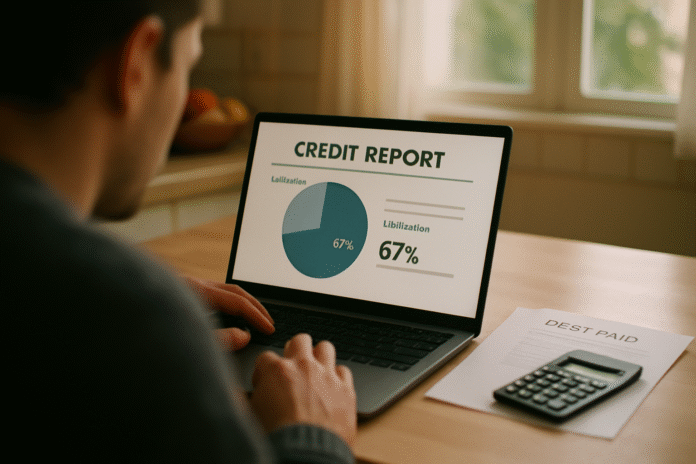
Paying off a big debt—whether a maxed-out credit card, a car loan, or a student loan—feels amazing. The next question is inevitable: what will this do to your credit score, and when? This guide is for anyone who wants a grounded, numbers-first way to forecast how their credit scores may move after a payoff. You’ll learn the mechanics behind utilization changes, model differences (FICO vs. VantageScore), reporting timelines, and the hidden traps that can cause a short-term dip. Quick note: this is educational information, not individualized financial advice.
Fast answer: After major payoffs, scores often rise if revolving utilization drops and payments stay on time; however, closing accounts or losing installment-loan “mix” can create a short-term dip. Most updates appear after the next reporting cycle, typically 30–45 days.
Quick forecast workflow: (1) Recalculate revolving utilization, (2) note whether any account will close, (3) check which scoring model you’re watching, (4) allow 30–45 days for reporting, (5) account for inquiries/new credit, (6) verify that negative marks remain and won’t vanish with payoff, and (7) rerun a simulator for sanity-checking.
1. Recalculate Revolving Utilization to Estimate the Immediate Lift
The most reliable short-term predictor right after a payoff is your revolving utilization—your total credit card balances divided by total credit limits. Lower utilization usually predicts a higher score, with many lenders and educators pointing to below 30% as generally acceptable and under 10% as optimal if you’re seeking the best rates. Start by adding up all your card limits and post-payoff balances; then divide balances by limits and multiply by 100 to get a percentage. If paying off a major card drags your overall utilization down—from, say, 48% to 9%—you can reasonably expect a score bump once that change hits your reports. As of now, many consumer education sources still suggest sub-30% as a broad guardrail, with sub-10% often scoring best.
1.1 How to do it (mini-checklist)
- Add up all credit card limits (revolving credit only).
- Add up all current balances (estimate post-payoff balances).
- Compute utilization: balances ÷ limits × 100.
- Compare your new percentage to 30% and 10% guardrails.
- Note any cards you plan to close—that changes limits (see Section 5).
1.2 Numbers & guardrails
- Example: Limits = $20,000; balances before = $9,600 (48%); after payoff of $7,800, balances = $1,800. New utilization = $1,800 ÷ $20,000 = 9%.
- If you keep all cards open, your limit stays high and the utilization win is preserved.
Synthesis: Utilization math gives you the cleanest first estimate; lock it in before you model anything else.
2. Separate Installment vs. Revolving Effects So You Don’t Misread the Trend
Not all debt is scored the same way. Revolving balances (credit cards, lines of credit) heavily influence scores via utilization. Installment loans (auto, student, mortgage) don’t affect utilization the same way; paying them down or off won’t change your revolving utilization. After you pay off an installment loan, your score forecast depends on how the payoff shifts broader factors such as credit mix and the age of accounts, rather than utilization. Put simply: zeroing out credit cards can yield rapid, noticeable improvements once reported; zeroing out an installment loan can sometimes result in a small dip because you lose an active installment in your mix, even though it’s a financially healthy move overall. Factors like payment history (35%) and amounts owed (30%) dominate FICO models, but length, new credit, and mix matter too.
2.1 Why it matters
- Predicting a score jump after paying off a car loan might be optimistic if you already had low revolving balances; the payoff may change little in your model.
- Conversely, wiping a large card balance (without closing the card) can materially lower utilization and move the score sooner.
2.2 Mini case
- Borrower A pays off a $12,000 auto loan; no revolving changes. Score effect: minimal or small dip from mix/age changes.
- Borrower B pays off $12,000 across cards, keeps cards open. Score effect: utilization plunges; larger bump likely after reporting.
Synthesis: Classify the debt type first; revolving payoffs move scores via utilization, while installment payoffs influence mix and age.
3. Expect Reporting to Lag: Most Changes Post Within 30–45 Days
Scores don’t refresh the day you click “pay.” Lenders and servicers typically report on a billing cycle, and consumer education from major bureaus notes that meaningful improvements often show about 30–45 days after payoff as new balances hit your credit files. Disputes and corrections have their own timeline: credit reporting agencies generally have 30 days to investigate (sometimes extended to 45 days), plus a few business days to send results. Factor these windows into your forecast to avoid false alarms. If your payoff lands just after a creditor’s statement date, you may wait almost a full cycle to see the update reflected in your scores.
3.1 Practical timeline playbook
- Check each card’s statement closing date; pay before it to lower the reported balance.
- If you need a faster update (e.g., for mortgage underwriting), call the creditor and ask about mid-cycle reporting or a rapid rescore via the lender.
- Calendar a 35–45 day check for new scores; if nothing moves, inspect reports for posting delays.
3.2 Region-specific note
- In the U.S., these cycles are shaped by creditor reporting practices and the Fair Credit Reporting Act framework; timelines elsewhere vary.
Synthesis: Build a 30–45 day lag into all predictions; it’s the most common reason forecasts feel “wrong” in the short term.
4. Know Your Model: FICO vs. VantageScore and Why Predictions Differ
A “credit score” isn’t a single number. Lenders may use different models (and versions), especially FICO or VantageScore. FICO’s widely quoted weights—payment history 35%, amounts owed 30%, length 15%, new credit 10%, mix 10%—help explain why utilization and on-time payments dominate many predictions. VantageScore also ranges 300–850 and evaluates similar ingredients, but its design choices and data usage can cause different movements from the same underlying report. For example, shopping for a mortgage within a defined window is treated as one inquiry for scoring purposes, reducing the penalty for rate shopping—another critical element in forecasting around a home purchase. Always check which model your lender or app is showing before you interpret the changes.
4.1 Tools/Examples
- Mortgage preapproval: rate shop within the 45-day window to avoid multiple inquiry hits; model your payoff in that context.
- If your app shows VantageScore but your lender uses a FICO variant, expect magnitude and timing differences even from the same payoff.
4.2 Numbers & guardrails
- Both FICO and VantageScore commonly report 300–850 ranges in consumer education.
- FICO’s category weights above remain a useful mental model for forecasting.
Synthesis: Model specificity matters. A payoff that looks like +20 under one score might be +10 or +30 under another.
5. Don’t Accidentally Nuke Your Limit: Closing Cards Can Raise Utilization
If you pay off a major credit card and then close it, your total available revolving limit shrinks. That can increase your utilization on the remaining cards—even if their balances haven’t changed—and erase part of the expected score gain. Many consumers keep a paid-off card open (especially if it has no annual fee) to preserve limits and account age. Closing can also influence average age of accounts, another factor that may pull scores down temporarily. Before you shut a card, redo your utilization math with and without that limit to see how predictions change. Experian’s education materials explain why closing a card can raise utilization and lower the average age of accounts.
5.1 Mini-checklist before closing
- Recompute utilization with the card open vs. closed.
- Consider a product change to a no-fee version instead of closing.
- Keep the card active with a small recurring charge + autopay to avoid involuntary closure.
- If you must close, plan to pay other cards down to keep utilization low.
5.2 Numeric example
- Limits now: $25,000; balances: $2,500 → 10% utilization.
- Close a $10,000-limit card; new limits: $15,000; balances still $2,500 → 16.7% utilization.
- If your goal was sub-10%, you just lost it without changing any balance.
Synthesis: The payoff helps, but closing a card can blunt or reverse the predicted gain; model both scenarios before acting.
6. Payment History and Derogatories Still Rule—Payoffs Don’t Erase the Past
A common misconception is that paying off a big debt removes late payments, collections, or other negative marks. It does not. Accurate negative information generally remains on U.S. credit reports for seven years (bankruptcies up to ten), even after the debt is paid. That’s why two people who pay off identical balances can see very different outcomes: if one person carries 90-day lates from last year, the payoff may not outweigh the drag from payment history, the single largest factor in many FICO models. Forecasts must account for what’s already on your file; think of payoff as removing a future risk and improving utilization, not rewriting history.
6.1 Common mistakes
- Expecting collections to vanish upon payment (they may update to “paid,” but the prior derogatory can remain).
- Ignoring the recency of late payments; newer lates bite harder than older ones.
- Confusing dispute removal with payoff; only inaccurate data can be removed via disputes.
6.2 Actionable steps
- Pull all three bureau reports and highlight any derogatories.
- Use the bureau’s dispute process for inaccurate entries; agencies generally have 30 days to investigate (some exceptions to 45).
- Set a clean on-time streak going forward; payment history dominates FICO weighting.
Synthesis: Payoffs help, but payment history and existing derogatories often determine the ceiling and floor of your near-term prediction.
7. Use Credit Score Simulators—But Treat Them as Estimates, Not Oracles
Score simulators can sanity-check your forecast by modeling how balances, limits, and new accounts might move a consumer-facing score. These tools typically ask about your accounts and estimate impacts based on underlying model logic; they are helpful for directionally testing “what if I pay this card to $0 and leave it open?” or “what if I transfer a balance?” However, simulators don’t know precisely which lender-specific score your bank will pull, and they often run on a single bureau’s data with its own update timing. Treat the outputs as ranges, not promises, and rerun them once new statements report. Experian describes how its simulator works and why results are estimates rather than guarantees.
7.1 Tips for better simulations
- Update your reports first; run simulations with fresh data.
- Model multiple scenarios: (a) pay to $0 and keep open; (b) pay to $0 and close; (c) partial payoff to hit <30% or <10%.
- Note the model type the app shows (VantageScore vs. FICO) and adjust expectations accordingly. Experian
7.2 Mini case
- Pre-payoff VantageScore: 682 at 41% utilization.
- Simulator suggests +25 to +35 points if all cards fall under 10%.
- Actual lender uses a FICO version; observed lift after reporting: +18 points—same direction, smaller magnitude.
Synthesis: Simulators are great for direction and discipline; pair them with utilization math and known reporting cycles for realistic predictions.
8. Plan Around New Credit: Inquiries, New Accounts, and Rate Shopping Windows
Your payoff prediction should include planned applications. A hard inquiry and a brand-new account can mute or delay the benefit you expected from lower balances. The good news: when shopping for a mortgage, multiple lender pulls within a defined window are typically treated as one inquiry, allowing you to compare rates without extra score damage—an important forecasting nuance if you’re paying off debt to qualify for a loan. Build your scenario with and without a new account, and remember that new trade lines can also lower your average age of accounts. For short-term goals (like next month’s underwriting), you may choose to delay nonessential applications until after your payoff posts.
8.1 Practical steps
- Time your applications after your payoff appears on reports (≈30–45 days).
- For mortgages, conduct rate shopping within the 45-day window.
- If you need more limit to lower utilization, consider a credit limit increase request on existing cards rather than opening new ones (weigh issuer policy and timing).
8.2 Numbers & guardrails
- A single inquiry usually leads to a small, temporary dip; the bigger impact often comes from new account age effects.
- If your post-payoff utilization sits at ~12%, adding a new card with a $5,000 limit (no spend) could push you closer to <10%—but the new account may cost points in the near term.
Synthesis: New credit decisions can change the shape of your forecast; control timing and windows to keep your prediction on track.
9. Build a 90-Day Forecast Plan That You Can Actually Execute
A good prediction becomes great when tied to a 90-day plan. First, set the target: e.g., “Reach sub-10% utilization and remove any inaccurate negatives before a mortgage preapproval in 60 days.” Next, schedule the moves: the payoff date, statement closing dates, dispute submissions (if needed), and your window for applications. Include a weekly 10-minute check to ensure no card re-balances above your target before statements cut. If your budget allows, prepay recurring card charges (subscriptions) right before the statement closes to keep reported balances low. Finally, document which score you’re tracking (FICO vs. VantageScore) and where—your lender portal, a monitoring app, or both—so you can reconcile differences confidently. If you want broader market context, note that average U.S. scores have recently faced headwinds from higher utilization and delinquencies—useful background while you set expectations.
9.1 Mini-checklist
- T-0: Pay off targeted debt; record confirmation numbers.
- T-7 to T-14: Verify statement closing dates and pay any residual charges to $0.
- T-30 to T-45: Pull fresh reports/scores; compare to prediction; rerun simulator if needed.
- As needed: File disputes on inaccuracies; track investigation windows (≈30 days, sometimes 45).
9.2 Guardrails & notes
- Keep paid cards open unless there’s a strong reason (annual fee, redundancy). Model the effect if closing.
- Don’t expect payoff to remove accurate negatives; plan around their standard retention periods.
Synthesis: Tie utilization math, timelines, model awareness, and application strategy into a dated plan; then measure against your own score data.
FAQs
1) Will my credit score always go up after I pay off a major debt?
Not always. Paying off revolving balances (credit cards) often helps because utilization drops, which many models reward. Paying off an installment loan may have little effect or cause a small dip if you lose active installment “mix” or an older account. Improvements typically appear once creditors report updated balances—often within 30–45 days—so factor in timing before judging results.
2) How long does it take to see my new score after a payoff?
Plan on the next reporting cycle. Many consumers see updates within 30–45 days as new statements post. If you need speed for a mortgage, ask your lender about a rapid rescore, which uses verified creditor data to push updates faster through the bureaus. The standard dispute pathway has its own 30–45 day timeline, which is separate and used for accuracy issues.
3) Should I close a credit card after paying it off to avoid temptation?
Behaviorally, closing can help some people. But for scoring, closing a card can cut your total limit and raise utilization on remaining cards, trimming the expected gain. It may also shorten your average age of accounts. Consider a product change to a no-fee card and keep a small recurring charge with autopay, so you retain limit and history without overspending risk.
4) Do paid collections or late payments disappear from my report?
No. Accurate negative information can remain for seven years, and bankruptcies up to ten in the U.S. You can dispute inaccurate entries; agencies generally must investigate within 30 days (with some extensions). A paid collection may be less damaging over time than an unpaid one, but it won’t vanish solely because it’s paid.
5) Why does my app’s score differ from my lender’s score after payoff?
You may be seeing different models. Consumer apps often show VantageScore, while many lenders use FICO versions—including industry-specific variants for mortgages or autos. The same file can produce different numbers and sensitivities, so interpret movements within the context of the model you’re viewing.
6) If I’m about to apply for a mortgage, when should I pay off cards?
As early as practical, and ideally before statement closing dates so the reported balances reflect your payoff. Then allow 30–45 days for updates. When rate-shopping, pull quotes within the 45-day mortgage inquiry window so those inquiries are treated as one for scoring.
7) What utilization should I target for a strong score?
There’s no official “magic” number, but consumer education commonly cites <30% overall as acceptable and <10% as ideal for top-tier outcomes. Some people also aim for $0 on most cards and a small balance on one, which can sometimes test well with certain models; the key is to avoid high ratios on any card.
8) Do installment payoffs (auto/student) help my score less than card payoffs?
Usually, yes—at least in the short term. Installment balances don’t affect revolving utilization, so their payoff won’t deliver the same utilization-driven lift. You might even see a small dip from losing an active installment in your credit mix, though the long-term financial health benefits are clear.
9) My score dropped after I paid off a card—what happened?
If you closed the card or the issuer reduced your limit, your total available credit shrank—raising utilization elsewhere. Alternatively, a new inquiry or new account could be offsetting the benefit. Re-run your utilization math and check whether the update has actually posted yet.
10) Are scores trending differently this year, and does that matter for my forecast?
Macro trends don’t control your individual score, but they help set expectations. In 2025, reports highlighted increased utilization and higher delinquencies, with the average FICO edging lower year-over-year—context that underscores how sensitive scores are to balances and payment performance. Keep your focus on utilization and on-time payments to buck the trend.
11) Can I speed up reporting after a payoff?
You can’t force a creditor to report early, but if you’re in a mortgage process, lenders sometimes use rapid rescore services with documentation from creditors. Otherwise, time your payments before statement close and ask your issuer if they’ll push a mid-cycle update—responses vary by issuer.
12) What’s the single most important factor to guard after paying off debt?
Payment history. Keep every account current going forward; it carries the heaviest weight in many FICO models. Even a single 30-day late can do outsized damage relative to the gains from lower utilization. Autopay minimums, alerts, and a cushion in checking can prevent accidental dings.
Conclusion
Predicting how your credit scores will move after paying off major debts is part math, part timing, and part model awareness. Start with the numbers that matter most in the near term: recalculate revolving utilization and decide whether keeping a paid card open preserves a stronger utilization profile. Layer in reporting cycles—most updates appear within 30–45 days—so you don’t misread a quiet month as a failed forecast. Then account for model differences and any new credit activity you plan, especially if a mortgage or auto loan is on the horizon. Above all, anchor your prediction to the reality that payment history and any existing derogatories set the bounds of near-term movement; payoff is powerful, but it doesn’t rewrite the past.
Turn your forecast into a 90-day plan with dates for payoffs, statement closes, and verification checks. Use a simulator to sanity-check scenarios, and keep notes on which model you’re watching so you can compare apples to apples. With that structure, you’ll not only predict what happens after your payoff—you’ll shape it.
CTA: Ready to map your own 90-day credit forecast? Recalculate your utilization today and set calendar reminders for each statement cycle.
References
- What’s in my FICO® Scores?, FICO/myFICO, accessed Sep 2025 — myFICO
- How Payment History Impacts Your Credit Score, FICO/myFICO, accessed Sep 2025 — myFICO
- What Is a Credit Utilization Rate?, Experian (Nov 5, 2023) — Experian
- 5 Ways to Keep Your Credit Utilization Low, Experian (Sep 4, 2025) — Experian
- Why Your Credit Scores May Drop After Paying Off Debt, Equifax, accessed Sep 2025 — Equifax
- If a credit reporting error is corrected, how long will it take…, Consumer Financial Protection Bureau (Jun 6, 2023) — Consumer Financial Protection Bureau
- How long does negative information remain on my credit report?, Consumer Financial Protection Bureau (Jun 6, 2023) — Consumer Financial Protection Bureau
- What Is a VantageScore Credit Score?, Experian (Jun 25, 2024) — Experian
- Credit Scoring 101: Factors that Affect Your VantageScore, VantageScore (Aug 14, 2024) — VantageScore
- What happens when a mortgage lender checks my credit?, Consumer Financial Protection Bureau (Aug 30, 2023) — Consumer Financial Protection Bureau
- Does Closing a Credit Card Hurt Your Credit?, Experian (Sep 9, 2024) — Experian
- Average U.S. FICO® Score stays at 717…, FICO Blog (Oct 9, 2024) — FICO
- Credit Scores Are Down—The Biggest One-Year Drop Since the Financial Crisis, Investopedia (Sep 19, 2025) — Investopedia
- How Does a Credit Score Simulator Work?, Experian (Jul 28, 2023) — Experian
- Why Are Closed Accounts Hurting My Credit?, Experian (Oct 26, 2021) — Experian