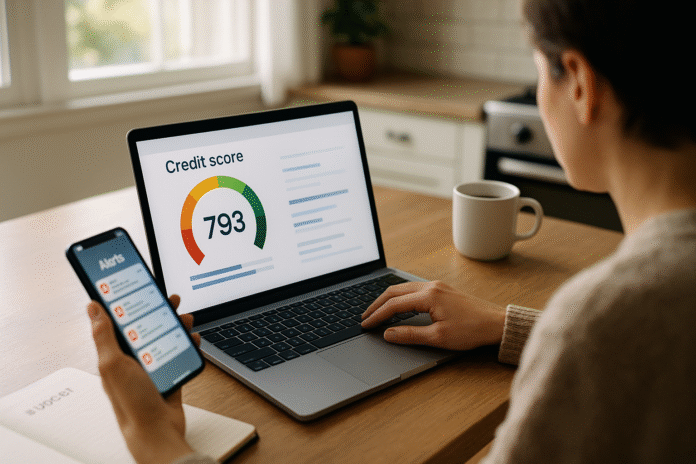
If you’re actively building credit, “how often should I check my credit score?” is a smart question—not a sign of anxiety. In short: a monthly check works for most people, weekly when you’re fixing errors or prepping to apply, and real-time alerts for important changes. Checking your own score or reports is a soft inquiry and won’t hurt your credit, and you now have free weekly credit reports at AnnualCreditReport.com, permanently.
Quick answer for builders: Check monthly by default; switch to weekly during disputes or right before big applications; keep app alerts on year-round so you don’t miss changes.
(General information only; not financial advice. Rules, products, and timelines may vary by country and lender—verify details with your local regulator and provider.)
1. Make monthly checks your default cadence while you’re building
A monthly check is the sweet spot for most credit builders because scores typically update as lenders report—often about once a month—and monthly reviews separate meaningful trends from day-to-day noise. Start each month by logging your score and the “why it changed” factors, then scan your three credit reports for new accounts, balances, or late-payment markers. Monthly cadence keeps you engaged without overreacting to small fluctuations, and it aligns with common reporting cycles across lenders. If you use a free monitoring service, you can supplement monthly reviews with push alerts for major events without constantly refreshing.
1.1 Numbers & guardrails
- Expect score updates at least monthly; some lenders report more frequently.
- Plan a 10–15 minute review on the same date each month; add a calendar reminder.
- Use your free weekly reports (Equifax, Experian, TransUnion) to spot issues early.
1.2 Mini-checklist
- Record your score, utilization %, and any alerts.
- Compare each bureau’s report—data can differ.
- Note actions for the month (pay down, dispute, avoid new hard pulls).
Synthesis: Monthly checks map neatly to how data flows, giving you timely, low-stress visibility while you build.
2. Move to weekly checks when disputing errors or recovering from identity theft
If you’ve found an error (e.g., a stranger’s account, duplicated late payment) or you’re dealing with identity theft, increase to weekly checks until the issue is resolved. Under federal law, bureaus generally must investigate disputes within 30 days (up to 45 days in some circumstances), and weekly monitoring helps you confirm corrections, add documents, and catch any new activity quickly. Pair weekly checks with fraud alerts or a credit freeze for stronger protection while you stabilize your file.
2.1 How to do it
- File disputes with both the credit bureau and the furnisher (the company that reported the item). Keep copies, send by certified mail when possible. Consumer Financial Protection Bureau
- Turn on account-change alerts (new inquiry, new account, major balance change).
- Consider a fraud alert (free) or credit freeze (also free); freezes block new credit until you lift them.
2.2 Numbers & guardrails
- Investigation window: 30 days, up to 45 in certain cases; bureaus must notify you of results.
- During dispute weeks, review your reports weekly and your score weekly to track changes.
- If identity theft occurred, use the FTC’s step-by-step plan at IdentityTheft.gov.
Synthesis: Weekly checks give you the feedback loop you need to resolve errors quickly and prevent further damage.
3. Use real-time app alerts to catch changes between reviews
Even with a monthly or weekly cadence, alerts are your early-warning system. Modern tools can ping you the same day a new inquiry, account, or delinquency appears. Many services now check credit files daily and can display daily score updates when the underlying data changes, letting you act before a small problem becomes a late payment or a fraudster opens an account. Importantly, these app refreshes are soft pulls—they do not impact your FICO® Score.
3.1 Tools & examples
- TransUnion/Equifax via Credit Karma: daily report checks and frequent score updates. Intuit Credit Karma
- CreditWise (Capital One): FICO® Score 8, updates as often as daily. Capital One
- Experian: free FICO access, plus optional monitoring; checking your own score won’t lower it. Experian
3.2 Mini-checklist
- Enable new account and hard inquiry alerts.
- Set a rule: any fraud-type alert → review all three reports the same day.
- Keep notifications on, but check in depth on your planned schedule.
Synthesis: Alerts shrink the gap between an event and your response, while your planned reviews prevent over-reacting to minor blips.
4. Before major applications, check 60–90 days ahead—and again right before you apply
If you’re planning a mortgage, auto loan, or student loan, shift into pre-application mode. Check your reports and scores 60–90 days before applying to fix issues and tune utilization. When you start applications, submit them within the rate-shopping window so multiple lender pulls count as one inquiry for scoring: recent FICO® versions use a 45-day window; older versions may use 14 days. For mortgages specifically, the CFPB confirms that multiple checks within 45 days are treated as a single inquiry. Re-check your score right before signing to ensure no surprise utilization spikes or late postings. (Note: credit cards don’t get rate-shopping treatment.)
4.1 Numbers & guardrails
- Hard inquiries stay on reports 2 years, typically affect FICO® Scores for 12 months.
- Pre-qualification offers usually use soft pulls—no score impact.
- Aim for card utilization <30% overall and per card before you apply (lower is better).
4.2 Mini case
You plan to buy a car in mid-December. In September, you pay down balances. In early November, you verify reports are clean. In one week of November, you submit three auto loan applications—your FICO® Score treats the clustered inquiries as one. In December, you do a quick re-check on the morning you sign.
Synthesis: Time-boxed rate shopping plus pre-application cleanup preserves points and prevents day-of surprises.
5. If you’re new to credit, monitor every two weeks until your first scores appear
Brand-new files behave differently. FICO® Scores generally require at least 6 months of history and recent activity to generate, while VantageScore® can score consumers with less history—even after as little as one month—so you may see a VantageScore before FICO. In your first 6–12 months, a bi-weekly check helps you spot when your first scores appear, track early swings, and ensure on-time reporting. As your file thickens and your behavior stabilizes, you can drop back to monthly.
5.1 Numbers & guardrails
- FICO® minimum criteria: ~6 months of history plus recent bureau update.
- VantageScore® models are designed to score thinner files (sometimes ~1 month).
- Expect bigger early swings—don’t chase every 5-point move.
5.2 Mini-checklist
- Track first statement dates; scores often update after statements post.
- Confirm your name/address are consistent across bureaus to avoid split files.
- Avoid unnecessary hard pulls until your first scores populate widely.
Synthesis: New files score on different timelines; short-term, more frequent checks help you confirm progress and avoid missteps.
6. After a year of stable habits, shift to quarterly reviews (keep alerts on)
Once you’ve logged 12+ months of on-time payments and low utilization, scale back to quarterly deep dives while keeping alerts on. At this stage, you’re monitoring for structural changes—limit decreases, closed accounts, or data errors—rather than chasing small score shifts. A quarterly review dovetails with seasonal budget cycles and gives you time to plan actions like a balance transfer or credit-limit request. If an alert fires (new inquiry, derogatory), temporarily return to monthly or weekly checks until things settle.
6.1 Why it works
- Credit data flows continuously, but meaningful changes in mature files are less frequent.
- Alerts still surface urgent events; quarterly reviews prevent monitoring fatigue.
6.2 Mini-checklist
- Each quarter: export your score history, verify utilization, scan each report for status changes.
- Annually: pull and archive all three free reports (you can do it weekly if you wish).
Synthesis: Quarterly cadence keeps you informed without over-monitoring once your file is stable.
7. Tie your checks to a ritual, log results, and protect your file
A cadence only works if you stick to it. Tie your checks to a repeatable ritual—first Saturday of the month, for example—and log your score, utilization, and notes in a simple spreadsheet. Use free weekly reports for deeper dives, and consider fraud alerts or a credit freeze when warranted (e.g., after a data breach) since they’re free and can be lifted quickly online or by phone. Finally, remember that checking your own credit is a soft inquiry—you can review as often as you need without penalty.
7.1 Mini-checklist
- Pick a cadence (monthly default; weekly during disputes/apps; quarterly when stable).
- Turn on alerts for inquiries, new accounts, and missed payments.
- Use AnnualCreditReport.com for full-report reviews.
- Keep a one-page log and revisit your plan each quarter.
Synthesis: Ritual + log + safeguards = consistent monitoring and fewer surprises.
FAQs
1) Does checking my own credit score lower it?
No. Looking at your own reports or scores is a soft inquiry, which does not affect your FICO® Score. Hard inquiries, which occur when you apply for credit, can affect your score.
2) How often do credit scores update?
There’s no universal “update day.” Scores can update multiple times a month, depending on when lenders report and how many accounts you have. In practice, most people see monthly updates, with some services refreshing even more often.
3) How often should I check during a credit-report dispute?
Weekly is prudent until you receive the bureau’s investigation results. Bureaus generally have 30 days to investigate (up to 45 in some cases). Keep alerts on in case new activity appears during the investigation window.
4) I’m rate-shopping a mortgage—will multiple lender checks wreck my score?
No. Within 45 days, multiple mortgage checks are treated as one inquiry for scoring. Older FICO® versions may use 14 days, so cluster applications tightly. Credit card applications don’t get this treatment.
5) How long do hard inquiries matter?
Hard inquiries typically influence FICO® Scores for 12 months and remain visible on reports for 24 months. Pre-qualification offers usually use soft checks.
6) What’s the difference between FICO® and VantageScore® for new credit files?
FICO® generally needs ~6 months of history and recent activity to generate a score. VantageScore® can score thinner files and may produce a score with less history, sometimes after about a month, so you might see a VantageScore before a FICO® Score.
7) Is there a “too often” for checking my score?
Not from a scoring standpoint—self-checks are soft pulls. The real risk is overreacting to small swings. Use a monthly or quarterly cadence plus alerts so you respond to meaningful changes without stress.
8) How often should I pull full credit reports, not just scores?
At minimum annually, but you now have permanent access to weekly free reports from each bureau at AnnualCreditReport.com. Many builders pull a full report quarterly and rely on alerts in between.
9) I’m abroad—do these cadences still apply?
The principles (monthly default, weekly during disputes/apps, alerts always on) travel well, but agencies, rights, and sites differ outside the U.S. Check your country’s regulator and the major local bureaus for official guidance.
10) Should I freeze my credit while building?
If you’re not applying for new credit soon—or after a data breach—freezing can make sense. It’s free to place/lift with each bureau and prevents new accounts until you thaw it. Keep your PINs safe and plan thaw windows before applications.
11) My score dropped 15 points after a balance spike. Should I check daily?
Daily checks won’t fix utilization; paying down balances and letting statements close will. Keep alerts on, review monthly, and re-measure after statement cycles; most scores improve as utilization normalizes.
12) Do pre-qualification checks hurt?
Typically no—they’re soft pulls. Once you submit a full application, expect a hard inquiry. Use pre-qualification to gauge odds without risking points.
Conclusion
Building credit is a long game, and your monitoring rhythm should match how credit data flows. A monthly default gives you timely insight without noise; weekly checks help you manage disputes and pre-application periods; and alerts make sure you never miss a critical change between reviews. New files benefit from a bi-weekly cadence until first scores appear, while seasoned files can ease into quarterly reviews with alerts always on. Tie your checks to a simple ritual, keep a one-page log, and use your permanent weekly access to full reports when you need a deeper dive. Follow these seven rules and you’ll monitor with purpose—not panic—while you build strong, lasting credit. Next step: set a calendar reminder for your first monthly review and turn on alerts today.
References
- You now have permanent access to free weekly credit reports, Federal Trade Commission (FTC), Jan 4, 2024 — Consumer Advice
- Free Credit Reports | Consumer Advice, FTC, 2024 — Consumer Advice
- What happens when a mortgage lender checks my credit?, Consumer Financial Protection Bureau (CFPB), Aug 30, 2023 — Consumer Financial Protection Bureau
- How to Rate Shop and Minimize the Impact to Your FICO® Score, myFICO, Jul 5, 2023 — myFICO
- How Soft vs Hard Pull Credit Inquiries Work, myFICO, accessed Sep 2025 — myFICO
- Do Credit Inquiries Lower Your FICO Score?, myFICO, accessed Sep 2025 — myFICO
- How Often Is My Credit Score Updated?, Experian, Sep 27, 2023 — Experian
- What Is a Hard Inquiry and How Does It Affect Credit?, Experian, Nov 8, 2024 — Experian
- How Often Do Credit Scores and Reports Update?, TransUnion, Sep 2025 — TransUnion
- Does FICO’s Minimum Scoring Criteria Limit Consumers’ Access to Credit?, FICO Blog, Oct 12, 2021 — FICO
- VantageScore 3.0 White Paper, VantageScore, 2013 — cdn.vantagescore.com
- VantageScore: Homeownership Just Got Easier…, VantageScore (news/insights), Jul 11, 2025 — VantageScore
- If a credit reporting error is corrected, how long will it take…, CFPB, Jun 6, 2023 — Consumer Financial Protection Bureau
- Disputing Errors on Your Credit Reports, FTC, 2024 — Consumer Advice
- What is a credit freeze or security freeze on my credit report?, CFPB, Sep 2025 — Consumer Financial Protection Bureau