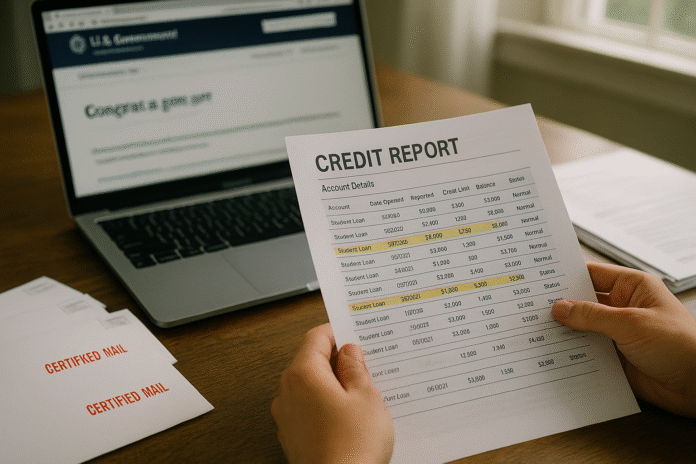
If old student loan entries are still dragging down your score, you’re not stuck with them. This guide walks you through exactly how to confirm what’s “outdated,” document the facts, file effective disputes, and escalate when necessary so inaccurate or obsolete items get removed. It’s written for U.S. consumers dealing with federal or private student loans. Brief disclaimer: this is educational information, not legal or financial advice.
Quick answer: To delete outdated student loan info from your credit report, verify that the negative entry is beyond the Fair Credit Reporting Act’s time limits (generally seven years) and then dispute it with all three credit bureaus and the furnisher (your servicer/collector) with documentation; they generally have 30 days to investigate and must correct or delete unverifiable or obsolete data.
1. Pull All Three Credit Reports and Isolate Every Student Loan Tradeline
Start by getting a full view of what’s actually being reported. The first step is to download your Equifax, Experian, and TransUnion reports and identify each student loan tradeline—original lender accounts, transfers, consolidations, and any collection entries. You’re entitled to free weekly reports from all three bureaus at AnnualCreditReport.com (as of January 2024, the bureaus made weekly access permanent), which is ideal for tracking dispute progress and verifying fixes. On each report, note the account name, account number (masked), payment history grid, date of first delinquency (DOFD) or first missed payment in a series, current status, and balance. Circle or highlight any negative items—late payments, default notations, collections, or duplicates that look like the same loan being counted twice. Keep a digital and paper copy of each report to attach to disputes and to compare before/after outcomes.
- What to download and save (for each bureau):
- Full credit report PDF (or printer-friendly HTML)
- Your dispute confirmation numbers (once you file)
- Screenshots of relevant sections (payment history, status, DOFD)
- Checklist to tag items:
- Loan type (Direct, FFEL, Perkins, private)
- Servicer/collector name(s)
- Status (current, transferred, closed, default, collection)
- Negative marks (30/60/90+ late, charge-off/collection, default)
1.1 Why it matters
Every dispute hinges on specifics tied to each tradeline. Weekly, no-cost access means you can document precise changes as they happen and spot if a bureau fixed one tradeline but not another.
1.2 Common mistakes
- Checking only one bureau (errors often appear on one or two, not all three).
- Missing duplicates caused by loan transfers or consolidations (two lines for the same debt with overlapping dates).
Bottom line: Build a clean inventory of every student loan entry across all three reports to know exactly what needs removal or correction.
2. Confirm What Counts as “Outdated” and Calculate the Drop-Off Date
Outdated items are those the Fair Credit Reporting Act (FCRA) says should no longer appear. In general, most adverse information—late payments, defaults, collections—can’t be reported after seven years. For charged-off or collection accounts, the seven-year clock starts 180 days after the delinquency that led to the charge-off/collection (the DOFD rule). Bankruptcies have different timelines (often up to ten years). To decide if a student loan entry is obsolete, you must locate the correct start date and apply the right rule; don’t assume the clock resets just because a loan was transferred or sold.
Mini example: You missed your payment first on January 15, 2018, never caught up, and the loan was placed for collection in July 2018. The FCRA says the seven-year period for collections runs from DOFD + 180 days. That’s mid-July 2018 + 7 years = mid-July 2025. If a related collection tradeline is still present after that, it’s likely obsolete and disputable.
- How to find the right dates:
- Look for the first missed payment that started the delinquency chain (not a later transfer date).
- For late-payment notations on otherwise open/paid loans, each late mark typically falls off seven years from the missed payment month. Experian
2.1 Numbers & guardrails
- Seven years for most adverse info; ten years for many bankruptcies.
- For collections/charge-offs, the seven-year period starts 180 days after DOFD.
2.2 Common pitfalls
- Mistaking a transfer date for DOFD (transfers don’t reset the clock).
- Assuming consolidation erases old lates; it closes the old tradeline (usually with $0 balance) but the history remains until its allowed drop-off date.
Bottom line: If the calendar says a negative student loan item should have dropped off, you have strong grounds to request deletion under the FCRA’s obsolescence rules.
3. Cross-Check Loan Data with Federal Student Aid and Your Servicer
Before disputing, verify your loan history and servicer transfers at the source. For federal loans, log into StudentAid.gov and open your My Aid dashboard to view loan types, servicer details, and to download your aid data—useful for showing original disbursements, repayment status changes, and transfers. If you’ve consolidated, you should see the old tradelines closed with $0 balances and the new consolidation account open. If your report shows duplicate balances or a default status that doesn’t match your federal records, note that discrepancy now.
Recent reporting glitches related to large-scale servicer transfers have produced duplicate balances for some borrowers—essentially counting the same debt twice and depressing scores. If you see this pattern (e.g., identical balances shown under two servicers for overlapping periods), capture screenshots and include them with your disputes.
- What to collect:
- Your My Aid summary and (if available) the Download My Aid Data (.txt) file.
- Servicer letters/emails showing transfer dates or status changes (e.g., “transferred/paid,” “rehabilitated,” “consolidated”).
- Payment histories or statements that establish the first missed payment or the date you returned to current.
3.1 Tools/Examples
- StudentAid.gov → My Aid → View Details for loan-level data and servicer info. Federal Student Aid
- Servicer pages (e.g., Edfinancial’s credit reporting page) clarify how consolidation should appear on your report (old tradeline $0 and “refinanced”/“transferred”).
3.2 Common mistakes
- Disputing before you’ve gathered federal records that support your timeline.
- Ignoring private loans—check lender portals for statements showing the actual delinquency timeline.
Bottom line: Align your credit report with federal/servicer records first; discrepancies become the backbone of a successful dispute.
4. Build a Tight Dispute File: Evidence, Explanations, and Exact Requests
A strong dispute package explains what’s wrong, why, and what should happen (delete or correct) with documentation to back it up. Start with a short narrative (two or three sentences) per tradeline and attach copies—not originals—of supporting documents. Identify the precise legal basis: “obsolete under FCRA §605 (15 U.S.C. §1681c),” “incorrect DOFD,” “duplicate balance from transfer,” or “status should be ‘transferred/closed/$0’.”
- Core contents of each dispute:
- Your contact info and report confirmation number(s) (if available)
- Tradeline name and masked account number
- Clear explanation (e.g., “This late payment is more than seven years old,” or “This is a duplicate of account X after transfer on MM/DD/YYYY”)
- Highlighted copy of your report and relevant StudentAid.gov or servicer documentation
- The exact remedy requested: delete, update to $0/transferred, or remove default notation
- Mini-checklist (per tradeline):
- Is the negative mark older than seven years?
- Is the DOFD correctly recorded?
- Did a consolidation/transfer occur (should the old line be closed $0 and marked properly)?
- Is a duplicate balance reported across two servicers?
4.1 Templates & proof
The CFPB provides sample dispute letters you can adapt and recommends sending by certified mail for a paper trail. Consider attaching a brief timeline graphic showing the missed payment date, transfer/consolidation date, and the calculated drop-off date.
4.2 Why precision wins
Bureaus and furnishers must conduct a reasonable investigation; precise claims with documents make it easier for them to fix errors and harder to dismiss your dispute as “frivolous.”
Bottom line: Specific, document-backed requests anchored to FCRA rules are far more likely to result in deletion or correction.
5. Dispute with Equifax, Experian, and TransUnion the Right Way (and Track the Deadlines)
File your dispute with each bureau reporting the item—online for speed or by mail for a certified paper trail. Include your narrative, supporting documents, and a copy of the report page with the item circled. Once a bureau receives your dispute, it typically has 30 days to investigate (up to 45 days if you provide additional information mid-stream) and five business days after completion to notify you of the results. Keep every receipt, upload confirmation, and response letter.
- Where to dispute (current options):
- Equifax: Online dispute portal; mail option available (see Equifax instructions).
- Experian: Online or by mail (P.O. Box 4500, Allen, TX 75013 listed in Experian/FTC resources).
- TransUnion: Online or by mail (P.O. Box 2000, Chester, PA 19016). TransUnion
- Process guardrails (FCRA §611):
- Bureaus must conduct a reasonable reinvestigation and notify furnishers within five business days of your dispute; you’re entitled to written results and, upon request, a description of the method of verification (including the furnisher’s name/address and phone, if reasonably available). Consumer Financial Protection Bureau
5.1 Common mistakes that slow or sink disputes
- Submitting vague claims without dates, DOFD, or a requested remedy.
- Failing to include supporting documents (e.g., transfer letters, My Aid download).
- Assuming a fix by one bureau will automatically propagate to the others—it often won’t.
5.2 Mini case
A borrower disputed a duplicate student loan balance showing under two servicers after a transfer. By attaching the transfer notice and StudentAid.gov snapshot, the bureau deleted the duplicate line within 30 days, raising the borrower’s score by double digits. (Outcome timelines vary.)
Bottom line: Hit all three bureaus, cite the rule, attach proof, and calendar the 30/45-day and 5-day deadlines.
6. Send a Direct Dispute to the Furnisher (Your Servicer/Collector) and Demand a Proper Investigation
Don’t stop at the bureaus. The FCRA and CFPB’s implementing rules require furnishers (servicers/collectors) to conduct a reasonable investigation of direct disputes on issues like your liability, account status, or DOFD when you send your dispute to the address they specify for credit reporting disputes. Include the same documentation and ask them to correct their reporting with all bureaus if they confirm an error. Legal Information Institute
- How to do it:
- Find the furnisher’s designated address for credit reporting disputes (often listed on your report or the company’s site).
- Mail your letter certified with return receipt; include evidence (e.g., My Aid data, transfer confirmations).
- Request specific fixes (e.g., “Update status to transferred/closed $0,” “Correct DOFD to MM/YYYY,” “Delete obsolete collection”).
- Furnisher obligations (high level):
- Conduct a reasonable investigation and respond, typically within 30 days of receiving your dispute.
- If it’s wrong or can’t be verified, they must update or delete and notify all bureaus they report to.
6.1 Tools/Examples
- If your federal loans were consolidated, prior tradelines should show $0 and “refinanced/ transferred.” If they still show an open balance or active past-due, that’s prime for a direct dispute.
6.2 Common mistakes
- Sending disputes to a general customer service address instead of the designated dispute address (risking no legal obligation to investigate).
- Disputing issues outside the direct dispute rules (like minor identity data fields), which furnishers may decline under the regulation’s exceptions. Consumer Financial Protection Bureau
Bottom line: A targeted direct dispute can correct the data at the source and force updates across all the bureaus.
7. Escalate: Ask for the Method of Verification, Then File a CFPB Complaint (and Consider Legal Help)
If a bureau “verifies” information you believe is wrong, you can request the method of verification—a description of how they verified and contact info for the furnisher they consulted. This helps you pinpoint where the data went wrong and gives you more to challenge. If the bureau or furnisher won’t fix clear errors or continues reporting obsolete items, escalate by filing a CFPB complaint; include your documents and dispute numbers so the agency can route your complaint to the right company and monitor the response.
- Escalation steps:
- Send a short, written request for the method of verification to the bureau that “verified” the item.
- Re-dispute with any new evidence (e.g., corrected DOFD from the servicer).
- File a CFPB complaint attaching your dispute package and explain the harm (e.g., duplicate balance lowering your score). Consumer Financial Protection Bureau
- When to consider counsel:
- Repeated failures to correct FCRA-covered inaccuracies.
- Denials of credit tied to demonstrably obsolete/incorrect reporting.
7.1 Guardrails & timelines
Companies generally respond to CFPB complaints promptly; your submission creates a formal record and often triggers a more careful review by compliance teams.
Bottom line: Use the FCRA’s transparency tools and the CFPB’s complaint process to break stalemates and press for accurate reporting.
8. Handle Special Scenarios: Fresh Start, Consolidation, and Duplicate Tradelines
Some student loan situations require extra care:
- Fresh Start (federal defaults): The Department of Education’s Fresh Start initiative removed default notations from eligible borrowers’ credit reports and returned loans to in repayment status. Although enrollment windows and protections evolved, federal guidance and analysis noted the program’s credit-reporting relief; if your default remained even after Fresh Start changes, that’s a strong dispute. If you later defaulted again, reporting should use the original delinquency date. Document your Fresh Start status with federal notices or dashboard screenshots.
- Consolidation: When you consolidate, the old tradelines should close with $0 and show “refinanced/ transferred,” and a new consolidation tradeline appears. If your reports still show balances due on the old loans or past-due statuses after consolidation, dispute as inaccurate and include consolidation confirmation.
- Duplicate or transferred tradelines: After servicer transfers, you may see the same balance listed twice or overlapping histories across two servicers. That’s potentially harmful and incorrect; dispute duplicates and ask that the prior tradeline be marked transferred/closed $0 or deleted if it’s a mistaken duplicate. Major reporting glitches in 2024 highlighted this exact issue affecting many borrowers.
8.1 Mini-checklist for special cases
- Do you have a Fresh Start notice? Attach it and request removal of any lingering default status.
- Did consolidation/transfer occur? Ensure prior lines show $0 and “transferred/refinanced.”
- Are there duplicate balances? Circle both and request deletion/correction, referencing transfer dates.
8.2 Common misconceptions
- “Consolidation deletes my late payments.” Not necessarily—history generally remains on the old, closed tradeline until its allowed drop-off date.
Bottom line: Special programs and transfers can fix or complicate credit reporting—use your paperwork to ensure the report matches reality.
9. Monitor, Document, and Prevent Future Reporting Problems
After you file disputes, monitor for results and keep everything organized. Bureaus must notify you of investigation outcomes within five business days after completion. If an error is corrected, you’ll get an updated report; verify the change across all three bureaus and keep copies. Set calendar reminders to recheck your reports after 30–45 days and again in 60–90 days to confirm the fix sticks and propagates. If something reappears, reopen the dispute with your prior case numbers attached.
- Ongoing checklist:
- Track deadlines: 30 days to investigate (up to 45 with new info), 5 business days for results.
- Pull free weekly reports to confirm corrections and catch new issues fast.
- If identity theft is suspected, consider a fraud alert or credit freeze and use IdentityTheft.gov.
9.1 Tools that help
- Certified mail receipts and a simple spreadsheet tracking each tradeline, dispute date, evidence sent, and outcome.
- Bureau online dashboards for real-time status updates.
9.2 Region note
These steps reflect U.S. law (FCRA). If you live outside the U.S., consumer reporting rules differ; check your local regulator.
Bottom line: Vigilant follow-through ensures outdated items stay gone and new errors don’t slip through.
FAQs
1) What exactly qualifies as “outdated” student loan info?
Under the FCRA, most adverse items (late payments, defaults, collections) are limited to seven years, and many bankruptcies up to ten years. For collections/charge-offs, the seven years begins 180 days after the delinquency that led to the collection/charge-off. If such items linger past their allowed window, they’re typically deletable upon dispute as obsolete.
2) Where do I check for the date that starts the seven-year clock?
Look for the date of first delinquency (DOFD)—the first missed payment that began the chain leading to default/collection. That date governs the time window; transfers don’t reset it. For late-payment notations (without charge-off), each late mark falls off after seven years from the missed month.
3) How long do bureaus have to respond to my dispute?
Generally 30 days to investigate (up to 45 if you submit additional info during the investigation), and they must notify you of results within five business days of finishing. You’re entitled to a description of the method of verification if you request it.
4) Do I need to dispute with all three credit bureaus?
Yes. Fixes at Experian don’t automatically fix Equifax or TransUnion. File with each bureau reporting the outdated item, using the same evidence and explanations.
5) What if the bureau says the information was “verified” but I know it’s wrong?
Ask for the method of verification to see who they contacted and how. Then send a direct dispute to the furnisher (servicer/collector) with your documentation. If errors persist, file a CFPB complaint and attach everything—this often prompts a more thorough review. Customs MobileConsumer Financial Protection Bureau
6) Can I get accurate late payments removed early with a goodwill letter?
You can ask, but furnishers aren’t required to grant goodwill removals. The FCRA mainly compels removal of inaccurate or obsolete data; accurate negative history usually remains until its time limit expires. Your best bet is to ensure the dates are correct and the item drops when it should.
7) How did the Fresh Start program affect credit reports?
Fresh Start (for federal loans in default) included credit-reporting relief—removing default notations and returning loans to in repayment status—benefiting many borrowers’ scores. If your default still shows after Fresh Start, dispute with your documentation. Program timelines have ended, but its credit-reporting changes are relevant for legacy errors.
8) I consolidated my loans. Why are the old loans still on my report?
That’s expected: old tradelines typically remain but should show $0 and “refinanced/transferred.” The balance shouldn’t still be reported as due. If it is, that’s a correctable error—dispute with your consolidation proof.
9) What if a transfer created duplicate balances across two servicers?
This is a known issue after large-scale transfers. Dispute one as a duplicate, attach the transfer documentation, and request that the prior tradeline be marked transferred/closed $0 or removed.
10) How often should I check for fixes?
Monitor weekly (free) during the dispute period to catch changes and re-dispute quickly if needed. Keep records for each round of communication.
11) Do private student loans follow the same reporting timelines?
Yes for FCRA time limits on adverse items (they apply broadly), though program-specific relief like Fresh Start is federal-loan specific. Always rely on your documents and the FCRA’s timelines for what’s obsolete.
12) What if the bureau labels my dispute “frivolous”?
They must tell you why and what additional info is needed within five business days of that determination. Provide the missing detail (e.g., an account number, clearer dates) and resubmit.
Conclusion
Outdated student loan information persists for three reasons: wrong dates (especially DOFD), mismarked transfers or consolidations, and duplicate balances after servicing changes. The fix is systematic: confirm the time limit under the FCRA, gather servicer and StudentAid.gov proof, and file precise disputes with all three bureaus and the furnisher. Track the 30/45-day and 5-day deadlines, request the method of verification when needed, and escalate to the CFPB if corrections stall. Use your weekly free access to verify that fixes appear across all reports and stay there.
With documentation, persistence, and the right citations to law and policy, outdated entries get removed and accurate data remains. Your next step: pull your three reports today, flag every student loan tradeline with dates, and begin the dispute workflow on the worst offenders. Clean up your file—one verified fix at a time.
CTA: Ready to start? Download your three reports, list every student loan tradeline, and send your first dispute letter today.
References
- How do I dispute an error on my credit report? Consumer Financial Protection Bureau (last reviewed Dec. 12, 2024). https://www.consumerfinance.gov/ask-cfpb/how-do-i-dispute-an-error-on-my-credit-report-en-314/ Consumer Financial Protection Bureau
- You now have permanent access to free weekly credit reports. Federal Trade Commission (Jan. 4, 2024). https://consumer.ftc.gov/consumer-alerts/2023/10/you-now-have-permanent-access-free-weekly-credit-reports Consumer Advice
- 15 U.S.C. § 1681c – Requirements relating to information contained in consumer reports. Legal Information Institute (accessed Sept. 2025). https://www.law.cornell.edu/uscode/text/15/1681c Legal Information Institute
- 15 U.S.C. § 1681i – Procedure in case of disputed accuracy. Legal Information Institute (accessed Sept. 2025). Legal Information Institute
- Disputing errors on your credit reports (handout). CFPB (Aug. 2021). Consumer Financial Protection Bureau
- File a Dispute on Your Equifax Credit Report. Equifax (accessed Sept. 2025). Equifax
- Dispute Your Credit Report by Mail or Phone. TransUnion (accessed Sept. 2025). TransUnion
- How to Dispute Credit Report Information (Experian). Experian (Mar. 13, 2025). Experian
- How to Determine an Original Delinquency Date. Experian (Jan. 7, 2022). Experian
- How a paperwork glitch is hurting student loan borrowers’ credit scores. The Washington Post (May 29, 2024). The Washington Post
- Consumer Financial Protection Circular 2022-07: Reasonable investigation of consumer-reporting disputes. CFPB (Nov. 10, 2022). Consumer Financial Protection Bureau
- A Fresh Start for Borrowers with Federal Student Loans in Default (Fact Sheet). U.S. Department of Education (updated July 11, 2024). FSA Partner Connect
- Credit Reporting – Edfinancial Services (Federal Student Aid). (accessed Sept. 2025). edfinancial.studentaid.gov
- If a credit reporting error is corrected, how long will it take before I find out the results? CFPB (June 6, 2023). Consumer Financial Protection Bureau
- SAMPLE LETTER: Credit report dispute. CFPB (2021). Consumer Financial Protection Bureau