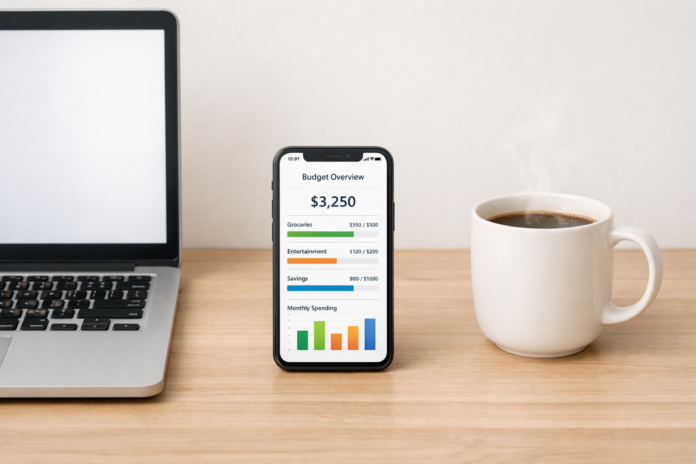
In the modern economy, “ownership” is rapidly being replaced by “access.” From the music we stream to the software we use for work—and even the filters in our refrigerators—the subscription model has become the default setting for consumer life. While these recurring payments offer convenience, they also create a unique financial challenge known as “subscription fatigue.” Without a proactive strategy, these small, automated leaks can sink even the sturdiest financial ship.
As of February 2026, the average household manages between 12 and 15 individual subscriptions, ranging from entertainment and fitness to cloud storage and professional tools. Managing these effectively is no longer just a “nice to have” skill; it is a fundamental requirement for modern financial wellness.
Key Takeaways
- Audit Regularly: Perform a “Deep Audit” every 90 days to identify “ghost” subscriptions.
- The 1% Rule: Ensure your total non-essential subscriptions do not exceed 1–3% of your take-home pay.
- Centralize Payments: Use a dedicated card or “virtual cards” to track and limit recurring charges.
- Value-Based Spending: Prioritize subscriptions that provide daily utility or significant mental health benefits over “just in case” services.
Who This Guide Is For
This guide is designed for individuals feeling overwhelmed by “death by a thousand cuts” in their bank statements. Whether you are a freelancer managing B2B SaaS tools, a head of a household juggling family streaming plans, or a young professional trying to maximize savings, these strategies will help you regain control of your digital overhead.
Financial Disclaimer: This article is for informational purposes only and does not constitute professional financial advice. Always consult with a certified financial planner or tax professional regarding your specific financial situation.
The Evolution of the Subscription Economy
To budget effectively, we must first understand the landscape. In the early 2010s, subscriptions were largely limited to magazines and cable TV. Today, we see “Subscription-as-a-Service” (SaaS) in almost every sector:
- Media & Entertainment: Netflix, Spotify, Disney+, Kindle Unlimited.
- Productivity & Work: Adobe Creative Cloud, Microsoft 365, Zoom, Slack.
- Physical Goods: HelloFresh, Dollar Shave Club, BarkBox.
- Health & Wellness: Peloton, Calm, gym memberships.
- Utilities & Maintenance: Nest Aware, Ring, iCloud+ storage.
The danger of this model lies in its “low friction” nature. Because these payments are automated and often fall under the $15 mark, they bypass the brain’s “pain of paying” mechanism. Over time, these costs compound, leading to significant “lifestyle creep” that is difficult to identify without a structured audit.
Step 1: Conducting the “Great Subscription Audit”
The first step in budgeting for recurring expenses is visibility. You cannot manage what you cannot see. Most people underestimate their monthly subscription spend by 30–50%.
The Paper Trail Method
Go back through the last three months of bank and credit card statements. Look specifically for:
- Merchant names you don’t recognize.
- Small, consistent charges ($2.99, $4.99, $9.99).
- Annual renewals that might have hit in a “quiet” month.
The App-Based Approach
In 2026, several fintech tools can automatically scan your transactions to identify recurring bills. While useful, be cautious of apps that take a percentage of your “savings” to cancel services for you. Often, the manual effort of canceling a service provides the psychological “reset” needed to stop future impulse sign-ups.
The “Cancel and See” Strategy
If you are unsure if you still use a service, cancel it immediately. If you don’t miss it within 30 days, you’ve saved money. If you do miss it, you can always resubscribe—often with a “we want you back” discount code.
Step 2: Categorizing Your Recurring Expenses
Not all subscriptions are created equal. To budget effectively, you must categorize them based on their impact on your life and livelihood.
1. Essential/Fixed Recurring Expenses
These are non-negotiable costs required for survival, safety, or legal compliance.
- Rent/Mortgage (technically a recurring expense).
- Utilities (Electricity, Water, Trash).
- Internet and basic Mobile Phone plans.
- Insurance (Health, Auto, Life).
2. Professional/Growth Subscriptions
For freelancers and remote workers, these are “tools of the trade.”
- Professional software (Adobe, CAD, specialized CRM).
- LinkedIn Premium or industry-specific journals.
- Cloud storage (Google Workspace, Dropbox).
3. Lifestyle & Entertainment (The “Audit Zone”)
This is where the most significant savings are found.
- Streaming video and music.
- Box-of-the-month clubs.
- Gaming passes (Xbox Game Pass, PlayStation Plus).
- Premium dating apps or social media tiers.
Step 3: Strategic Budgeting Techniques
Once you have your list, it’s time to apply a budgeting framework. As of 2026, the “Rotation Method” has become the gold standard for managing entertainment costs.
The Rotation Method
Instead of subscribing to Netflix, Hulu, HBO, and Disney+ simultaneously, pick one per month. Watch the “must-see” shows on that platform, then cancel and switch to the next one the following month. This keeps your library fresh while cutting your streaming budget by 75%.
The Annual vs. Monthly Calculation
Most services offer a 15–25% discount if you pay annually. However, this is only a “deal” if you use the service for the full year.
- Pay Annual for: Services you use daily (iCloud, Microsoft 365, your primary gym).
- Pay Monthly for: Anything seasonal or experimental (e.g., a fitness app for a 90-day challenge).
Using “Virtual Cards” for Control
Many modern banks and third-party services (like Privacy.com) allow you to create virtual credit cards with spending limits. You can create a “Streaming Card” with a hard limit of $30 per month. If a service tries to increase its price or a hidden fee kicks in, the transaction will decline, forcing you to review the expense.
The Psychology of “Set It and Forget It”
Subscription companies rely on Inertia. They know that once a customer has entered their credit card details, they are statistically unlikely to cancel, even if they stop using the service. This is known as “default bias.”
To combat this, you must introduce “positive friction”:
- Disable Auto-Renew: Whenever possible, disable auto-renew immediately after signing up for a trial or a new service.
- The Calendar Alert: Set a calendar reminder for 48 hours before a free trial ends.
- Evaluate the “Unit Cost”: If you pay $20/month for a gym but only go twice, your cost per visit is $10. If a drop-in pass is $15, you are saving money. If you go 10 times, your cost is $2, which is a great value.
Common Mistakes in Subscription Management
Even the most fiscally responsible individuals can fall into these traps.
1. The “Free Trial” Trap
Companies offer 7-day or 30-day trials knowing you will forget to cancel. In 2026, many “free” trials now require a “holding fee” or make the cancellation button intentionally difficult to find (a practice known as “Dark Patterns”).
2. Forgotten “Ghost” Subscriptions
These are services you signed up for years ago that still bill you monthly. Common examples include old cloud storage accounts, premium versions of forgotten apps, or “membership perks” attached to old credit cards.
3. Overlapping Services
Do you have Amazon Prime (which includes music), Spotify, and Apple Music? You are paying three times for the same utility. Consolidating into “bundles” (like Apple One or the Disney/Hulu/ESPN bundle) can save money, but only if you actually use all the components.
4. Ignoring “Micro-SaaS”
Small browser extensions, premium email features, or “pro” versions of mobile games often charge $1.99–$4.99. While seemingly insignificant, ten of these add up to $500–$600 per year.
Managing Business vs. Personal Subscriptions
For small business owners and freelancers, the line between personal and professional expenses often blurs. This is a major red flag for tax authorities.
Maintain Strict Separation
Never pay for a business subscription (like a website host) with a personal card. Not only does this make budgeting harder, but it also complicates tax deductions. Business subscriptions are often 100% tax-deductible, whereas personal entertainment is not.
The “Internal ROI” Audit
Every six months, ask of every business subscription: “Does this tool save me more time/money than it costs?” If a $30/month AI scheduling tool saves you two hours of manual work, it has a high Return on Investment (ROI). If you haven’t opened the app in a month, it is a liability.
Future-Proofing: Subscriptions in the Age of AI
As we move further into 2026, we are seeing the rise of “AI Agents” that can manage subscriptions for us. These tools can negotiate lower rates with internet providers or automatically switch your energy provider to the cheapest rate. While promising, these tools often require deep access to your financial data.
Pro-tip: Before using an AI budgeting agent, ensure they use “Read-Only” access to your accounts and have a transparent privacy policy.
Conclusion
Budgeting for subscription services is no longer a task you can do once and forget. It requires an ongoing, proactive approach to ensure your hard-earned money is fueling your goals rather than leaking into the coffers of tech giants. By implementing a quarterly audit, utilizing the “Rotation Method,” and being mindful of the psychology of automated payments, you can transform your relationship with the subscription economy.
The goal isn’t to live a life devoid of digital conveniences—it’s to ensure that every dollar leaving your account is a conscious choice. Start today by looking at your most recent bank statement. Find one service you haven’t used in 30 days and hit “cancel.” That small win is the first step toward long-term financial clarity.
Next Steps for You:
- Tonight: Download your last three bank statements.
- This Weekend: Create a simple spreadsheet listing every recurring charge, its cost, and its “Value Score” (1-10).
- Next Week: Cancel any service with a Value Score lower than 7.
FAQs
1. How many subscriptions is “too many”?
There is no magic number, but a healthy benchmark is to keep total non-essential subscriptions under 5% of your monthly discretionary income. If you find you are paying for services you haven’t used in the last 30 days, you likely have “too many.”
2. Is it better to pay monthly or annually?
Annual payments usually offer a 10–20% discount, making them better for “staple” services you use year-round (like Amazon Prime or a professional CRM). However, for entertainment or fitness, monthly is often better as it allows you to cancel easily if your interests change.
3. How do I find subscriptions I forgot about?
The most effective way is to look at your “Recurring Transactions” or “Scheduled Payments” section in your online banking portal. You can also search your email inbox for keywords like “receipt,” “invoice,” “subscription,” or “renew.”
4. Are budgeting apps safe to use for subscription tracking?
Most reputable apps use “Plaid” or similar encrypted, read-only connectors to view your transactions without storing your login credentials. However, always enable Two-Factor Authentication (2FA) and read the privacy policy to ensure they aren’t selling your spending data.
5. What should I do if a company makes it impossible to cancel?
If a company uses “Dark Patterns” (like requiring a phone call to cancel a digital service), you can use a virtual card to “pause” payments, or contact your credit card issuer to place a merchant block. Under many 2026 consumer protection laws, companies are required to make canceling as easy as signing up.
References
- Federal Trade Commission (FTC): – Guidelines on subscription transparency.
- Consumer Financial Protection Bureau (CFPB): – Official resources for recurring expense management.
- Harvard Business Review: – Analysis of consumer fatigue and business models.
- Investopedia: – Definition and financial implications.
- NerdWallet: – Practical guide to auditing.
- Journal of Consumer Research: – Academic study on the “pain of paying” and recurring charges.
- SaaSOptics: – Business-side logic that helps consumers understand pricing tiers.
- The New York Times (Wirecutter): Best Budgeting Apps for 2026 – Independent reviews of tracking software.