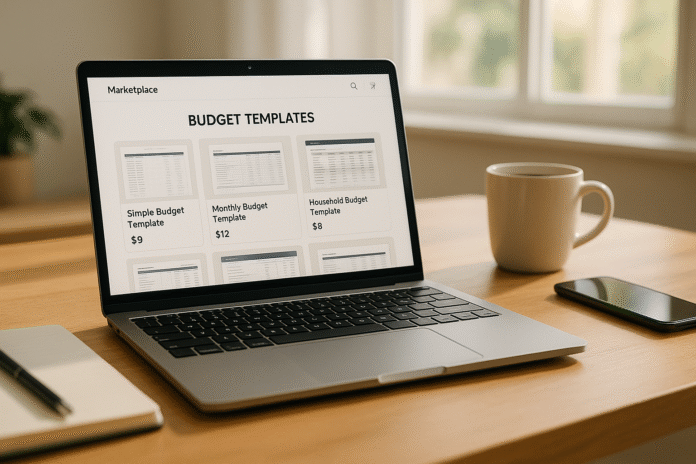
If you’re hunting for polished budgeting tools without starting from a blank sheet, budget template marketplaces are the fastest path to a working system. In plain terms, a budget template marketplace is a platform where creators and vendors list prebuilt budgeting spreadsheets or apps you can copy, download, or purchase. The best marketplaces let you filter by use case (personal, household, project, business), preview features, and understand licensing before you commit. This guide compares 12 reliable places to find or buy professional templates, and shows how to pick the right one for your stack (Sheets, Excel, Notion, Airtable, Coda, and more). This article is informational and not financial advice—always tailor any template to your circumstances.
Quick steps to choose a marketplace:
1) Pick your tool first (Sheets/Excel/Notion/etc.). 2) Decide the budgeting method (zero-based, 50/30/20, envelope, project). 3) Check update cadence and support. 4) Review license/usage terms. 5) Test with dummy data before rollout.
1. Notion Template Gallery
Notion’s Template Gallery is a strong pick if you want databases, relations, and rollups baked into your budget—so you’re not just tracking numbers, you’re connecting them to goals, subscriptions, and projects. It hosts free and paid options curated into categories (including “Budgets”), with one-click duplication to your workspace. For personal budgets, creators often bundle dashboards with progress bars, month selectors, and linked expense databases. For teams, you’ll find multi-user budgets that log expenses via forms, then roll up to a review board. Pricing varies by creator; many are under $30, and you can filter to “Free” to test. The gallery structure makes it easy to compare screenshots, features, and versions before you buy.
1.1 How it works
- Browse the Budgets category and open any listing.
- Click Duplicate to add it to your workspace.
- Set properties (currency, date rollups, categories).
- Lock key views and add permissions for collaborators.
- Use filters (e.g., “This month”) to focus your review.
1.2 Common mistakes
- Treating the template as “finished”—add relations (e.g., recurring bills) so reports reflect reality.
- Ignoring currency/locale formats across databases.
- Skipping a backup before heavy edits; always version.
Synthesis: Choose Notion when you want budgets intertwined with tasks and notes—its database model pays off as your financial workflows expand.
2. Google Sheets Template Gallery (and curated libraries)
If you’re already in the Google Workspace ecosystem, Google Sheets’ native template gallery offers a simple Monthly Budget starter you can copy and customize instantly; it’s ideal for personal or household tracking and quick dashboards. Beyond the built-in gallery, reputable curators compile free templates for different methods (weekly, zero-based, 50/30/20), often including visual summaries and category pivots. These options give you the speed of a plug-and-play file with the flexibility of Sheets formulas, protections, and sharing. For rollout in small teams, you can pair a template with protected ranges, version history, and data validation to keep inputs clean.
2.1 Numbers & guardrails
- Start with the Monthly Budget and cap categories at ~15 to avoid noise.
- Use Data validation to lock category labels.
- Add a control tab for currency symbol, fiscal month start, and pay cadence.
- Protect summary cells and charts; leave only input cells unlocked.
2.2 Mini case
A freelance designer tracks variable income: one tab logs invoices with dates and status; a pivot tab summarizes income by month; the dashboard compares Budget vs. Actual with a 10% buffer for irregular expenses.
Synthesis: Use Google Sheets when you want universal access, fast sharing, and easy automation via Apps Script as needs evolve.
3. Microsoft Create (Excel Templates)
Microsoft’s Create hub features a deep library of Excel budget templates for personal, business, and project use. You’ll find monthly, weekly, zero-based, and event-specific budgets with familiar formulas, slicers, and charts. Because it’s official, templates tend to follow best-practice layouts and play well with Excel features like Tables, structured references, and PivotTables. For desktop users who value offline files or advanced modeling (e.g., What-If Analysis), Excel templates are a natural fit.
3.1 Tools/Examples
- Personal monthly budget with summary charts.
- Small business budget leveraging Table filters.
- Project budget integrating planned vs. actual columns.
- Pair with Power Query to append bank CSVs monthly.
3.2 Mini-checklist
- Convert ranges to Tables (Ctrl/Cmd+T).
- Lock formula cells; allow inputs only.
- Add conditional formats for over-budget flags.
- Snapshot a Baseline column before the month starts.
Synthesis: Pick Microsoft Create if you want polished Excel starters that scale from simple household budgets to model-heavy business cases.
4. Vertex42
A long-trusted name in spreadsheet templates, Vertex42 maintains one of the most complete collections of free budget spreadsheets for Excel (often compatible with Google Sheets), including personal, household, project, and business variants. Templates are clean, well-documented, and pragmatic—perfect when you want “classic spreadsheet” clarity with minimal frills. You’ll also find specialized sheets (e.g., project budgets with WBS) and clear update notes.
4.1 Why it matters
- High signal-to-noise: fewer macros, more explainers.
- Good for training teams new to budgets—formulas are transparent.
- Many templates are free, with premium options where useful.
4.2 Setup tips
- Standardize category names across tabs before copying.
- Use a “Read Me” sheet for assumptions (currency, fiscal year).
- For projects, map budget lines to WBS codes to align with schedules.
Synthesis: Choose Vertex42 when you want sturdy, comprehensible spreadsheets that teach good budgeting habits as you use them.
5. Smartsheet Template Gallery
Smartsheet’s gallery aggregates budget templates across personal, business, and project scenarios, with living articles that are updated periodically and link to downloadable Excel, Google Sheets, PDF, and live Smartsheet versions. For teams who already manage work in Smartsheet (or want gantt + resources + budget), these templates provide a fast bridge from standalone spreadsheets to collaborative tracking with permissions, automations, and dashboards. Updates in 2025 broadened the Excel collections and project-specific budgets.
5.1 How to use it
- Pick a template article (e.g., Excel budgets; project budgets).
- Download the file format you need or add to Smartsheet.
- Configure permissions and reminders for expense owners.
- Surface KPIs (burn rate, variance) on a dashboard.
5.2 Common mistakes
- Mixing currency formats across sheets; lock a single currency per file.
- Over-embedding PDFs—keep source data in sheet form for rollups.
Synthesis: Smartsheet is ideal when you want a template plus a path to structured, multi-user budgeting with workflows.
6. Airtable Templates
Airtable Templates provide budget bases with forms, views, and lightweight automations. You’ll find small-business and personal finance trackers that log expenses via forms (web or mobile), then summarize spending by category or month. Because Airtable is a database with spreadsheet views, it’s great for teams who outgrow flat sheets and need linked records (e.g., vendor, category, project) plus permissions and extensions. Historical “Universe” examples also showcase community-built personal budget and debt trackers for inspiration.
6.1 Steps to implement
- Duplicate a budgeting base from the gallery.
- Add a Form view for quick expense capture.
- Create Rollup fields for monthly totals.
- Use Interfaces to design a readable dashboard.
- Automate category reminders with Automations.
6.2 Region note
Set currency and locale on every currency field; for mixed-currency teams, add a conversion table and a “home currency” rollup.
Synthesis: Airtable shines if you need structured records, forms, and dashboards without leaving the spreadsheet-like comfort zone.
7. Coda Gallery
Coda’s Gallery curates docs and finance templates—including budgets—that behave like mini-apps: tables, views, buttons, and Packs (integrations). This makes it easy to pull in bank CSVs, create buttons to add monthly rows, or use formulas that feel more database-like than spreadsheet-like. Coda’s finance gallery filters and examples help you adapt a doc quickly to your budget method, while Packs add integrations (e.g., Slack for reminders). Coda
7.1 Tools/Examples
- Budget trackers with category tables + charts.
- Buttons to “close month” and snapshot actuals.
- Packs for email/slack nudges to submit expenses.
7.2 Mini-checklist
- Lock schema tabs; expose only input tables.
- Add a “Month open/closed” toggle to prevent edits.
- Create a Variance view (Actual – Budget with thresholds).
Synthesis: Use Coda when you want your budget to act like a lightweight app, complete with buttons and integrations.
8. ClickUp Templates
ClickUp’s template library includes personal and project budget options that fit teams already managing work in ClickUp. Templates arrive with custom fields (e.g., planned vs. actual, vendors), list and board views, and can link directly to tasks and sprints. For operations or marketing teams, this can centralize planning, spend, and delivery in one place—no bouncing between apps. The company also maintains fresh blog roundups of budget templates, useful for scanning patterns and deciding structures.
8.1 How to deploy
- Add the budget template to a Space or Folder.
- Map custom fields (currency, owner, quarter).
- Build a Dashboard with burn-down and variance cards.
- Use Automations to notify owners when line items exceed thresholds.
8.2 Numbers & guardrails
- Keep categories to 10–20 for clarity.
- Require attachments for expenses > your threshold (e.g., $250).
- Snapshot a baseline at project kickoff.
Synthesis: Choose ClickUp if your team’s work already lives there—budgets can follow the same hierarchy and permissions.
9. monday.com Templates
monday.com offers a Budget Tracker template that’s approachable for personal or team use and integrates naturally with boards, automations, and dashboards. You can visualize categories, owners, and due dates while tracking the budget delta with status columns. It’s useful when PMs want line-item control in the same place as tasks, approvals, and docs. The blog and template pages provide examples and screenshots to help you see what you’re getting before adoption.
9.1 Setup tips
- Add a Mirror column to pull totals into a summary board.
- Use Form view for expense submissions.
- Create an Automation: “If Status changes to Over Budget → notify Owner.”
9.2 Mini case
A marketing team sets quarterly budgets per campaign board; a summary dashboard shows Budget vs. Actual by channel with a 5% alert threshold.
Synthesis: monday.com works well if you want a budget template that behaves like the rest of your boards—visual, assignable, and automation-ready.
10. Etsy (Digital Budget Templates)
Etsy is a massive marketplace for creator-made budgeting spreadsheets, especially for Google Sheets and Excel. You’ll find personal, household, wedding, and paycheck-by-paycheck templates, often with polished dashboards and onboarding guides. It’s excellent for breadth and aesthetics; search filters help you narrow by tool and style. Pricing varies by seller, but many popular listings sit in the US$5–$30 range as of September 2025, with previews and reviews to gauge quality before purchase. Always review licensing (personal vs. commercial/PLR) on the listing.
10.1 How to evaluate sellers
- Look for video previews or multiple screenshots.
- Check update history/version notes.
- Scan Q&A for currency/locale support.
- Read several recent reviews, not just the top ones.
10.2 Region note
Sellers may price in different currencies; confirm VAT/GST handling and currency symbols in the sheet.
Synthesis: Etsy is ideal when you want visually refined templates and social proof (ratings/reviews) to guide your pick.
11. Gumroad (Direct-from-Creator Templates)
Gumroad hosts thousands of budget templates from indie creators—spreadsheets for Sheets and Excel, as well as Notion docs. Compared with Etsy, listings feel more “product page” than “shopfront,” often with detailed feature lists and change logs. You’ll see a wide price range, frequently US$8–$30 for individual files (as of September 2025). Because it’s direct, creators sometimes bundle support, updates, or bonus trackers. As with all marketplaces, check license scope (personal vs. commercial/agency) and refund policies.
11.1 Mini-checklist
- Confirm currency/locale handling and category limits.
- Look for a sample file or screenshots of formulas/dashboards.
- Prefer products with update notes and version numbers.
- Save the receipt email for future updates.
11.2 Common mistakes
- Buying a complex template for a simple need; complexity increases maintenance.
- Overlooking license terms if you intend to use it for client projects.
Synthesis: Gumroad is great when you want direct creator support and clear versioning alongside your purchase.
12. Envato Elements (Subscription Library)
Envato Elements is a subscription library with a single commercial license across items and categories. While it’s best known for creative assets, you’ll also find Excel/spreadsheet templates and budget-related assets you can adapt. The key advantage is licensing simplicity and unlimited downloads for subscribers; you register each use when you download. For teams producing recurring documents or reports, the subscription model can be cost-effective. Review the license terms and register items properly for each end project.
12.1 How to leverage it
- Search Excel or budget templates; shortlist candidates.
- Download and register an item for your specific end use.
- Customize visuals while preserving formulas; validate totals.
- Document the item ID and registration in your project notes.
12.2 Licensing pointers (as of Sep 2025)
- One simple commercial license; register per end project.
- Understand exclusions (e.g., no on-demand services).
- Keep license proof with your deliverables.
Synthesis: Choose Envato Elements if you prefer a subscription with broad commercial rights and need a steady stream of design-forward templates.
FAQs
1) What’s the quickest way to test a marketplace template before rolling it out?
Duplicate the template, load one month of historical data, and compare the template’s totals to your source statements. Lock formulas, tag input cells, and run a “month close” with a dummy category to verify variance math.
2) How do I pick between Google Sheets and Excel templates?
Use Sheets for collaboration, web access, and light automation; use Excel if you need modeling depth, Power Query, or offline files. Many templates exist for both—choose based on your team’s default tool and sharing needs. Google Workspace
3) Are templates on marketplaces safe to use with real financial data?
Yes—if you validate formulas and lock ranges. Avoid templates that require external scripts you don’t understand. Keep a copy of the original file and document changes (date, who, what) so you can revert.
4) Can I use a purchased template for client work?
It depends on the license. Marketplaces vary: some list personal-only rights; others offer commercial or extended licenses. Read the license page and listing notes carefully and keep receipts. Envato Elements
5) Why do some templates break when I change currency or locale?
Number/date formats and decimal separators differ by region. Set locale/currency settings globally and check every currency/percent field. For multi-currency teams, add a conversion table and lock display formats.
6) How much should I expect to pay?
Many marketplace templates sit between US$5–$30 for one-off files, with subscriptions (e.g., Envato Elements) priced monthly. Prices vary by creator, features, and support.
7) What budgeting methods do templates usually support?
Common approaches include zero-based, 50/30/20, envelope/cash-flow, and project budgets. Many listings name the method; otherwise, scan for categories and “Budget vs. Actual” structure to infer fit.
8) What’s a sensible rollout plan for a business budget template?
Pilot with one department, define categories and owners, set variance thresholds (e.g., 5–10%), automate reminders, and run a month-end close checklist. After two cycles, standardize and roll company-wide.
9) Do these marketplaces offer refunds?
Policies differ. Etsy/Gumroad often treat digital downloads as final, but some sellers allow exchanges or updates. Read the listing and platform policy before purchase and contact the seller if something is broken.
10) How do I prevent “template sprawl” after adoption?
Create a master folder with read-only templates, require teams to duplicate into a dated project folder, and maintain a change log. Quarterly, archive inactive files and refresh the master with improvements.
11) Can I integrate bank data automatically?
Yes—use CSV imports everywhere; in Excel, use Power Query; in Sheets, use Apps Script or add-ons. Always reconcile against statements and avoid auto-deleting raw imports.
12) What should I document for compliance?
Record the template source URL, license type, purchase date, file version, any custom formulas, and who approved deployment. Store a PDF of license terms with the project.
Conclusion
Choosing a budget template marketplace is ultimately about fit: the tool you live in (Sheets/Excel/Notion/etc.), the budgeting method, and the license you need. If your world is spreadsheets, official hubs like Microsoft Create and curated libraries like Vertex42 or Smartsheet get you robust, time-tested files. If you want database-style flexibility, Notion, Airtable, and Coda turn budgets into living systems tied to tasks and goals. For team-centric work management, ClickUp and monday.com keep budgets alongside projects and owners. And for design-forward options and direct creator support, Etsy and Gumroad offer breadth and frequent updates, while Envato Elements adds subscription-based licensing simplicity.
Your next step: shortlist three marketplaces that match your primary tool, copy a candidate from each, and run a one-month trial with real (but limited) data. Keep what reconciles cleanly, is easiest for teammates to use, and offers the clearest month-end variance story. Start your shortlist today and test one template this week.
References
- Budgets Templates Category, Notion Template Gallery, Accessed September 2025 — https://www.notion.com/templates/category/budgets Notion
- Free Budget Templates for Google Sheets, Smartsheet, July 26, 2025 — https://www.smartsheet.com/content/monthly-budget-template-google-sheets Smartsheet
- Free Budget Templates, Microsoft Create (Excel), Accessed September 2025 — Microsoft Create
- Budget Templates for Excel, Vertex42, Accessed September 2025 — Vertex42.com
- Free Excel Budget Templates, Smartsheet (collection; updated July 30, 2025) — https://www.smartsheet.com/top-excel-budget-templates Smartsheet
- Airtable Templates, Airtable, Accessed September 2025 — Airtable
- Finance Templates (Gallery), Coda, Accessed September 2025 — Coda
- Personal Budget Template, ClickUp, Accessed September 2025 — ClickUp
- Budget Tracker Template, monday.com, Accessed September 2025 — monday.com
- Budget Spreadsheet Listings, Etsy, Accessed September 2025 — Etsy
- Personal Finance (Budget) Listings, Gumroad, Accessed September 2025 — Gumroad
- Excel/Spreadsheet Items & License Overview, Envato Elements (Excel category + License Intro), Accessed September 2025 — ; https://help.elements.envato.com/hc/en-us/articles/360000621483-Introduction-to-the-License Envato Elements