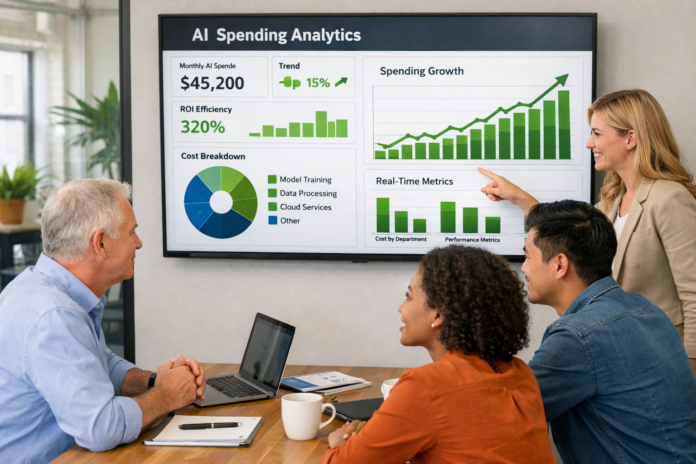
For decades, “expense management” was a phrase that elicited groans from employees and finance teams alike. It meant a week-end scramble to find crumpled receipts, manual entry into clunky spreadsheets, and the inevitable back-and-forth over whether a $15 airport sandwich was “within policy.”
As of March 2026, that era is officially over. The integration of AI-powered expense management has transformed financial operations from a reactive, administrative burden into a proactive, strategic advantage. For Small and Medium Businesses (SMBs), this isn’t just about saving a few hours; it’s about survival in a high-speed digital economy where cash flow visibility is the difference between scaling and stalling.
What is AI-Powered Expense Management?
At its core, AI-powered expense management is the use of machine learning (ML), natural language processing (NLP), and optical character recognition (OCR) to automate the entire lifecycle of a business spend. This includes capturing the receipt, categorizing the transaction, verifying it against company policy, and syncing it with the general ledger—often without a single human keystroke.
Key Takeaways
- Zero-Touch Accounting: Modern tools can automate up to 95% of the expense process, allowing finance teams to focus on strategy rather than data entry.
- Real-Time Visibility: Unlike traditional monthly reports, AI provides a live view of spending as it happens.
- Proactive Compliance: AI “agents” block or flag out-of-policy spend at the point of sale, not weeks later.
- Fraud Prevention: Advanced algorithms detect duplicate receipts and suspicious patterns that human eyes often miss.
Who This Guide Is For
This guide is designed for SMB owners, startup founders, CFOs, and finance managers who are tired of the “spreadsheet tax.” If you are managing a team of 5 to 500 and want to modernize your financial stack while maintaining strict control over your burn rate, this deep dive is for you.
1. The Technology Behind the Magic: How AI Sees Your Receipts
To understand why AI is so effective, we have to look under the hood. It isn’t just “code”; it’s a series of interlocking technologies that mimic human judgment but at lightning speed.
Optical Character Recognition (OCR) 2.0
In the early 2020s, OCR was hit-or-miss. It could read a clear PDF but struggled with a faded thermal receipt from a taxi. In 2026, OCR technology has evolved into “Intelligent Document Processing.” It doesn’t just see text; it understands structure. It knows that a number at the bottom right is likely the total, while a number at the top is the date. It can even handle handwritten tips or blurred ink by comparing the data against the digital transaction record from the credit card network.
Natural Language Processing (NLP)
NLP is the “brain” that interprets the merchant. If a receipt says “Blue Bottle,” the AI uses NLP to categorize this as “Meals & Entertainment” or “Office Supplies” based on your company’s historical patterns. Furthermore, conversational AI assistants now allow employees to ask, “How much do I have left in my travel budget for this quarter?” and receive an instant, accurate answer.
Machine Learning (ML) & Anomaly Detection
Machine learning thrives on data. The more expenses your company processes, the “smarter” the system becomes. It learns that your sales team’s “client dinners” usually average $60 per person. When a $450 dinner for two is submitted, the ML algorithm flags it as an anomaly for human review. This isn’t just a rigid rule; it’s a dynamic understanding of what “normal” looks like for your specific business.
2. Why SMBs Need AI Automation Right Now
Small businesses often operate on thin margins and limited administrative support. In this environment, inefficiency is a hidden cost that compounds over time.
Eliminating the “Human Error” Tax
Manual data entry is prone to “fat-finger” errors—a $10.00 expense becomes $100.00. Studies show that roughly 1 in 5 expense reports contain errors or missing information. AI eliminates this by pulling data directly from the source (the digital receipt or the card swipe). As of early 2026, businesses using AI-powered tools report a 98% reduction in data entry errors.
Accelerating the Monthly Close
The “month-end close” used to take 10 to 15 days. By the time the CFO saw the reports, the data was already two weeks old. With AI-powered expense management, reconciliation happens in real-time. When an employee swipes a corporate card, the AI matches it to a receipt and categorizes it instantly. This allows SMBs to close their books in as little as 24 to 48 hours.
Boosting Employee Morale
No one joined your company to spend Sunday night filing expense reports. Automating this process shows your team that you value their time. In 2026, “instant reimbursement” is a major perk. When an employee uses a personal card for a business flight, AI can verify the receipt and trigger a reimbursement via ACH before they’ve even cleared security at the airport.
Safety Disclaimer: While AI-powered tools offer significant financial benefits, they do not replace the need for professional tax advice. Always consult with a certified public accountant (CPA) or tax professional to ensure your expense policies remain compliant with local and federal tax laws.
3. Top AI-Powered Expense Platforms of 2026
The market has consolidated around a few powerhouses, each offering unique strengths depending on your business model.
Ramp: The Efficiency King
Ramp has become the gold standard for SMBs focused on “un-spending.” Their AI doesn’t just track what you spend; it tells you where you’re wasting money.
- Key Feature: AI-driven “Savings Insights” that identify duplicate SaaS subscriptions or cheaper alternatives to current vendors.
- Best For: Fast-growing startups that need to keep a tight lid on their burn rate.
Brex: The Modern Assistant
Brex has leaned heavily into AI Agents. Every employee gets a virtual assistant that handles the “why” and “where” of every purchase.
- Key Feature: Auto-generated memos. Using “Level 3” transaction data and calendar integrations, Brex AI can write the memo for you: “Dinner with Jane Doe from ABC Corp to discuss the Q3 contract.”
- Best For: Companies with a high volume of travel and client entertainment.
Expensify: The Reimbursement Specialist
While others focused on corporate cards, Expensify perfected the “SmartScan” for teams that still use personal cards or have a mix of spending habits.
- Key Feature: The “Concierge” AI that proactively reaches out to employees to fix missing receipts before the end of the month.
- Best For: Traditional SMBs or professional services firms (Law, Consulting) where billable hours and personal reimbursements are common.
Zoho Expense: The Budget-Friendly Suite
For businesses already in the Zoho ecosystem, their expense tool offers deep AI integration at a fraction of the cost.
- Key Feature: Zia, the AI assistant that handles voice-command expense logging and multi-currency conversions for international teams.
- Best For: Micro-businesses or international SMBs looking for a high-value, low-cost entry point.
QuickBooks Online & Xero: The All-in-One Giants
In 2026, these accounting giants have integrated their own AI “Agents” directly into their platforms. If you want everything—payroll, invoicing, and expenses—in one dashboard, these are the winners.
- Best For: Businesses that prefer a single source of truth without managing multiple SaaS integrations.
4. Critical Features to Look for in 2026
When evaluating software, don’t just look at the price. Look for these four “Next-Gen” features that define the 2026 landscape.
1. Level 3 (L3) Data Processing
Most credit cards only provide “Level 1” data (Merchant and Amount). Level 3 data includes line-item details—exactly what was bought (e.g., two lattes and a croissant). AI tools that can ingest L3 data significantly reduce the need for employees to upload receipts at all.
2. Deep Accounting Integration
Your expense tool should “talk” to your accounting software (QuickBooks, Xero, NetSuite) in a two-way sync. This means if you update a project code in your accounting software, it should instantly appear as a tag option in your expense app.
3. Automated Approval Workflows
The AI should be able to “auto-approve” 80% of expenses. If a $12 Uber ride is within the travel policy, fits the employee’s role, and has a receipt, why should a manager waste 30 seconds clicking “Approve”? The system should only surface the exceptions.
4. Real-Time Policy Enforcement
In 2026, the best tools offer “Physical-to-Digital” policy checks. If an employee tries to buy a $300 bottle of wine on a card with a $100 meal limit, the AI can decline the transaction at the register and send a push notification explaining why.
5. How to Implement AI Expense Management (Step-by-Step)
Transitioning from a manual process to an AI-powered one requires a strategic approach to ensure team buy-in and data integrity.
Step 1: Conduct a Spend Audit
Before you pick a tool, look at your last three months of spending.
- How many transactions were corporate card vs. personal reimbursement?
- What were the most common policy violations?
- Which department has the most “messy” data?
- Pro Tip: Use this data to set your initial AI “thresholds” (e.g., auto-approve anything under $25).
Step 2: Clean Your Chart of Accounts
AI is only as good as the data it’s fed. If your “Chart of Accounts” is a mess with 50 different categories for “Travel,” the AI will struggle to categorize correctly. Simplify your categories before you flip the switch.
Step 3: Choose Your “Primary Input”
Will you issue corporate cards to everyone? Or will you rely on a mobile app for receipt scanning? In 2026, the trend is “Card First.” Providing virtual cards for specific projects or recurring SaaS bills is the most secure way to manage spend.
Step 4: Run a “Beta” with One Department
Start with a tech-savvy department like Sales or Marketing. Let them use the tool for one month, gather feedback, and use their success stories to convince the rest of the company.
Step 5: Training and Cultural Shift
The biggest hurdle isn’t the software; it’s the habit. Host a 30-minute workshop showing employees how the AI works. Emphasize the “What’s in it for them”—mainly, getting their time back and getting paid faster.
6. Common Mistakes SMBs Make with AI
Even the best technology can fail if implemented poorly. Avoid these four common pitfalls.
The “Set and Forget” Trap
AI is a co-pilot, not the pilot. Many SMBs turn on the automation and stop looking at their finances altogether. You must still perform monthly “spot checks” to ensure the AI isn’t miscategorizing a new type of vendor or missing a sophisticated fraud attempt.
Ignoring the “Human Element”
If your finance team feels like the AI is there to replace them, they will subvert the system. Frame AI as a tool that removes “drudge work” so they can become “Strategic Financial Analysts.”
Siloing Data
If your expense management tool doesn’t talk to your HR platform (like Gusto or Rippling), you’ll be manually adding and removing employees every time someone is hired or leaves. Ensure your “Tech Stack” is fully integrated.
Over-Complicating Policies
Don’t try to program every possible edge case into the AI. If your policy manual is 50 pages long, the AI (and your employees) will struggle. Use the move to AI as an excuse to simplify your spending rules.
7. Compliance and the IRS in 2026
The IRS has also leveled up. As of 2026, the IRS is using its own AI models to flag small businesses for audits.
Digital Receipt Requirements
The IRS has long accepted digital receipts, but they must be “legible and complete.” AI tools that store high-resolution scans and link them directly to the transaction record are your best defense in an audit.
The New “1099-DA” Era
If your SMB uses digital assets (crypto or stablecoins) for payments or rewards, 2026 brings new reporting requirements via Form 1099-DA. Ensure your expense management software can track these transactions and the “basis” of the assets to avoid massive tax headaches.
Global Compliance (VAT/GST)
If you have remote employees in Europe or Canada, your AI must be able to handle “Tax Extraction.” It should automatically pull out the VAT or GST amount from the receipt so you can claim those credits properly.
Conclusion: The Future of Your Finance Department
AI-powered expense management is no longer a luxury reserved for the Fortune 500. For the modern SMB, it is the cornerstone of a lean, efficient, and transparent operation. By automating the mundane, you empower your team to focus on what actually grows the business: innovation, customer service, and strategic planning.
The transition may feel daunting, but the cost of doing nothing—wasted hours, human error, and a lack of financial “pulse”—is far higher.
Your Next Step: Select three tools from our comparison list above. Sign up for a 14-day trial for one department. Assign a “Finance Champion” to lead the pilot, and witness how 30 days of AI-driven data can change the way you see your business. In 2026, the most successful SMBs won’t be the ones with the most cash; they’ll be the ones with the most intelligent control over how that cash is used.
FAQs (Schema-Style)
Q1: Is AI expense management secure for my business data?
Yes, modern platforms use bank-grade encryption (AES-256) and are typically SOC2 Type II compliant. Furthermore, by using virtual cards and AI-driven fraud detection, you often gain more security than traditional methods using physical cards or cash.
Q2: Will AI replace my accountant or bookkeeper?
No. AI replaces the manual tasks of an accountant (data entry, receipt chasing). This allows your accountant to shift their focus to higher-value work like tax planning, cash flow forecasting, and financial strategy.
Q3: How much does it cost to implement these tools?
Many “Card + Software” platforms like Ramp or Brex are actually free to use for SMBs, as they make money through interchange fees from the credit card networks. Software-only tools like Expensify or Zoho usually range from $5 to $15 per user per month.
Q4: Can AI handle international travel and multiple currencies?
Absolutely. Modern AI tools use real-time exchange rate data to convert foreign transactions instantly. Many also have built-in “Tax Extraction” logic to help with VAT/GST compliance in over 100 countries.
Q5: Does the IRS accept AI-generated expense reports?
The IRS accepts digital records as long as they are “accurate, preserved, and organized.” AI systems that link a specific receipt image to a specific transaction record with a timestamp are generally considered superior to paper-based systems for audit purposes.
References
- Internal Revenue Service (IRS): Publication 463 (2025) – Travel, Gift, and Car Expenses. [Official Document]
- Gartner: Top Strategic Technology Trends for Finance in 2026. [Research Report]
- QuickBooks: Small Business Index Annual Report 2025: The Impact of AI on SMB Bookkeeping. [Industry Report]
- American Institute of CPAs (AICPA): Guidelines for Digital Document Retention and AI Oversight. [Professional Standard]
- Forrester: The Total Economic Impact™ of Automated Spend Management Platforms. [Economic Study]
- SAP Concur: 2026 Global Travel and Expense Trends: The Rise of Personalization and Trust. [Corporate Insight]
- Journal of Accountancy: How Machine Learning is Transforming the Monthly Close. [Academic/Professional Journal]
- U.S. Department of the Treasury: Final Regulations on Digital Asset Reporting (Form 1099-DA). [Federal Regulation]