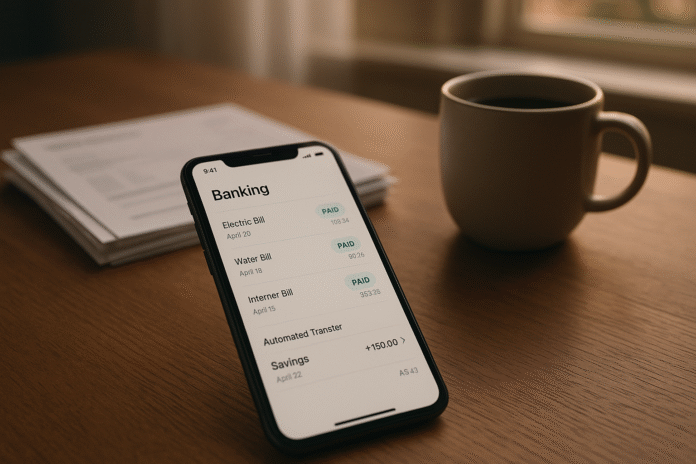
If you’ve ever wished your savings would quietly grow in the background without constant willpower, “auto-enroll in savings increments” is the mindset and method you’ve been looking for. In plain language, it means setting rules so your savings increase—by a few dollars or a small percentage—whenever predictable money events happen, like when a paycheck lands or a bill is marked “paid.” Done right, these small, automated nudges compound into real money over time without squeezing your day-to-day cash flow. Below, you’ll find nine practical ways to wire this into your financial life, including examples, guardrails to avoid overdrafts, and tools most banks and budgeting apps already offer.
Quick definition: Auto-enrolling in savings increments is the practice of pre-committing to small, rules-based increases in your savings whenever a trigger occurs (e.g., pay hit, mortgage paid, card bill cleared), so your balance grows on autopilot.
Five-step quick start
- Pick one trigger (e.g., “credit card paid”).
- Choose a small increment ($5–$25 or 0.5%–1% of income).
- Automate a transfer to a separate savings/bucket.
- Add a “kill switch” notification if balances get tight.
- Review in 30 days; scale the increment if cash flow was comfortable.
Friendly note: This is general education, not personal financial advice. Your details matter—income variability, debt rates, account features, and local rules. Use the guardrails in each section and, if needed, consult a qualified professional.
1. Tie Every Bill Payment to a Small Savings Top-Up
The simplest path is often the best: when a bill clears, your savings tick up by a pre-set amount. This method creates a “habit echo”—each time you successfully pay an obligation, you reward your future self with a small incremental transfer. Start with modest amounts (think $5–$20 per bill) so you can test the rhythm without straining cash flow. The beauty is consistency: most households pay a similar suite of bills monthly (rent/mortgage, utilities, internet/phone, insurance), which gives you a predictable cadence of micro-deposits into savings. If you’ve worried about overdrafts, you’ll add a guardrail that checks your checking balance before the top-up runs. Over a year, these tiny nudges can add up to a meaningful buffer—especially when paired with a high-yield savings account or buckets for goals.
1.1 Why it works
Paying a bill proves you had the funds for that obligation; piggybacking a $5–$20 transfer causes minimal friction while creating momentum. Behaviorally, it transforms “money out” moments into “money out + a little for me” moments, which sustains motivation.
1.2 How to set it up
- Create an automatic transfer from checking to savings labeled “Bill Top-Up.”
- Use your bank’s rules (or a budgeting app) to trigger after each posted bill payment.
- Start small ($5–$10) for volatile bills; go slightly higher ($15–$25) for fixed bills.
- Add a balance floor (e.g., no transfer if checking < $800).
- Route to a dedicated bucket (e.g., “Emergency” or “Utilities Cushion”).
1.3 Numbers & guardrails
Example: 7 recurring bills × $10 top-up × 12 months = $840/year saved. If that feels tight, drop to $5 and still hit $420/year. Add a monthly “pause if net cash for the last 7 days < $0” rule to avoid overdrafts.
Bottom line: Attaching small top-ups to bills converts routine obligations into an automatic savings engine—with built-in predictability.
2. Auto-Escalate Savings with Every Paycheck (or Every Quarter)
This is the “raise the bar” classic: your base savings rate inches up on a schedule, usually tied to pay cycles or quarter-ends. It’s the same logic many retirement plans use with auto-escalation, but you can deploy it across any savings goal: emergency fund, travel, home down payment. Start with a tiny bump (0.5%–1% of take-home) so you barely notice it. If your employer allows split direct deposits, send the incremental slice straight to savings so it never hits checking. Prefer manual control? Schedule a quarterly increase and get a reminder so you can cancel if life is choppy that month.
2.1 How to do it
- Pick a base percentage (e.g., 10% of net pay) and an escalation increment (e.g., +1% per quarter).
- If available, set payroll to split deposits: Base to checking, increment to savings.
- Create a calendar rule: “Every 3 months, raise savings by +1% unless checking < balance floor.”
- Add a “cool-off”: After two increases, freeze for one quarter to ensure comfort.
2.2 Numeric example
Example: Net pay $3,000/month. Start at 8% ($240). Auto-escalate +1% each quarter: Q2=9% ($270), Q3=10% ($300), Q4=11% ($330). Annual total ≈ $3,420, vs $2,880 without escalation—an extra $540 with minimal pain.
2.3 Guardrails
- Balance floor: Pause escalations if checking dips below your chosen floor.
- Wind-back: If an escalation stings, roll back 0.5% and extend the timeline.
- Annual reset: Cap at a target (e.g., 15%) so it never overreaches.
Bottom line: Small, scheduled increases compound quickly—especially when they’re invisible (payroll split) and reversible (pause rules).
3. Round-Ups That Get Smarter Over Time
Round-ups turn purchases into micro-savings by rounding each transaction to the next whole number and sweeping the difference into savings. To “auto-enroll in increments,” you’ll add dynamic escalation: on weeks you spend more (or on bill-pay days), temporarily increase the round-up multiplier (e.g., from 1× to 2×). This keeps savings aligned with cash flow—when more money moves, more trickles into savings—without requiring you to think about it each time.
3.1 Practical setup
- Enable standard round-ups to savings.
- Add a rule: When the monthly credit card bill is paid, set the round-up multiplier to 2× for the next 7 days.
- Cap total round-ups per week (e.g., $15) to avoid going overboard.
- Reset to 1× by default after the boost period.
3.2 Mini case
Case: You make ~45 debit/credit transactions monthly, average round-up $0.40. Baseline: $18/month saved. With a 2× multiplier for one week after bill pay, you add ≈ $4–$6 monthly. Over a year, that’s $50–$75 extra—quiet but real—layered atop your other systems.
3.3 Watchouts
- Noise: Lots of tiny transfers can clutter statements. Some apps batch daily/weekly to keep it clean.
- Volatility: If spending spikes, your cap prevents accidental over-saving.
- Data sync: If your round-ups rely on connected accounts, confirm connections stay healthy.
Bottom line: Smart round-ups adapt to your spending rhythm, adding a gentle shove to savings when money is already in motion.
4. Sinking Funds That Auto-Grow After Core Bills Clear
Sinking funds are dedicated stashes for known, non-monthly costs (car service, holiday gifts, annual subscriptions). The twist here is to front-load certainty: only after rent/mortgage and utilities clear do you auto-fund each sinking bucket. This turns “I should save for that” into “it’s handled—once the essentials are paid.” It also helps you avoid raiding emergency savings when predictable annual costs show up.
4.1 How to structure it
- List 3–6 non-monthly costs and their annual totals (e.g., Car Maintenance $600, Gifts $500, Subscriptions $360).
- Divide by 12 to set monthly targets.
- Create rules: “On day 3 after mortgage clears, send $50 to Car Maintenance; day 5 after utilities, send $30 to Subscriptions,” etc.
- Add a unified check: Skip if checking < floor.
4.2 Numeric example
Example portfolio: Car $600/yr ($50/mo), Gifts $500/yr (~$42/mo), Subscriptions $360/yr ($30/mo). Total $122/mo. If your floor is $1,000 and checking is $1,200 three days after housing clears, the automation funds all three; if checking is $950, it pauses and tries again in 48 hours.
4.3 Mini-checklist
- Keep 1–2 months of typical expenses as a buffer before building multiple sinking funds.
- Use separate labeled buckets to make progress visible.
- Audit annually—costs change; so should your targets.
- For variable income, cut targets by 25% and do a quarterly true-up.
Bottom line: Sequencing sinking-fund transfers after essential bills trades stress for structure and protects your emergency fund.
5. Redirect Debt Payoff Dollars to Savings the Moment a Balance Hits $0
A powerful move: when you retire a debt (credit card, car loan, personal loan), lock in the old payment as a new savings contribution—effective the very next cycle. This keeps your budget “used to” the outflow while converting it into wealth-building. The automation can detect a $0 balance (or “paid in full” status) and trigger a recurring transfer for the old payment amount. If rates on other debts are higher, you can split the freed-up payment: part to savings, part to the next priority balance.
5.1 How to implement
- Add a rule: “When Loan X balance = $0, create a monthly transfer to savings for the same amount on the same due date.”
- If you follow a debt snowball/avalanche, split: 70% to the next debt, 30% to savings until you hit a minimum emergency fund, then flip those ratios.
- Add a 90-day review: Once the glow fades, confirm the transfer is still comfortable.
5.2 Example
Example: Car loan $320/month paid off in June. On July’s former due date, $320 now auto-moves to “Emergency 6 months.” After three months, you redirect $100 of the $320 to “Travel” and keep $220 toward the emergency target—no extra friction required.
5.3 Guardrails
- If variable income, initiate at 50% of the old payment for the first two cycles, then step up.
- If other debts exceed your savings APY by a wide margin, prioritize high-interest payoff with a smaller savings slice until your emergency fund reaches a minimum.
Bottom line: Replace a disappearing bill with a appearing asset by redirecting the exact payment you no longer owe.
6. Percentage-of-Income Rules with “After-Essentials” Escalation
Fixed dollar goals are simple, but percentage rules scale with your income. The twist here is after-essentials escalation: you set a base savings percentage (say, 10% of net income), then automatically add +1–2 percentage points in any month when essential bills finish under budget or by a certain day. This lets your savings flex higher during smoother months without penalizing rough ones.
6.1 How to run it
- Define “essentials” (housing, utilities, groceries, transport, insurance).
- Choose a base percentage of net income (e.g., 10%).
- Add a rule: If essentials clear by the 20th or total < expected by $100, bump savings +1% for next month.
- Cap the escalations at a realistic ceiling (e.g., 20% of net).
6.2 Numeric walkthrough
Example: Net income $4,000. Base savings 10% = $400. In months where essentials total <$2,200 or all clear by day 20, next month’s rate rises to 11% ($440). String together four smooth months and you’re at 14% ($560). If a tight month hits, the system pauses escalations rather than reversing them.
6.3 Mini-checklist
- Use rolling 3-month averages for essentials to avoid whiplash.
- If you freelance, calculate percentages off your “owner’s pay” after tax set-asides.
- Revisit the ceiling annually as your income changes.
Bottom line: Percentage rules keep your savings proportional and your escalations opportunistic—higher in good months, steady in lean ones.
7. Cash-Sweep Thresholds: Keep Checking Lean and Push the Rest to Savings
A sweep is a recurring transfer that moves money when checking exceeds a threshold, keeping day-to-day cash lean and savings productive. With an increment twist, you increase the sweep amount by a small step whenever core bills have posted for the month. Think of it as a two-tier system: first, protect spending cash with a floor; second, auto-sweep any surplus above a ceiling; third, after bills clear, boost the sweep slightly to accelerate progress.
7.1 Setup blueprint
- Pick a floor (e.g., $1,000) to avoid overdrafts.
- Pick a soft ceiling (e.g., $2,000). Amount above the ceiling moves to savings every Friday.
- Add a “bills-cleared” rule: In the week after housing and utilities post, increase that week’s sweep by +$50–$100.
- Reset to base sweep the following week.
7.2 Example math
Example: Balance $2,350 at Thursday close. Base sweep: $350 to savings Friday morning. If housing/utilities cleared this week, boosted sweep: $350 + $75 = $425. Over 10 such months, that extra $75 adds $750—quietly compounding.
7.3 Notes & guardrails
- Posting lag: Use “posted” rather than “scheduled” to avoid premature sweeps.
- Multiple accounts: If you receive pay to one account and pay bills from another, sweep from the bill-pay account where inflows/outflows are predictable.
- Buffer logic: If checking < floor after pending items, skip the sweep.
Bottom line: Threshold sweeps automate “skim the excess,” and incremental boosts after core bills make them even more effective.
8. Windfalls & Refunds: Pre-Split and Auto-Escalate
Windfalls (tax refunds, bonuses, rebates, expense reimbursements) are perfect candidates for automatic savings increments because they’re less mentally “owned.” Decide your split rule now—before the windfall lands. A common approach is the 70/30 rule: 70% to goals (emergency, high-yield savings, down payment) and 30% to lifestyle. You can auto-escalate the savings slice by +5 percentage points whenever you’re ahead on essential bills for the month, or when your emergency fund is below its target.
8.1 How to wire it
- Set a default split (e.g., 70% savings / 30% spending).
- Add conditional bumps: If emergency fund < 3 months, savings share rises to 80%. If all essentials cleared by day 20, savings share rises by +5 points for that month.
- Route the savings share to specific buckets so you see progress.
8.2 Example
Example: $2,000 refund arrives. Default split sends $1,400 to savings, $600 to lifestyle. Because emergency fund is under target, the rule bumps to 80/20: $1,600 to savings, $400 to lifestyle—no decisions required on the day money shows up.
8.3 Guardrails
- Time the transfer when funds post, not when they’re pending.
- For volatile cash flow, consider a “two-step windfall” rule: save 50% immediately, review the rest in 14 days, then save an extra slice if you didn’t need it.
Bottom line: Pre-committing your windfall split, with conditional escalations, captures opportunity before lifestyle creep does.
9. Behavioral Guardrails, Alerts, and “Kill Switches” That Make Automation Safe
Automation is only as good as its safety features. The final piece is a guardrail layer that prevents overdrafts, adapts to variable income, and lets you pause fast. You’ll deploy balance floors, notification nudges, and short “cool-off” holds during tight weeks. The goal isn’t to save at all costs; it’s to save reliably without causing bill hiccups or anxiety. Pair this with a simple dashboard—a one-screen view of your triggers, amounts, and next scheduled increases—so you always know what’s happening.
9.1 Tools & rules to add
- Balance floor: Skip any transfer if checking < your floor (e.g., one week of expenses).
- Kill switch: A single toggle (or code word text) that pauses all savings rules for 7–14 days.
- Income sensitivity: If income < 80% of its 3-month average, reduce all increments by half next month.
- Alert cadence: Weekly digest of transfers; instant alert only if a rule is skipped or paused.
- Monthly review: One 10-minute check to adjust increments up/down.
9.2 Numeric example
Example: Transfers would total $220 this week. Because checking is at the floor and a large bill is pending, your kill switch pauses all increments for 10 days. The system retries after the due date; if balance recovers, the rules resume at 50% for one cycle before returning to normal.
9.3 Region-specific notes
- Deposit insurance: Use insured accounts appropriate for your country. Limits and coverage types vary; spreading large balances across insured institutions can reduce risk.
- Open banking availability: Connections and rule granularity differ by region; if your bank lacks native “if-this-then-that” features, connect a budgeting app that supports your country.
Bottom line: Good automation feels calm because it’s reversible, transparent, and insulated by smart guardrails.
FAQs
1) What does “Auto-Enroll in Savings Increments” actually mean?
It means pre-committing to small, automatic increases in your savings whenever certain triggers happen—like paydays, bill payments, or windfalls—so you don’t rely on willpower each month. Instead of one big transfer that sometimes fails, you orchestrate many small, rule-driven nudges that reflect your real cash flow. Over time, these increments add up, and because they’re tied to events, they’re less likely to cause overdrafts.
2) How big should each increment be to start?
Begin tiny: $5–$25 per bill, or 0.5%–1% of net income for pay-based rules. The aim is to build a durable habit that you barely notice. After 30–60 days, review whether you felt any pinch. If not, scale up by another $5–$10 or +0.5%. If you did, keep the current setting and revisit next quarter. Consistency beats aggression.
3) Won’t lots of small transfers clutter my statements?
They can. Many banks and apps let you batch micro-transfers into a single daily or weekly sweep so your statement stays readable. You can also group rules: for example, let all bill-triggered top-ups accrue as “scheduled,” then execute one combined transfer on Fridays—cleaner tracking with the same effect.
4) How do I avoid overdrafts with all this automation?
Use a balance floor (skip transfers if checking drops below it), run rules on posted transactions, and set a temporary kill switch for tight weeks. Add alerts only for exceptions (skipped/paused rules) so your attention goes to risk, not noise. If you live on variable income, consider halving increments automatically in months when income falls below 80% of your recent average.
5) Should I build savings or pay off high-interest debt first?
Both matter. A practical approach is to set a small, steady base for savings (e.g., $25 per bill or 5% of net pay) while prioritizing extra dollars to high-interest debt. When you pay a balance off, redirect that exact payment to savings the next cycle. This delivers immediate resilience without letting interest costs snowball.
6) Can I do this if my income is irregular?
Yes—use percentage rules tied to your “owner’s pay” (what you pay yourself from each deposit) and add a variable-income guardrail that halves increments during low months. You can also anchor rules to after-essentials triggers (e.g., escalate savings only after housing/utilities clear), which naturally adapts to your cash flow.
7) What accounts are best for automated savings?
Look for insured savings with solid yield, minimal fees, and the ability to create buckets or sub-accounts for goals. Buckets keep motivation high because you see “Emergency,” “Travel,” or “Taxes” grow separately. If your balances are large, diversify across insured institutions according to your region’s coverage rules.
8) How do I handle windfalls like tax refunds or bonuses?
Decide your split before the money arrives—e.g., 70% to savings goals, 30% to lifestyle. Add escalators when you’re ahead on bills or your emergency fund is below target, and route funds to specific buckets on arrival. This keeps the good feeling of a windfall while ensuring a big slice builds long-term stability.
9) Are round-ups worth it or just gimmicks?
Round-ups are not a complete plan, but they’re a painless layer. They work best when combined with caps and smart multipliers that kick in after bill pay or during high-spend weeks. Expect tens of dollars per month, not hundreds—but remember that compound interest and consistency turn small numbers into meaningful reserves over time.
10) What metrics should I track to know it’s working?
Track: (1) months of essential expenses saved, (2) percent of income saved, (3) number of successful automated transfers per month, and (4) skipped/paused transfer rate. If your automation runs cleanly for 90 days, consider increasing increments by a notch. If skip/pauses exceed 20% for two months, scale back or adjust floors.
11) What if my bank doesn’t offer fancy “if-this-then-that” rules?
Most progress doesn’t require fancy rules: you can time simple recurring transfers around your known bill dates. If you want event-based precision, many budgeting apps can mirror triggers using posted transactions. Worst case, bundle your increments into a single weekly sweep on a day you know cash flow is stable—Friday morning is a common choice.
12) How do I stop if life gets messy?
Use the kill switch to pause everything for 7–14 days, then resume at half strength for one cycle. That lets you manage surprises without dismantling your system. Revisit your balance floor, ceilings, and caps; lower them if needed. The best automation is flexible enough to bend without breaking.
Conclusion
Auto-enrolling in savings increments is a practical way to grow wealth in the background—one tiny transfer at a time—right alongside the money events you already have: paydays, bill payments, and windfalls. You’ve seen nine ways to implement it, from bill-linked top-ups and paycheck escalations to smart round-ups, threshold sweeps, and windfall pre-splits. The unifying thread is gentle automation with strong guardrails: balance floors, skip logic, caps, and a kill switch. Those features let you increase savings without anxiety, overdrafts, or constant tinkering.
Start with one rule this week—say, $10 after each paid bill—and give it 30 days. If it felt easy, add a second rule or nudge the amount up slightly. If it pinched, cut the increment and lengthen the timeline. Over a few months, your automations will knit together into a reliable system that quietly builds security while you live your life.
CTA: Pick one trigger and one tiny increment today; set it, protect it with a floor, and let your future self say “thanks.”
References
- “Start Saving Automatically.” Consumer Financial Protection Bureau (CFPB). (Publication page, updated periodically). https://www.consumerfinance.gov/consumer-tools/bank-accounts/savings-and-checking-accounts/start-saving-automatically/
- “Deposit Insurance at a Glance.” Federal Deposit Insurance Corporation (FDIC). (Overview page). https://www.fdic.gov/resources/deposit-insurance/
- “Share Insurance FAQs.” National Credit Union Administration (NCUA). (Overview page). https://ncua.gov/support-services/share-insurance-fund/faq
- Thaler, R. H., & Benartzi, S. “Save More Tomorrow: Using Behavioral Economics to Increase Employee Saving.” Journal of Political Economy, 112(S1), 2004. https://www.journals.uchicago.edu/doi/10.1086/380085
- “Automatic Enrollment and Automatic Contribution Increase Features.” U.S. Department of Labor, Employee Benefits Security Administration. (Guidance page). https://www.dol.gov/agencies/ebsa/about-ebsa/our-activities/resource-center/publications/automatic-enrollment
- “How to Build an Emergency Fund.” Consumer Financial Protection Bureau (CFPB). (Guide page). https://www.consumerfinance.gov/consumer-tools/bank-accounts/savings-and-checking-accounts/how-to-build-an-emergency-fund/
- “Understanding Round-Up Savings Programs.” National Endowment for Financial Education (NEFE). (Educational resource). https://www.nefe.org/learn/finances/understanding-round-up-savings-programs
- “Managing Variable Income.” Consumer Financial Protection Bureau (CFPB). (Guide page). https://www.consumerfinance.gov/consumer-tools/educator-tools/resources-for-educators/managing-irregular-income/
- “Open Banking and Personal Finance Apps: Tips for Consumers.” Federal Trade Commission (FTC). (Consumer advice). https://www.consumer.ftc.gov/articles/open-banking-and-personal-finance-apps-tips-consumers