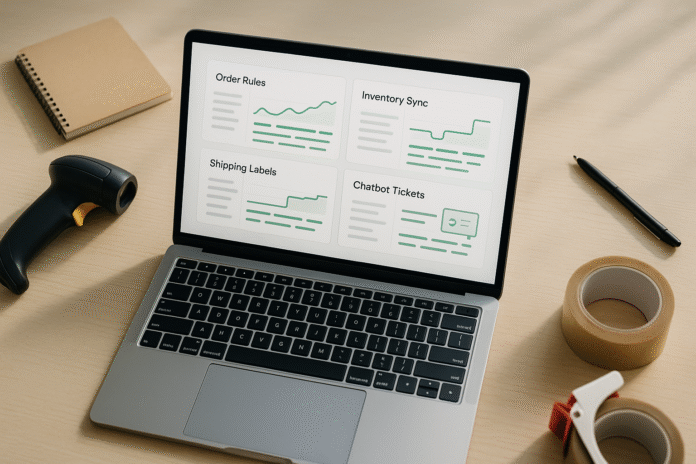
If you’re serious about automating a dropshipping business, the goal isn’t to replace judgment—it’s to remove repetitive work so you can focus on product-market fit, brand, and margin. This guide walks you through twelve practical steps that turn manual tasks into reliable workflows, from supplier syncing to post-purchase support. Quick definition: automation is a set of rules, integrations, and checks that trigger predictable actions (like routing orders or sending tracking) without human input. At a glance, the core flow is: source products → sync inventory and price → process orders → create labels and notify customers → handle support, marketing, and returns → monitor health and compliance. Follow these steps and you’ll ship faster, reduce errors, and make decisions with cleaner data. Brief note: this article offers general business guidance, not legal, tax, or financial advice.
1. Choose Outcomes and Map Your Current Workflow
Automation only works when you’re clear on why you’re automating and where time leaks occur. Start by defining outcome metrics—think order lead time (click to carrier scan), stockout rate, return rate, first-response time (FRT) in support, and contribution margin after all fees. Then map the actual path an order takes today: storefront → payment → fraud review → order routing → supplier API/portal → label → tracking → notifications → support/returns → accounting. This process map reveals handoffs, duplicate data entry, and “keys-in-hands” steps where work stops because someone must click a button. Your first automations should target these chokepoints and anything that causes customer-visible delays.
How to do it
- Sketch a swimlane diagram with lanes for Storefront, Operations, Supplier, Shipping, Support, and Finance.
- Annotate every manual step with average time and error frequency.
- Tag steps as Eliminate, Automate, or Standardize (templates/macros).
- Prioritize based on customer impact and ease of implementation.
- Set guardrail metrics that must not worsen (e.g., chargeback rate, on-time ship rate).
Numbers & guardrails
- Aim to cut manual touches per order from ~6–10 to ≤2.
- Set an SLA: orders placed before a daily cutoff route to suppliers within 15 minutes.
- Track a baseline: FRT under 2 hours; resolve under 24 hours for non-WISMO (“where is my order?”) tickets.
Close this loop by writing each target as a testable statement (“Reduce manual order touches from 7 to 2 within four weeks”). Clear targets prevent “automation theater” and keep your build honest.
2. Pick a Storefront and Core Integration Stack
Your storefront (e.g., Shopify, WooCommerce, BigCommerce) determines how easily you can trigger flows, which apps exist, and how well suppliers plug in. Choose a stack that supports native webhooks, flexible order routing, and a mature app ecosystem. Pair your storefront with a connector/automation layer (e.g., built-in flows, iPaaS like Zapier/Make, or a lightweight middleware) and a shipping tool or API aggregator. The right combination reduces custom code and lets you standardize operations across suppliers.
Tooling snapshots
- Storefront: Look for webhook coverage (orders/fulfillment/refunds), draft order support, and metafields/custom attributes.
- Automation layer: Triggers (webhooks), filters, branching, retries, and error alerts (email/Slack).
- Shipping: Rate shopping, label creation, tracking webhooks, and multi-carrier support.
- Support/CRM: Helpdesk with macros, SLAs, and channel unification (email, chat, social).
- Accounting: Two-way sync for payouts, fees, and COGS mapping.
Numbers & guardrails
- Strive for a single “source of truth” per domain (orders in storefront/OMS, tickets in helpdesk, finance in accounting).
- Enforce idempotency: re-processing a webhook must not duplicate orders or fulfillments.
- Define a 99.9% uptime expectation for mission-critical apps; add a backup manual step if one goes offline.
A thoughtful stack reduces friction everywhere else. Resist shiny objects; pick building blocks with long-term stability and clear support paths.
3. Automate Product Sourcing and Listing Creation
Uploading products by hand is a time sink and a source of typos. Automate ingestion from suppliers via API, EDI, CSV, or XML feeds, then transform and publish standardized listings. Create a canonical product template with normalized titles, bullet points, specs, images, options (size/color), and compliance fields (country of origin, materials). Map supplier attributes to your schema so adding a new vendor is configuration, not a project.
How to do it
- Build a product importer with field mapping and validation (required fields, image resolution, unique SKU).
- Normalize titles (e.g., Brand + Model + Attribute), and convert units (metric/imperial) consistently.
- Auto-generate variant SKUs using a deterministic pattern (e.g., BASE-COLOR-SIZE).
- Set a content quality gate: reject listings missing key photos or dimensions.
- Use AI only as a drafting assistant for descriptions; require a human style pass for brand voice.
Numbers & guardrails
- Minimum image width: 1,000 px; at least 4 photos per product (front, side, detail, lifestyle).
- Reject items lacking weight or dimensions; shipping rates and returns depend on them.
- Keep title length between ~50–70 characters for readability; bullets 3–7 items.
Mini case: If your supplier publishes 500 SKUs weekly and your importer auto-maps 90% with a 2% rejection rate (missing weight/dimensions), you’ll publish ~441 ready-to-sell SKUs with zero manual typing. That’s the compounding effect you want.
Close with a standard review queue: a human approves the first batch per supplier to confirm formatting, then relaxes to spot checks.
4. Sync Inventory and Dynamic Pricing Rules
Out-of-stock orders erode trust and profits. Automate inventory sync by pulling supplier stock at frequent intervals or via push webhooks, then update your storefront inventory in near real time. Pair this with pricing rules that automatically set retail prices from supplier cost, shipping estimates, marketplace fees, and desired margin tiers. Include buffers for currency swings and MAP (minimum advertised price) compliance when relevant.
Implementation tips
- Create per-supplier stock adapters; normalize units and statuses (in stock, low, backorder, discontinued).
- Set safety stock buffers (e.g., display stock = supplier stock − buffer).
- Use pricing tiers: cost-based margin floors (e.g., 40% under $30 cost; 25% for $30–$100; 15% above).
- Auto-pause SKUs failing MAP or margin floors.
- Reprice on cost changes, FX thresholds, or competitor signals within a defined range.
Numbers & guardrails
- Inventory refresh: every 5–15 minutes for top sellers; hourly for long-tail.
- Safety stock buffer: typically 1–3 units or 5–10% for volatile SKUs.
- Hard guardrails: minimum gross margin (post-fees) not below a set %; never list if supplier stock <2 units.
Quick table—Inventory risk flags
| Condition | Action |
|---|---|
| Supplier stock < 2 | Hide listing or show extended lead time |
| Cost ↑ > 8% | Recompute price; pause if margin < floor |
| Backorder flag | Switch to alternative supplier or extend ETA |
| Discontinued | Unpublish and route to liquidation if applicable |
Automated sync plus rational pricing protects margin and decreases cancellations. It also sets up smarter order routing in the next step.
5. Route Orders to the Best Supplier Automatically
Order routing determines who fulfills each item. Build rules that consider stock, cost, shipping speed, location, and reliability. Start simple: primary supplier if in stock; else secondary; else backorder or split route. Then add geography (closest warehouse to customer), cost thresholds (landed cost), and supplier scorecards (defect rate, on-time ship rate). Your router should write decisions back to the order as tags/metafields so support can see the “why.”
How to do it
- Evaluate per-line item and support split shipments when it’s cheaper/faster.
- Compute landed cost: cost + supplier shipping + marketplace/store fees.
- Encode exceptions: hazmat, oversized (dim weight), or signature-required.
- Add a manual override tag that halts auto-routing for investigation.
- Log every decision with inputs for auditability.
Numbers & guardrails
- Target on-time ship rate ≥ 95% per supplier; auto-demote below that.
- Cap split shipments: allow only when delivery speed improves by ≥1 day or total cost drops by ≥10%.
- Set a routing timeout: if a supplier API doesn’t respond within 30 seconds, fall back to secondary.
Mini case: Suppose Supplier A’s cost is $18 with 2-day shipping at $6; Supplier B’s cost is $20 with 1-day shipping at $10. If your product sells for $49 and you promise 3-day delivery, choose A unless the destination is within B’s 1-day zone and the cart has multiple items that consolidate to lower per-item shipping. Encoding this logic upfront means the router keeps your promise without guesswork.
A documented router makes your fulfillment predictable and explainable, reducing “where is my order?” contacts.
6. Automate Labels, Tracking, and Customer Notifications
Once an order is routed, your system should request a label, capture the tracking number, and notify the customer—no tab-hopping. Use a shipping API or platform to rate shop among carriers, buy labels, and subscribe to tracking webhooks. Tie notification templates to practical milestones: order confirmed, shipped, out for delivery, delivered, and exceptions (failed delivery, return to sender). Keep email/SMS copy short, with a branded tracking page that reduces inbox tickets.
How to do it
- Store package dimensions and weights per SKU; compute combined parcel details.
- Auto-select service levels based on promised delivery window (e.g., standard vs expedited).
- Validate addresses automatically; flag corrections for review.
- Trigger branded notifications with a self-serve tracking portal and FAQ links.
- Log label cost and carrier for each order line; feed into margin analytics.
Numbers & guardrails
- Address validation match rate: ≥ 95%; kick out the rest for human review.
- Tracking webhook latency: under 2 minutes to update your system after carrier events.
- Notification cadence: no more than 1 proactive message per status change to avoid spam complaints.
Mini case: If you send five tracking milestones per order and cut WISMO tickets by even 20 per 1,000 orders, at a conservative $4 support cost each, you save $80 per 1,000 orders—month after month—while improving satisfaction.
Automated shipping and messaging reduces friction at the most emotionally charged stage: waiting for the package.
7. Systematize Customer Support with Macros, SLAs, and Chat
Great automation enhances empathy; it doesn’t replace it. Consolidate email, chat, and social DMs in a helpdesk. Connect your storefront so agents see orders, tracking, and returns data without tab switching. Build macros (pre-written responses), rules (auto-tag and route), and SLAs. Use a chatbot for common intents—order status, return policy, address change—while handing off gracefully to humans for edge cases or emotional conversations.
How to do it
- Define intents: WISMO, returns, damages, product questions, cancellations, and pre-purchase.
- Create macros that include dynamic variables (name, order link, tracking).
- Route VIP or high-value orders to a priority queue.
- Measure FRT (first-response time) and resolution rate separately.
- Train chatbots on your policies and knowledge base; keep answers scoped and factual.
Numbers & guardrails
- FRT targets: ≤ 2 hours for email, ≤ 2 minutes for chat during business hours.
- Bot containment rate: 20–40% of tickets resolved without agent; watch CSAT to ensure quality.
- Escalation rule: any message with certain sentiment keywords or more than 2 bot misses goes to a human instantly.
Mini case: A store handling 1,500 tickets monthly with a $3 per-ticket handling cost can reduce cost to ~$2.20 with macros and a narrow chatbot—saving ~$1,200 monthly—while lifting CSAT by cutting wait time. The secret is not “more bot,” but better routing and giving agents the right data in one view.
Close by auditing macros quarterly; outdated policy snippets are a silent source of churn.
8. Build Lifecycle Marketing Flows That Run Themselves
Automation shines in marketing when messages are timely, relevant, and sparse. Set up core email/SMS flows: welcome, browse abandonment, cart abandonment, post-purchase upsell, winback, and review requests. Keep segments clean (new vs returning, high-value customers, product categories) and personalize with the data you already own (first purchase category, average order value, shipping region). Use product recommendations and dynamic blocks, but don’t overdo it—clarity beats cleverness.
How to do it
- Start with three must-haves: cart abandonment, post-purchase cross-sell, and review request.
- Throttle sends: respect channel limits to avoid fatigue.
- Sync suppression lists across tools; honor unsubscribes everywhere.
- For SMS, send only transactional or high-signal messages; keep copy concise.
- Test one change at a time: subject, send time, or offer—never all at once.
Numbers & guardrails
- Cart abandonment sequence: 2–3 messages over 24–48 hours; avoid more.
- Post-purchase review request: 7–14 days after delivery, not order date.
- Unsubscribe rate guardrail: keep under ~0.3% per send; pause a flow if it exceeds that.
Mini case: If your cart flow recovers 6% of abandoned carts at a $45 AOV and you see 2,000 abandons monthly, that’s ~120 orders and ~$5,400 in recovered revenue—with no extra ad spend. The maintenance cost is mostly creative refreshes and avoiding over-sending.
Automated lifecycle flows give you compounding returns and reduce your dependence on ads.
9. Reconcile Payments, Fees, and Taxes Without Spreadsheets
Finance automation prevents nasty surprises. Connect your storefront and payment processors to your accounting system so orders, refunds, fees, and payouts reconcile automatically. Map COGS (cost of goods sold) using supplier cost and shipping per order line. Automate sales tax/VAT calculation with a dedicated engine that handles jurisdictional rules, thresholds, and filing reports. Keep a monthly close checklist so humans review exceptions, not every transaction.
How to do it
- Use a payouts journal that groups orders by deposit; reconcile at the batch level.
- Record shipping label costs at fulfillment time for accurate per-order margin.
- Configure tax nexus settings and product tax codes (e.g., apparel vs supplements).
- Automate foreign currency conversions at settlement time when applicable.
- Create exception reports for partial refunds, chargebacks, and unfulfilled orders.
Numbers & guardrails
- Set a reconciliation SLA: close the prior month within 5 business days.
- Tolerance thresholds: auto-approve minor rounding differences (e.g., ≤ $0.50 per order).
- Chargeback rate guardrail: hold steady under ~0.6%; if it rises, revisit fraud and shipping SLAs.
Mini case: A store doing 3,000 orders monthly with $2 average fee variability saves ~6–8 hours per month by reconciling payouts at the batch level instead of order-by-order, while uncovering $300–$500 in missed label charges or duplicate refunds that manual reviews often skip.
Always involve a qualified accountant for policy and compliance; automation should implement their rules, not invent them.
10. Monitor Performance with Dashboards and Alerts
Automating a dropshipping business without instrumentation is like driving at night with the lights off. Build a dashboard that surfaces operational KPIs and a few revenue metrics, then add alerts when metrics cross thresholds. Roll up supplier health (on-time ship rate, cancel rate), logistics (average delivery time, exception rate), support (FRT, CSAT), marketing (revenue per recipient, unsubscribe rate), and finance (gross margin after shipping and fees).
How to do it
- Create a daily email/Slack digest with the top 8–10 metrics and notable deltas.
- Add anomaly detection rules (e.g., 2× standard deviation spikes in delivery exceptions).
- Track cohort-style stats: new vs returning customers, first-purchase category, LTV.
- Instrument every automation with success/fail events for troubleshooting.
- Maintain a data dictionary: define each metric once to avoid “dueling dashboards.”
Numbers & guardrails
- Set alert thresholds thoughtfully: e.g., if on-time ship rate drops below 93% for 2 consecutive days, ping ops.
- Keep dashboards scannable: 1 screen, no scrolling; max 12 tiles.
- Page load targets: dashboards should render in under 3 seconds to ensure adoption.
Mini case: After adding alerts for “orders stuck unfulfilled for > 24 hours,” one merchant recovered 18 delayed orders in a week, preserving ~$850 in revenue and several 1-star reviews. A small rule saved a big headache.
Dashboards don’t grow revenue directly; they prevent small cracks from becoming expensive gaps.
11. Streamline Returns and RMAs End-to-End
Returns are inevitable, and automation turns them from a cost center into a loyalty moment. Publish a clear policy, let customers initiate returns through a portal, and issue RMAs (return merchandise authorizations) automatically based on eligibility. Offer printerless labels when possible and refund or exchange based on carrier scan or inspection results. Route returns to the appropriate destination—supplier, your own warehouse, or a refurbisher—and track reasons to inform sourcing and product content improvements.
How to do it
- Define eligibility rules: window (e.g., 30 days from delivery), condition, exclusions.
- Automate label creation with the right service level and return address.
- For exchanges, reserve replacement inventory the moment the return is approved.
- Feed return reasons back to product pages (e.g., “runs small—order one size up”).
- Integrate with your support desk so agents see RMA status in the ticket.
Numbers & guardrails
- Target refund issuance within 2 business days of carrier scan (or inspection pass).
- Keep return rate benchmarks by category (apparel higher than electronics); flag outliers.
- Restock fee policy should be explicit; aim for ≤ 10% and only when value is clearly impacted.
Mini case: If 12% of orders return and automating RMAs cuts manual handling from 12 minutes to 4 minutes each, that’s 8 minutes saved per return. At 500 returns monthly, you reclaim ~4,000 minutes (≈ 66 hours)—enough to fund better product QC that reduces returns further.
A smooth RMA process lowers support load and increases the odds a customer tries again.
12. Reduce Risk with Fraud Screening, Compliance, and Backups
Automation isn’t complete without resilience. Add layered fraud checks (AVS/CVV, velocity rules, geolocation mismatches, email/phone reputation) and flag risky orders for manual review. Keep a compliance checklist: privacy consents, marketing opt-in language, data retention, and platform-specific policies. Finally, back up critical data—orders, products, themes, automation recipes—and practice recovery. The best day to test a restore is before you need it.
How to do it
- Implement a fraud score and thresholds: auto-accept, review, or decline.
- Require signature for high-value shipments; log proof of delivery.
- Maintain privacy and marketing consent records tied to orders and profiles.
- Back up automation configs (flows, rules) in version control or exports.
- Run quarterly tabletop exercises: simulate a supplier outage or app downtime.
Numbers & guardrails
- Manual review lane: keep under 2–4% of orders to prevent bottlenecks.
- Chargeback target: ≤ 0.6%; if approaching limits, tighten rules and shipping SLAs.
- Backup cadence: daily for orders/products; weekly for theme and automation configs; retention ≥ 30 days.
Mini case: A store that enabled signature required for orders above $200 cut “item not received” claims by ~40% within a month while adding $1.50–$3.50 per shipment. The margin impact was positive because it prevented larger downstream losses in refunds and chargebacks.
Risk work is rarely exciting, but it protects everything else you’ve built.
FAQs
How much of a dropshipping business can you realistically automate?
Quite a lot—catalog ingestion, inventory sync, pricing, routing, labels, notifications, returns initiation, core marketing flows, and reconciliation. You’ll still need humans for exceptions, supplier negotiations, creative work, and policy. A practical target is to automate tasks that meet three tests: repetitive, rules-driven, and high volume. Expect to leave judgment calls and edge cases to people while using alerts to surface them.
Which tasks should I automate first?
Start with tasks that touch every order (routing, labels, tracking emails) and ones that create the most customer questions (WISMO). Then move to catalog ingestion and inventory/pricing, followed by returns and reconciliation. This sequencing improves customer experience quickly while unlocking clean data for later optimizations. Resist automating low-volume edge cases early.
What if my suppliers don’t have APIs?
You can still automate via scheduled CSV uploads, email-to-order bots, or portal scripting. The key is to formalize the interface: define required fields, timing, and error handling. Over time, reward suppliers who adopt automated options with more volume. If a supplier remains manual and error-prone, build a migration path to alternatives.
How do I prevent price mismatches when supplier costs change?
Use a pricing engine that re-computes retail whenever cost or FX crosses thresholds. Add a hard margin floor; if a new cost would drop you below it, auto-pause the SKU and alert ops. Keep a daily delta report of cost changes so a human can review big jumps and contact suppliers if needed.
Will automation hurt customer experience?
Not if you pair it with clear policies and human fallback. Good automation speeds confirmations, keeps customers informed, and routes issues to the right person faster. Poor automation sends too many messages, hides behind bots, or ignores sentiment. Monitor CSAT and reply time; if they move the wrong way, adjust.
How do I measure automation ROI?
Track manual touches per order, hours saved, error rates, and outcomes like on-time ship rate, WISMO ticket volume, and contribution margin. Give each automation a simple baseline and a 4–8 week checkpoint. If it doesn’t move a metric that matters, simplify or retire it.
Do I need a developer to get started?
Not necessarily. Many storefronts and apps offer no-code flows for common tasks. That said, a developer becomes valuable as complexity grows—especially for custom supplier adapters, data normalization, and idempotent webhooks. Consider a hybrid approach: no-code for orchestration plus a small code layer where precision is required.
What are common mistakes to avoid?
Automating broken processes, skipping error handling, ignoring customer-visible steps, and over-notifying. Others include missing idempotency (creating duplicates), failing to log decisions, and not building a manual override lane. Finally, neglecting documentation makes onboarding painful and troubleshooting slow.
How do I handle international shipping complexities?
Automate HS codes (harmonized system), product origins, and customs forms at label time. Ensure your product catalog stores these fields and your shipping tool can populate them per destination. Communicate duties/taxes expectations at checkout and consider DDP options if partners offer them. Monitor delivery times by region and adjust carriers or routes accordingly.
What happens when a key app goes down?
Have a fallback playbook. Keep a manual label creation path, a spreadsheet template for supplier orders, and a “pause non-critical flows” checklist. If your router is offline, temporarily default to a primary supplier and add a batch job to catch up once service resumes. Practice this scenario so the team stays calm under pressure.
Conclusion
Automation is the operating system for your dropshipping business, not a magic wand. By defining outcomes, mapping your workflow, and stacking the right tools, you turn chaotic, click-heavy processes into predictable flows. The twelve steps here prioritize what customers feel—speed, clarity, and reliability—while protecting margin with accurate routing, inventory, pricing, and reconciliation. Add thoughtful support macros and lifecycle flows, and you’ll reduce WISMO, grow repeat purchases, and build a feedback loop that makes every part of the business smarter. Most importantly, you’ll reserve human energy for judgment, creativity, and supplier relationships—the things automation can’t do. Ready to move from busywork to leverage? Pick one step from this guide and implement it this week—then compound from there.
References
- Shopify Flow—Create automated workflows, Shopify Help Center, https://help.shopify.com/en/manual/shopify-flow
- Shopify Order Routing Rules, Shopify Help Center, https://help.shopify.com/en/manual/fulfillment/order-routing
- WooCommerce REST API Reference, WooCommerce Docs, https://woocommerce.github.io/woocommerce-rest-api-docs/
- Google Merchant Center—Shipping Settings, Google Support, https://support.google.com/merchants/answer/6069284
- The CAN-SPAM Act: A Compliance Guide for Business, Federal Trade Commission, https://www.ftc.gov/business-guidance/resources/can-spam-act-compliance-guide-business
- General Data Protection Regulation (GDPR) Overview, European Commission, https://commission.europa.eu/law/law-topic/data-protection/data-protection-eu_en
- PayPal Seller Protection—How It Works, PayPal, https://www.paypal.com/us/business/accept-payments/risk-and-fraud/seller-protection
- Stripe Radar—Fraud Prevention, Stripe Docs, https://stripe.com/radar
- Klaviyo—Flows Guide, Klaviyo Help Center, https://help.klaviyo.com/hc/en-us/articles/115005062267
- EasyPost API—Shipping Labels & Tracking, EasyPost Docs, https://www.easypost.com/docs/api