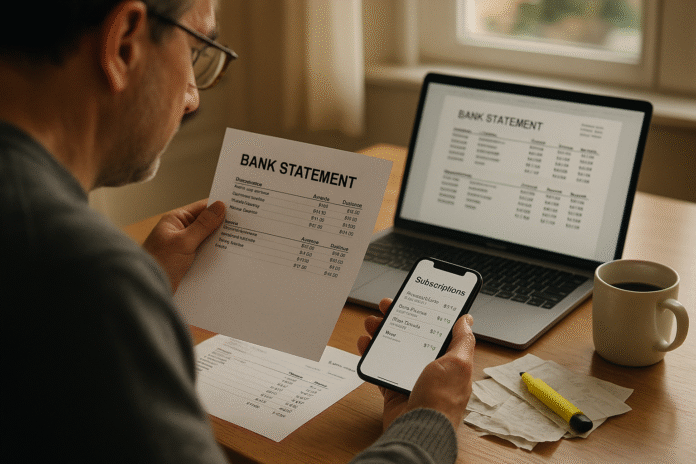
Recurring cost leaks are automatic charges that keep draining your money—subscriptions, auto-renewals, bank fees, and “junk” add-ons—often because they’re out of sight. This guide gives you a clear, step-by-step plan to surface every recurring charge, decide what to keep or cancel, and prevent leaks from coming back. It’s written for consumers, freelancers, and small teams who want fast, practical savings without sacrificing services they actually use. Definition: Recurring cost leaks are ongoing charges you pay without deliberate review; stopping them means inventorying every subscription/fee, validating value, canceling or downgrading, and adding controls so they don’t return. For quick wins, do this mini-sequence first: export 12 months of statements → list all recurring charges → cancel unused → set renewal reminders → tighten payment controls.
This article is general information, not financial advice. Laws and platform rules mentioned are current as of now and can change by region; always confirm locally.
1. Build a Complete Inventory of Every Recurring Charge (12 Months Back)
The fastest way to stop leaks is to see them. Start by creating a complete inventory of recurring charges across banks, cards, and platforms for at least the past 12 months (annual renewals hide there). In the first pass, you’re not judging—only listing the who, what, when, how much, and how it renews. This includes app-store subscriptions (Apple, Google Play), streaming, cloud storage, security suites, news sites, fitness apps, meal kits, domain/hosting, VPNs, game passes, and business tools. Grab bank and credit card statements, then export CSVs so you can sort by merchant and description. Add platform-native lists too: on iPhone/iPad, Settings → your name → Subscriptions shows everything tied to your Apple ID; on Google Play, your Subscriptions page lists all active and expired items. Your goal is a single source of truth: a table with columns for Merchant, Plan, Amount, Cycle (monthly/annual), Renewal Date, Payment Method, Owner (if shared), and Notes. Once you have it, the leaks have nowhere to hide.
How to do it (fast):
- Export 12 months of statements from each bank/card (CSV).
- Pull platform lists: Apple Subscriptions; Google Play Subscriptions.
- Combine into one spreadsheet; de-duplicate by merchant descriptor and amount.
- Mark each entry with Keep / Review / Cancel.
- Flag annual items and “trial → paid” transitions.
Mini-checklist: Confirm every account (personal + business), payment rails (card, PayPal, app stores), and “hidden” renewals (domains, VPNs, cloud). Close this step with one actionable view (sheet or manager app).
Synthesis: If you can’t see every recurring charge in one place, you can’t manage leaks—centralize first, then optimize.
2. Decide What Stays: Value Tests, Usage Proof, and “Default to Cancel”
Cutting costs isn’t about deprivation; it’s about alignment. For each line item, apply a simple value test: Does this directly earn or protect money, save time weekly, or deliver joy you actually use? Require usage proof (e.g., sign-in logs, last stream date, gigabytes used, projects completed). If you can’t produce evidence, default to cancel and re-subscribe only when needed. For business tools, check license utilization—if 8 seats are paid and 5 used, right-size now. For infrequent needs (e.g., design suites for side projects), keep a short list to “spin up only when necessary.” For bundles, identify overlap (two cloud storages, multiple password managers, redundant streaming platforms). And for auto-renews that you intend to keep, calendar the renewal and set a 30-day decision reminder to revisit pricing and plan tiers.
Numbers & guardrails:
- Usage threshold: If not used in 90+ days, cancel or pause; if used <1×/month, explore a lower tier.
- Redundancy rule: One service per function unless there’s a clear, unique benefit.
- Seat utilization: Target ≥90% active seats for team tools; downgrade otherwise.
Common mistakes:
- Letting “someday” justify recurring costs.
- Paying annual for tools you’re still evaluating—start monthly.
- Ignoring overlapping features inside platforms you already pay for.
Synthesis: Tie every recurring dollar to today’s outcomes; if it isn’t earning, saving, or delighting, it’s a leak.
3. Cancel Cleanly at the Source (App Stores, Platforms, and Merchant Accounts)
Cancellations stick best when done where the subscription lives. For Apple-billed items, use iOS’s built-in path: Settings → your name → Subscriptions → Cancel; for Google Play, open Payments & Subscriptions → Subscriptions on the web or app to cancel, pause, or change plans. If you subscribed on a website, sign in and cancel there; keep the timestamped confirmation email or screenshot. In some regions, laws require easy online cancellation (e.g., Germany’s “Kündigungsbutton” forces a visible cancel button for online subscriptions), and regulators worldwide are cracking down on dark-pattern hurdles. In the U.S., the FTC finalized a “Click-to-Cancel” rule in 2024 (though enforcement was paused and then blocked by an appeals court in July 2025), but the agency still pursues cases under existing authority—so merchants increasingly offer online cancellation that works. Save proof, note the end date, and confirm that auto-renew is truly off.
3.1 Tools/Examples
- Apple: Settings → your name → Subscriptions → choose service → Cancel Subscription.
- Google Play: Google Play → Payments & Subscriptions → Subscriptions → Manage → Cancel or Pause.
- Germany: Online businesses must provide a cancellation button; courts have reinforced scope since 2022.
- U.S. status: FTC’s Negative Option (click-to-cancel) finalized in 2024; July 2025 appeals court blocked enforcement, but other laws/enforcement still apply.
Mini-checklist: Cancel at the billing platform, capture evidence, calendar the end date, and watch the next statement for stray charges.
Synthesis: Cancel where you’re billed, keep proof, and know your regional rights—this prevents “zombie” renewals.
4. Eliminate Bank-Fee Leaks and Switch to Better Accounts
Bank fees (overdraft, NSF, out-of-network ATM) are recurring leaks disguised as one-offs. The good news: fee regimes have softened, but billions are still paid each year. The U.S. Consumer Financial Protection Bureau reported 2023 overdraft/NSF revenue down ~51% vs. 2019, with consumers paying about $6.1B less annually than pre-pandemic—but that still leaves billions on the table. Independent analysis estimates $12.1B in overdraft/NSF fees in 2024 across banks and credit unions. Your playbook: turn on low-balance alerts, set “charge guardrails” (e.g., disable overdraft, auto-decline at $0), use in-network ATMs, and consider switching to accounts with no monthly maintenance and transparent fees. In the UK, the Current Account Switch Service (CASS) moves Direct Debits and regular payments in seven working days with a guarantee—handy if you’re escaping high-fee accounts. Always scan statements for nuisance charges (paper statement fees, foreign fees, minimum-balance fees) and call to reverse first offenses.
How to do it:
- Turn on alerts for low balance and large transactions.
- Ask your bank to opt-out of overdraft on debit purchases; keep a small buffer.
- If fees persist, switch (UK: CASS handles payment redirection and transfers).
Numbers & guardrails: If you incur ≥2 overdrafts/year, switch or hard-opt-out. Target $0/month in account fees.
Citations: Fee trend data: CFPB 2024 data spotlight; FinHealth Network 2025 estimate.
Synthesis: Automate safeguards, negotiate reversals, and move to low-fee accounts—don’t normalize paying to access your own money.
5. Fix Payment Method Hygiene: One Card for Recurring + Virtual Cards
When every subscription is scattered across cards and wallets, leaks multiply. Simplify by routing all recurring charges to one primary payment method (a dedicated card or account) and using virtual cards for high-risk or trial services. This separation makes audits trivial and cancellations safer; if a vendor ignores a cancellation, you can lock or replace the virtual card without disrupting other bills. Many banks and fintechs offer single-use or merchant-locked numbers; some let you set spend caps so a subscription can’t quietly jump price at renewal. If a shared family card pays for household services, give each adult their own virtual card for personal trials—no more mystery charges on the main account. Finally, keep a “recurring charges” label in your banking app and reconcile monthly.
Mini-checklist:
- One primary card for recurring; label it.
- Virtual cards for trials/vendors you don’t fully trust.
- Spend limits and lock features for price-jump protection.
- Quarterly card-on-file review (who has your number?).
Common mistakes: Using debit cards for trials (risk of overdrafts), sharing one card across the family, and leaving old cards active after replacements.
Synthesis: Concentrate recurring spend, then control it with virtual numbers and caps—your future audits will take minutes.
6. Beat “Junk Fees” and Drip Pricing in Travel, Tickets, and Lodging
Hidden add-ons—resort fees, convenience charges, cleaning fees—inflate costs and can recur if you travel or entertain regularly. In the U.S., the FTC’s Rule on Unfair or Deceptive Fees took effect in May 2025 for covered sectors (e.g., live event ticketing and short-term lodging), requiring up-front total prices; California’s SB 478 similarly bans advertising prices that exclude mandatory fees (with limited exceptions). Practically, always compare all-in prices (taxes/fees included) before booking and re-check at the final screen. Look for toggles like “show prices with fees” and hold platforms accountable—many now default to all-in pricing. If you spot drip pricing, screenshot and consider disputing or reporting. Internationally, transparency rules vary, but the direction of travel is consistent: show the real price early.
How to do it:
- Use platforms that display all-in totals by default; turn on the toggle if needed.
- Compare final totals, not base prices; watch for “per stay” or “per ticket” add-ons.
- In California, watch for SB 478 compliance in advertised prices; for lodging/tickets nationwide, see the FTC rule.
Region notes: Enforcement and scope differ; check your jurisdiction and current status. (Example: U.S. FTC rule applies to specified sectors; details and timing in agency materials.) Morgan Lewis
Synthesis: Make “all-in or nothing” your comparison standard; refuse to budget around surprise add-ons.
7. Renegotiate, Downgrade, or Switch: Telecom, Insurance, SaaS
Many renewals rise quietly. Put negotiation on the calendar for 30 days before renewal: gather competing offers, check your usage (e.g., mobile data averages), and call retentions prepared to downgrade or move. The tone is simple: “I like the service, but this price is too high—what can we do?” Ask for loyalty pricing, fee waivers, or month-to-month plans. For SaaS (design, productivity, CRM), evaluate whether monthly makes more sense if your usage is project-based; business buyers should request prorated credits when seats are underused. If you switch, make a handover checklist (data export, new login, cancel old plan, remove payment method). Remember, every automatic renewal you don’t re-price is a chance for creep.
Quick negotiation script:
- “I’m comparing options and saw [competitor] at $X.”
- “I’ve used you for Y years—can you match or offer a loyalty plan?”
- “If not, please switch me to your lowest tier while I decide.”
Mini-checklist: Track renewal dates, prepare a 5-minute call plan, and document any promo period end dates so you don’t get surprised later.
Synthesis: Treat renewals as re-purchases, not defaults; re-price, right-size, or replace.
8. Use Legal Rights and Platform Rules to Your Advantage
Know the rules that protect you. In the U.S., the FTC finalized a Negative Option Rule (“click-to-cancel”) in 2024; enforcement was delayed, then blocked by the Eighth Circuit in July 2025, but the FTC is still bringing cases under existing laws, and companies are moving toward easier online cancellation. In Germany, a mandatory cancellation button for online subscriptions has applied since 2022 and has been strengthened by recent rulings. In the UK, the Digital Markets, Competition and Consumers Act 2024 brings new subscription protections, including a renewal cooling-off period (secondary regulations phasing in). Knowing these frameworks helps you insist on online cancellation and clearer renewal notices—use screenshots and cite the rule when support pushes back. In India, card-based recurring payments need an e-mandate with additional authentication and amount caps; UPI AutoPay offers an alternative path with strong user controls.
Region-specific notes:
- U.S.: Negative Option Rule finalized (2024); appeals court blocked enforcement in July 2025. Federal Trade CommissionLatham & Watkins
- Germany: “Kündigungsbutton” (BGB §312k) requires a visible online cancel option.
- UK: DMCC Act 2024 adds subscription protections (e.g., renewal cooling-off).
- India: RBI e-mandate limits for recurring card payments; consider UPI AutoPay.
Synthesis: Use your jurisdiction’s rules to insist on easy cancellation and transparent renewals—those rights turn “please” into “must.”
9. Automate Alerts and Renewal Reminders (and Add a “Pause” Habit)
Leaks grow in silence. Add calendar reminders 30 and 7 days before annual renewals; set bank/app store notifications for new subscriptions; and enable price-change alerts when platforms offer them. Where available, choose “pause” instead of cancel to preserve your settings without paying—handy for seasonal services (fitness apps, cloud editing). For trials, create a “trial” tag with a renewal date in your calendar the second you sign up. For families or teams, standardize a monthly 15-minute “subscriptions stand-up” to confirm what’s staying, what’s paused, and what’s gone. Make it routine and you’ll never be surprised by a “who authorized this?” charge again.
Mini-checklist:
- Calendar: 30/7-day renewal reminders.
- Banking/app store alerts for new subscriptions and price changes.
- “Pause” where useful; otherwise cancel.
- Monthly 15-minute review with shared sheet.
Numeric example: If you avoid just two surprise annual renewals at $99 each and one $15/month app you never use, that’s $348/year saved—compounding every year you keep the habit.
Synthesis: Automate attention—reminders and alerts are the cheapest insurance against future leaks.
10. Consolidate and Remove Overlap (Bundles, Family Plans, Corporate Perks)
Overlaps are silent drains: two cloud storages, three note apps, multiple music platforms. Consolidate by function, not brand: one notes app, one cloud, one password manager. Consider family plans and bundles (e.g., telecom add-ons that include streaming or cloud) but verify true savings versus stand-alone prices and the risk of lock-in. Check employer/education perks: many include pro-grade tools (cloud, collaboration, security) you’re paying for separately. For households, list what each person actually uses and rationalize around a shared plan. For small teams, audit SSO logs to see who’s active; downgrade or reclaim seats monthly.
How to do it:
- Inventory by 功能/Function (storage, notes, music, security) and pick the best fit per category.
- Use family or team plans where ≥3 people actively use the service.
- Cancel duplicates; downgrade secondary tools to free tiers for backups.
Mini-checklist: One service per function; family plan if ≥3 users and net savings >20%; review perks before paying.
Synthesis: Overlap looks small on a monthly basis, but duplicate categories compound—choose one winner per job.
11. Modernize Autopay: Open Banking and Variable Recurring Payments
Payment rails are evolving. Open banking enables account-to-account payments with granular consent, and in the UK, Variable Recurring Payments (VRP) are expanding beyond bank-to-bank sweeps to commercial use cases (utilities, taxes), with an industry-backed rollout underway in 2025. VRP promises cap-based recurring authorizations you can see and revoke centrally—ideal for controlling spend creep. As adoption grows, you may be able to swap some card-on-file subscriptions for VRP mandates with explicit caps and dashboards. In India, UPI AutoPay implements e-mandate-compliant recurring payments with clear in-app approvals and limits—use it where supported to keep control in your hands. The takeaway: choose rails that maximize visibility, revocability, and limits to starve leaks.
Numbers & guardrails:
- Prefer recurring methods with user-visible mandates and caps.
- Review VRP/UPI AutoPay mandate lists quarterly.
- For UK businesses/consumers, watch OBL/FCA updates as cVRP rolls out.
- For India, UPI AutoPay adheres to RBI e-mandate rules—see your app’s mandate center.
Synthesis: Pick payment rails that make recurring permissions explicit—if you can cap and revoke with one tap, leaks can’t grow.
12. Install a Quarterly “Leak Check” SOP (Takes 30 Minutes)
Sustainability beats one-off heroics. Create a quarterly “leak check” SOP you can run in 30 minutes: (1) export last quarter’s statements; (2) filter for recurring descriptors (subscription, auto-renew, Ltd, Inc, software, cloud, press); (3) compare against your master list; (4) cancel/downgrade; (5) update renewal dates and alerts; (6) archive proof of cancellations. If you run a household or team, add a 10-minute huddle to confirm who still uses what. Track your annualized savings from each check—seeing $400, $800, $1,200 cumulative makes the habit sticky. Finally, consider a small “opportunity fund” for tools you do use heavily; re-investing some savings into better, consolidated services often yields net lower spend and higher value.
Mini-checklist: Calendar the SOP, reuse the same sheet and filters, log savings, and celebrate the wins.
Synthesis: Make leak-hunting a recurring appointment; the discipline pays you every quarter.
FAQs
1) What exactly counts as a “recurring cost leak”?
Any automatic charge that continues without intentional, periodic review—subscriptions, auto-renewals, bank/overdraft fees, and hidden add-ons in sectors like travel and tickets. The leak isn’t the subscription itself; it’s paying for something you don’t use, don’t need, or could get cheaper with a quick check. Document everything and review quarterly so “set-and-forget” doesn’t become “set-and-leak.”
2) How far back should I review statements to catch annual renewals?
Pull 12 months at minimum and 18–24 months if you’ve moved providers or changed cards. Annual plans and domain/hosting renewals often hide in last year’s statements. Searching descriptions for “renew,” “annual,” or vendor names will surface them quickly when combined with your app-store subscription lists.
3) Should I cancel or pause subscriptions I rarely use?
If you haven’t used a service in 90+ days, cancel or pause. For seasonal needs, a pause keeps your configuration without monthly billing; otherwise cancel to reset your default to “no.” If you return later, re-subscribe at the tier that matches current usage instead of paying for idle time.
4) Do the new U.S. “click-to-cancel” rules mean every site must let me cancel online?
The FTC finalized a Negative Option Rule in 2024 designed to require simple, same-medium cancellation; as of July 2025, enforcement was blocked by an appeals court, but the FTC continues cases under existing laws and many companies still offer online cancellation. Check your region and insist on easy cancellation where laws support it.
5) What’s the fastest way to find subscriptions billed through Apple or Google?
On iPhone/iPad: Settings → your name → Subscriptions shows active/expired items and lets you cancel. On Google Play: Payments & Subscriptions → Subscriptions provides similar controls. Check both even if you usually pay by card—you may have signed up in-app.
6) Are bank fees really a recurring problem anymore?
Yes, though trends are improving. U.S. overdraft/NSF revenue fell ~51% vs. 2019, saving consumers billions, yet 2024 fees still totaled an estimated $12.1B across banks and credit unions. Turn on alerts, consider opting out of overdraft on debit, and switch accounts if fees persist.
7) What consumer protections exist outside the U.S.?
Germany mandates an online cancellation button for subscriptions; the UK’s DMCC Act 2024 adds renewal notices and cooling-off rights; the EU maintains a 14-day cooling-off period for many online purchases; and India requires e-mandates for recurring card payments, with UPI AutoPay as an alternative. Scope and timing vary, so verify locally.
8) How do I stop duplicate services in a household?
List by function (storage, music, security, etc.), pick one per category, then use a family plan if it truly saves vs. two singles. For shared expenses, use a spreadsheet or a family finance app and revisit monthly. Redundancy often hides in bundles—ensure you’re not paying twice.
9) Are “junk fee” rules helpful to me as a traveler?
Yes—where they apply. In the U.S., an FTC rule requires up-front total pricing for covered sectors like tickets and short-term lodging (timelines and details in the rule). California’s SB 478 also bans most hidden mandatory fees in advertised prices. Always compare all-in totals.
10) What’s the benefit of open banking and VRP for subscriptions?
They give you visibility and control: explicit mandates you can cap and revoke in one place. In the UK, cVRP is rolling out for select use cases; in India, UPI AutoPay provides clear approvals and limits. Expect more dashboards to manage recurring permissions in 2025–26.
Conclusion
Recurring cost leaks are rarely dramatic—they’re quiet. A $9 app here, a $4 “convenience” fee there, an annual $120 plan you forgot—together, they rearrange your budget without your consent. The fix is not a one-time purge; it’s a system: inventory all charges, test value with usage proof, cancel at the source with evidence, and harden your environment with alerts, virtual cards, and clear renewal reminders. Use your regional rights—cancellation buttons, cooling-off windows, “all-in pricing” rules—to insist on transparent, easy off-ramps. As open banking and VRP/UPI AutoPay spread, choose rails that make recurring permissions visible and revocable. If you run the 30-minute quarterly leak check and enforce one-card-for-recurring rules, you’ll cut waste this month and keep it cut next quarter.
Copy-ready CTA: Set a 30-minute timer today—export statements, open your Subscriptions screens, and cancel one leak before the clock runs out.
References
- Overdraft/NSF Revenue in 2023 Down More Than 50% vs. 2019 — Consumer Financial Protection Bureau, Apr 24, 2024. Consumer Financial Protection Bureau
- Overdraft, NSF Fees Bigger Burden Than Previously Estimated — Financial Health Network, Mar 24, 2025. Financial Health Network
- Negative Option Rule (Final Rule) — Federal Register / FTC, Nov 15, 2024. Federal Register
- U.S. Appeals Court Blocks FTC “Click-to-Cancel” Rule — Reuters, Jul 8, 2025. Reuters
- Cancel a Subscription on iPhone/iPad — Apple Support, Jul 21, 2025. Apple Support
- Cancel/Pause/Change a Subscription on Google Play — Google Support, accessed Sept 2025. Google Help
- Germany’s Mandatory Online Cancellation Button (§312k BGB) — Update on Rulings — Bird & Bird, Apr 24, 2025. Bird & Bird
- Digital Markets, Competition and Consumers Act 2024 — Subscription Protections — Reed Smith / Hill Dickinson, Jun 25, 2024 & Jun 4, 2025. ; https://www.hilldickinson.com/insights/articles/digital-markets-competition-and-consumers-act-2024-new-consumer-law-protections Reed Smith
- California SB 478 (“Hidden Fees” / “Honest Pricing Law”) — California DOJ, FAQ updated 2024. ; https://oag.ca.gov/system/files/attachments/press-docs/SB%20478%20FAQ%20%28B%29.pdf California AG
- FTC Rule on Unfair or Deceptive Fees — FTC Press Release, May 5, 2025. Federal Trade Commission
- Current Account Switch Service (CASS) — How It Works & Guarantee — Official Site & Moneyfacts Guide, 2025. ; https://moneyfactscompare.co.uk/current-accounts/guides/what-is-the-current-account-switching-service/ currentaccountswitch.co.uk
- Open Banking: Next Steps for Commercial VRP (UK) — Open Banking Limited, Jul 24, 2025; FCA FS25/4, 2024. ; https://www.fca.org.uk/publications/feedback-statements/fs25-4-design-future-entity-open-banking Open Banking
- Google Pay India: RBI E-Mandate Limits for Recurring Cards — Google Support, updated 2021–2025. Google Help
- UPI AutoPay Overview — BillDesk (industry explainer), 2025. BillDesk