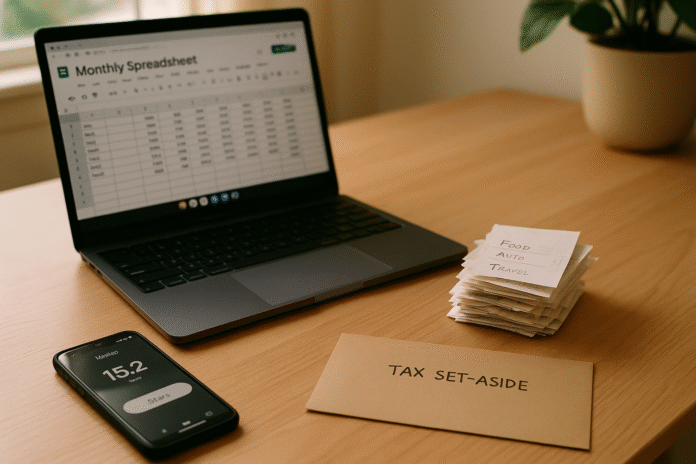
If you run a side hustle, a monthly review is the simplest way to stay tax-ready without scrambling at year-end. In practice, it’s a recurring 60–90-minute session where you capture every inflow, categorize expenses, reconcile payouts to bank deposits, and set aside the right amount for taxes. Do this 12 times a year and you’ll file faster, claim the deductions you deserve, and avoid penalties. Monthly review (definition): a structured end-of-month process to record side-hustle income and expenses, reconcile accounts, back up receipts, and update tax set-asides so you’re audit-ready. Before we go further: this guide is educational, not personal tax advice; confirm rules that apply to your country and situation (laws change, and platforms now report seller earnings in many regions as of now).
Quick start (skim list): open a dedicated bank account → reconcile platform payouts → categorize expenses → track mileage and travel → capture home-office costs → store receipts digitally → separate tools vs COGS → track assets/depreciation → set aside and prepay taxes → check VAT/GST thresholds → build a monthly P&L and cash snapshot → close with a checklist and roll forward.
1. Open a dedicated money stack and lock your accounting method
The fastest path to clean, defensible books is a dedicated money stack: a separate checking account, debit/credit card, and payment processors used only for your side hustle. This prevents commingling, keeps your audit trail clean, and makes automation feasible. In the same sitting, choose your accounting method—cash (recognize when paid/paid) or accrual (recognize when earned/incurred). For most solo side hustlers, cash is simpler and aligns with bank feeds; accrual helps if you invoice on terms or carry inventory. Pick one and stick to it; changing methods later requires formal steps. Connect your bank and processors (e.g., Stripe, PayPal, Wise, Square) to bookkeeping software (QuickBooks, Xero, Wave, Zoho Books) so new transactions flow in automatically each day. Create a lean chart of accounts that mirrors how you actually spend and earn; simplicity beats sprawling lists you’ll never use.
1.1 Why it matters
A segregated stack eliminates “is this personal?” debates and speeds reconciliation. A locked accounting method ensures consistency across months and years, which both tax authorities and software expect. See IRS guidance on accounting methods for definitions and consistency requirements.
1.2 Mini-checklist
- Open a no-fee business checking account and a dedicated card.
- Add payment rails you’ll actually use (e.g., Stripe + one P2P wallet).
- Choose cash unless you invoice on terms or track inventory.
- Connect bank feeds to your bookkeeping app and test the sync.
- Freeze your chart of accounts for 90 days before adding new categories.
Synthesis: Your monthly review is only as clean as the foundation—separate money, one method, and automated feeds set you up for everything else.
2. Reconcile platform payouts to your bank—and capture all income
Each month, match every marketplace or client payout to deposits you see in the bank. Record gross income and platform fees separately so your revenue and expenses are accurate; never book only the net deposit. Pull payout summaries from Etsy, eBay, Upwork, Fiverr, Uber, Airbnb or your payment gateway; tie them to bank deposits, and account for timing lags at month-end. Track off-platform income too: direct transfers, checks, and cash. In the U.S., understand which forms you might receive: 1099-NEC for nonemployee compensation (generally $600+ from a client) and 1099-K for payment platforms—with important threshold changes phased in (see below). In the UK/EU, platforms now report seller earnings to tax authorities under new rules; assume your takings are visible.
2.1 Numbers & guardrails
- U.S. 1099-K: IRS phased thresholds—$5,000 for tax year 2024, $2,500 for 2025, then $600 from 2026. Regardless, income is taxable even without a form.
- U.S. 1099-NEC: Typically issued by a client paying $600+ in a year for services.
- UK/EU platform reporting: UK DAC7-aligned rules require platforms to report seller income to HMRC annually; EU uses OSS/DAC7 mechanisms.
2.2 Steps to do it right
- Download monthly payout reports; record gross, fees, adjustments, taxes.
- Reconcile each payout to a bank deposit; resolve timing differences.
- Maintain a simple “income sources” register to avoid missed streams.
- Flag cash jobs; add them explicitly to stay compliant.
Synthesis: Reconciling to gross and tracking every inflow ensures your revenue claims are complete and your deductions (fees) are fully captured.
3. Categorize expenses consistently with a lean chart of accounts
Accurate categories unlock legitimate deductions and clearer decisions. Keep a lean set: software/subscriptions, advertising, transaction fees, shipping, supplies, equipment, vehicle, travel/meals (business-only), home office, phone/internet, professional services, and COGS if you sell goods. Mixed-use items (phone, internet) should be split by reasonable method (percentage of business use, time, or area). For the UK, rely on allowable expenses and simplified flat-rate methods where eligible; in Canada, CRA expects business-only amounts and reductions for any input tax credits claimed. The monthly goal: zero uncategorized transactions and clear splits for mixed-use.
3.1 How to do it
- Post rules in your software (e.g., “Stripe fees → Bank Charges/Fees”).
- Create a Mixed-Use tag; review it monthly to allocate business share.
- Document your allocation method once; reuse it each month.
3.2 Region notes
- UK (sole traders): Follow HMRC’s allowable-expense rules; for working from home you can use HMRC simplified expenses flat rates.
- Canada: Enter only the business part on T2125 and reduce expenses by any GST/HST input tax credit you claim. Government of Canada
Synthesis: Consistency beats perfection; a lean category list you actually use will survive audits and speed your monthly close.
4. Track mileage and travel the correct way
Vehicle costs are fertile ground for deductions—and mistakes. Decide whether you’ll use your jurisdiction’s standard mileage rate or actual expenses. In the U.S., the IRS standard mileage rate for 2025 is 67.5¢ per mile; you must keep a contemporaneous log with date, purpose, start/stop odometer or exact distance. Commuting is not deductible; travel between job sites is. For international readers, your tax authority sets similar rules (e.g., HMRC has different mechanisms). Record non-vehicle travel separately (airfare, hotels) and retain receipts and itineraries.
4.1 Tools/Examples
- Apps: Driversnote, MileIQ, Everlance, TripLog; or a spreadsheet with date, purpose, start/end miles.
- Numeric example (US): 125 business miles × $0.675 = $84.38 mileage deduction for the month (as of 2025); compare against a pro-rata share of actual costs and pick the higher method annually per the rules.
4.2 Mini-checklist
- Choose your method for the year (mileage vs actual).
- Log every business trip the same day.
- Keep receipts for tolls/parking (separate from mileage).
- Never claim commuting.
Synthesis: A disciplined log plus one method choice yields a defensible vehicle deduction without spreadsheet acrobatics.
5. Capture home-office and shared utilities the right way
If you regularly and exclusively use a space for your side hustle, you may claim a home-office deduction (jurisdiction-specific). In the U.S., many sole proprietors use the simplified method—$5 per square foot up to 300 sq ft—instead of tracking actual costs. Shared utilities (internet, power) should be allocated by reasonable basis (square footage, time of use). In the UK, you may apply HMRC’s simplified expenses flat rate based on hours worked from home. The key is documentation: photos of the workspace, a floor-plan sketch, and a short note on your allocation basis.
5.1 Numbers & guardrails
- U.S. simplified option: $5/sq ft up to 300 sq ft (max $1,500).
- UK simplified expenses (work from home): flat rates per month by hours (e.g., £10 for 25–50 hours; £18 for 51–100; £26 for 101+).
5.2 Steps
- Measure your space; decide simplified vs actual.
- Archive photos/diagram; write a one-paragraph basis memo.
- Post a recurring journal entry each month for the calculated amount.
Synthesis: Choose a method, document once, and automate monthly—simple, clean, and audit-ready.
6. Keep receipts and invoices digitally to meet audit-proof recordkeeping rules
Paper fades; digital lasts. Most tax authorities accept electronic records if they’re accurate, accessible, and tamper-resistant. Store receipts, invoices, contracts, and bank statements in a cloud folder (by Year → Month → Category), or directly inside your accounting app. In the U.S., electronic storage systems are permitted when they meet certain controls; retention periods vary by situation (e.g., typically 3 years, up to 6 years if income is substantially understated, and different rules for payroll). The monthly review is when you sweep your email/downloads, attach documents to transactions, and back up to a second location.
6.1 Requirements & retention (U.S.)
- Electronic storage is allowed if your system preserves, indexes, and retrieves records reliably (see Rev. Proc. 97-22).
- Retention: 3 years generally; 6 years if >25% of income omitted; employment tax records 4 years after due date/payment (keep longer if needed).
6.2 Mini-checklist
- One place for documents; one naming convention (YYYY-MM-DD_vendor_amount).
- Attach PDFs/images to each transaction in your books.
- Monthly “receipt sweep” from inbox/downloads → archive.
- Secondary backup (e.g., cloud + external drive).
Synthesis: Digital, organized, and backed up beats a shoebox—every time.
7. Separate tools/subscriptions from COGS for accurate margins
Lumping everything into “expenses” hides what you really earn per unit of effort. If you sell goods, COGS (materials, wholesale stock, packaging directly tied to items sold) sits above the gross-profit line; software, advertising, and general supplies are operating expenses below it. If you provide services, you may still have “direct costs” (contractors hired per project). The monthly review is the moment to move mis-posted transactions and ensure your gross margin reflects reality.
7.1 How to do it
- Create distinct categories: COGS (materials, merchant shipping), Direct Labor, Supplies (overhead), Software, Ads/Marketing.
- Move anything directly tied to an item sold into COGS; keep general items as operating expenses.
- For inventory sellers, count month-end inventory or rely on perpetual systems; update COGS = Opening + Purchases − Closing.
7.2 Tools/Examples
- Inventory tools: Shopify, QuickBooks Commerce, Zoho Inventory, Airtable.
- Numeric example: Opening 300 USD + Purchases 700 − Closing 500 = COGS 500; Sales 1,200 → Gross margin 58%.
Synthesis: Clean separation of direct vs overhead costs produces margins you can trust—and deductions you can defend.
8. Track assets and choose depreciation vs expensing
Big-ticket items (camera bodies, laptops, machinery) are usually capital assets you deduct over time via depreciation rather than in one go. Some systems allow accelerated expensing (e.g., U.S. Section 179 or bonus depreciation), but elections and limits apply. Keep an asset register with purchase date, cost, serial number, and method selected; attach the invoice. Each month, skim purchases over your asset threshold (e.g., $500 or local minimum) and decide: expense or capitalize?
8.1 Numbers & guardrails (U.S.)
- Depreciation rules and elections (e.g., MACRS, §179) are detailed in IRS Publication 946; annual dollar limits apply and change (as of 2025, §179 max $1,250,000 with phase-out thresholds—see current Pub 946).
8.2 Region notes
- UK: Claim capital allowances rather than “expenses” for plant and machinery. GOV.UK
Synthesis: Treat assets like assets; one tidy register now saves hours (and errors) at year-end.
9. Handle taxes monthly: set aside for income/self-employment, NICs, and instalments
Taxes shouldn’t surprise you in April or January. Each month, estimate your net profit and transfer a percentage into a tax set-aside account. In the U.S., remember that self-employment tax (Social Security + Medicare) sits on top of income tax; quarterly estimated taxes may be required using Form 1040-ES guidelines. In the UK, plan for payments on account; in Canada, some self-employed must make instalments. Your monthly review is where you update the estimate based on actual profit rather than guesswork.
9.1 How to do it
- Compute Monthly Net Profit → apply a conservative effective rate based on last year (e.g., 25–35% for many U.S. solo operators, but your rate varies).
- Move that cash to a separate “Tax” space immediately.
- Note upcoming due dates for estimated/instalment payments.
9.2 References & reminders
- U.S. estimated tax rules and safe harbors live in IRS Publication 505 (review quarterly).
Synthesis: Treat taxes as a monthly bill; future-you will thank you.
10. Know your sales tax / VAT / GST thresholds—before you cross them
Platform sales can push you over indirect-tax thresholds without warning. If you sell to consumers across borders in the EU, the One-Stop Shop (OSS) rules generally apply once your total B2C cross-border sales exceed €10,000 in a year; then you must charge VAT based on the customer’s country and report centrally via OSS (special cases apply). In the UK, VAT registration is required when taxable turnover exceeds £90,000 in a rolling 12 months. In Canada, most small suppliers must register for GST/HST once worldwide taxable supplies exceed $30,000 in a 12-month period (rules vary for digital supplies and platform sales).
10.1 Region notes
- EU (OSS): EU-wide €10,000 threshold for intra-EU B2C distance sales/digital services.
- UK VAT: Registration threshold £90,000.
- Canada GST/HST: Small supplier threshold $30,000 CAD.
10.2 Mini-checklist
- Track a rolling 12-month total for each threshold.
- If you approach 80–90% of a threshold, prepare registration steps.
- Confirm marketplace “tax handling” vs your own obligations.
Synthesis: Thresholds trigger obligations; tracking them monthly prevents last-minute scrambles and penalties.
11. Build a monthly P&L and cash snapshot with lightweight KPIs
Close each review by generating a Profit & Loss for the month and year-to-date, then a simple cash snapshot: checking, tax set-aside, reserves. Scan for outliers (unusual fees, duplicate charges) and watch a few KPIs: gross margin (sellers), expense ratio (operating expenses ÷ revenue), effective tax set-aside rate (tax set-aside ÷ net profit). If your expense ratio creeps up or gross margin falls, adjust pricing or costs next month. Keep a one-page dashboard (Notion/Sheets) so you can see trends in ten seconds.
11.1 Tools/Examples
- Accounting reports: QuickBooks/Xero “P&L (Monthly)” + “Balance Summary.”
- Numeric example: Revenue 3,400; COGS 1,300 → Gross margin 61.8%; OpEx 1,400 → Operating margin 20.6%; Tax set-aside 700 → Effective set-aside 35%.
11.2 Mini-checklist
- Export P&L (MTD/YTD) and mark anomalies.
- Update dashboard KPIs and a one-line narrative (“ads spiked 18%, conversion up”).
- Capture one action per KPI (price change, cancel a tool, raise retainer).
Synthesis: A snapshot plus three simple ratios turns bookkeeping into decisions—not just compliance.
12. Close with a short checklist and next-month actions
End your monthly session the same way every time: a 10-item close checklist. Check bank reconciles to zero, all receipts are attached, assets reviewed, mileage logged, VAT/GST thresholds checked, and tax cash moved. Then write next-month actions: e.g., “raise rates for rush jobs,” “register for OSS,” or “switch to simplified home-office method.” Finally, back up your files to a second location and lock the month in your software.
12.1 Close checklist (print this)
- All bank/processor feeds synced; reconciliation difference = $0.
- Payout reports filed; gross vs fees posted.
- All transactions categorized; no “uncategorized.”
- Receipts/invoices attached; backup completed.
- Mileage and travel posted; home-office entry posted.
- Assets over threshold reviewed; depreciation setting chosen.
- Tax set-aside moved; next instalment date noted.
- Threshold tracker updated (EU/UK/CA where relevant).
- P&L exported; KPIs logged.
- Next-month actions written (3 max).
Synthesis: A consistent close ritual keeps you compliant, confident, and ready for growth.
FAQs
1) What counts as taxable income from a side hustle?
Generally, all business income counts—cash, bank transfers, marketplace payouts, and payments via apps—whether or not you receive a form. In the U.S., clients issue 1099-NEC for $600+ in services, and payment platforms issue 1099-K based on phased thresholds ($2,500 for 2025; $600 from 2026). Even without a form, you must report income. Platforms in the UK/EU now report sellers’ earnings annually, so keep your own records current. IRS
2) How much should I set aside for taxes each month?
Use last year’s effective rate as a baseline, then add self-employment/NICs where applicable. Many U.S. solo earners earmark 25–35% of net profit, but your number depends on deductions, other income, and state/provincial taxes. Recalculate monthly and review quarterly using the estimated-tax rules in your jurisdiction (e.g., U.S. Publication 505).
3) Do platform reports (UK/EU) mean I automatically owe tax?
No—platform reports send data to tax authorities. Whether you owe depends on profit and your thresholds/allowances (e.g., UK trading allowance, personal allowance). But because authorities see sales data, keep accurate books and report as required. See HMRC’s platform-reporting overview.
4) Cash vs accrual—what should a side hustler use?
Cash method is simpler if you don’t invoice much or carry inventory; recognize income when paid and expenses when paid. Accrual recognizes when earned/incurred and fits invoice-heavy or inventory models. Choose one and apply it consistently; changing methods later can require formal approval. See IRS Publication 538 for definitions and constraints.
5) What records do I need to keep—and for how long?
Keep bank statements, receipts, invoices, contracts, mileage logs, and payout reports. Electronic copies are acceptable when your system preserves and retrieves them reliably. In the U.S., retain records generally 3 years, 6 years if substantial income was omitted, and 4 years for employment taxes. IRS
6) How do I claim home-office costs?
Document exclusive and regular business use. In the U.S., consider the simplified method ($5 per sq ft up to 300 sq ft). In the UK, HMRC offers simplified expenses flat rates based on monthly hours worked from home. Choose one method per year and keep documentation.
7) What about mileage vs actual vehicle costs?
Track business mileage contemporaneously if you use the mileage method (e.g., 67.5¢/mile in the U.S. for 2025). If you choose actual expenses, keep receipts for fuel, insurance, maintenance, and allocate business usage. You generally can’t claim commuting.
8) When do VAT/GST rules apply to a small side hustle?
Thresholds vary: EU OSS €10,000 for cross-border B2C sales; UK VAT registration at £90,000 turnover; Canada GST/HST small supplier at $30,000 CAD worldwide supplies. Track a rolling 12-month total and register when required.
9) Do I expense or depreciate big purchases?
Most equipment over your capitalization threshold should be depreciated; some systems allow immediate expensing (e.g., U.S. §179) up to limits. Keep an asset register and choose methods per your rules. See IRS Publication 946.
10) Do I need separate bank accounts for my side hustle?
Legally, sole proprietors often aren’t required to—but practically, yes. Separate accounts prevent commingling, speed reconciliation, and strengthen your audit trail. It’s a foundational monthly-review habit supported by every major bookkeeping workflow (and expected by examiners). For method consistency and recordkeeping expectations, see IRS guidance.
Conclusion
A side hustle becomes far easier—and more profitable—when your month ends with a tight, repeatable routine. In about an hour, you can reconcile payouts to gross, categorize every transaction, post mileage and home-office entries, push receipts to the cloud, update an asset register, and move cash into a tax set-aside. Add a quick P&L and three KPIs, and you’re managing your business—not just your bookkeeping. The real wins compound: clean records mean faster filing, bigger and safer deductions, and fewer surprises. The moment you approach a VAT/GST or platform-reporting threshold, you’ll be ready because you saw it in your monthly dashboard. Pick a date, print the close checklist above, and run it 12 times per year. CTA: Block 90 minutes this week to do your first monthly review—then calendar it to repeat.
References
- IRS to Implement 1099-K Reporting Threshold of $2,500 for 2025 Tax Year — Internal Revenue Service, Mar 6, 2025. https://www.irs.gov/newsroom/irs-to-implement-1099-k-reporting-threshold-of-2500-for-2025-tax-year IRS
- Standard Mileage Rates — Internal Revenue Service (2025 rates), Dec 31, 2024. https://www.irs.gov/newsroom/2025-standard-mileage-rates IRS
- Home Office Deduction: Simplified Option — Internal Revenue Service, Apr 30, 2025. https://www.irs.gov/businesses/small-businesses-self-employed/home-office-deduction-simplified-option-for-home-office-deduction corneliusons.com
- How long should I keep records? — Internal Revenue Service, Jun 29, 2025. IRS
- Publication 538 — Accounting Periods and Methods — Internal Revenue Service, current as listed. IRS
- About Publication 946 — How to Depreciate Property — Internal Revenue Service, Jul 30, 2025. IRS
- Publication 505 — Tax Withholding and Estimated Tax — Internal Revenue Service, current overview. https://www.irs.gov/publications/p505 cfib-fcei.ca
- Simplified expenses if you’re self-employed (Working from home) — HMRC/GOV.UK, accessed 2025. GOV.UK
- Reporting rules for digital platforms — HMRC/GOV.UK, updated guidance. GOV.UK
- VAT One Stop Shop (OSS) — European Commission, accessed 2025. VAT e-Commerce – One Stop Shop
- When you must register for VAT — HMRC/GOV.UK, updated 2025. https://www.gov.uk/vat-registration/when-to-register GOV.UK
- GST/HST for small businesses: Do you need to register? (Small supplier threshold $30,000) — Canada Revenue Agency, accessed 2025. https://www.canada.ca/en/revenue-agency/services/tax/businesses/topics/gst-hst-businesses/when-register-charge-gst-hst/small-supplier-threshold.html Government of Canada